|
|
|
Home | Forums |
Downloads | Gallery |
News & Articles | Resources |
Jobs | FAQ |
| Join |
Welcome !
|
5 Users Online (3 Members):
Show Users Online
- Most ever was 626 - Mon, Jan 12, 2015 at 2:00:17 PM |
Forums
|
Forums >> Revit Building >> Technical Support >> Wall type wrap
|
|
|
active
Joined: Fri, Jan 18, 2008
24 Posts
No Rating |
Hi I am trying to create a nib wall, with brick on blocks. i need it to wrap at one end and not at the other. But I can only seem to get it to wrap at both end. My setting is: finish 1 brick(wrap), core: block, finish 2 brick(no wrap). At insert: do not wrap, at ends: exterior. Is there anything I can do about this? Thanks (revit 2010)
|
This user is offline |
|
 | |
|
|
active

Joined: Sun, Feb 17, 2008
197 Posts
 |
Try clicking on the yellow dot at the end that you dont want to wrap, and hit disallow join. They may have the look your looking for.
-----------------------------------
J. Allen Ball Revit Architecture 2010 Certified Professional |
This user is offline |
|
|
|
active
Joined: Fri, Jan 18, 2008
24 Posts
No Rating |
Sorry maybe I wasn't too clear with what i want. I've tried joining/disjoining of all sorts. Please see attached jpg. I want my block wall to extend to the part i have coloured orange. I know I can mask it with detail fill, but if there is a way to make the model correctly it would be great. Any other suggestions? (thanx allen)
|
This user is offline |
|
|
|
active
Joined: Tue, Apr 12, 2005
1310 Posts
|
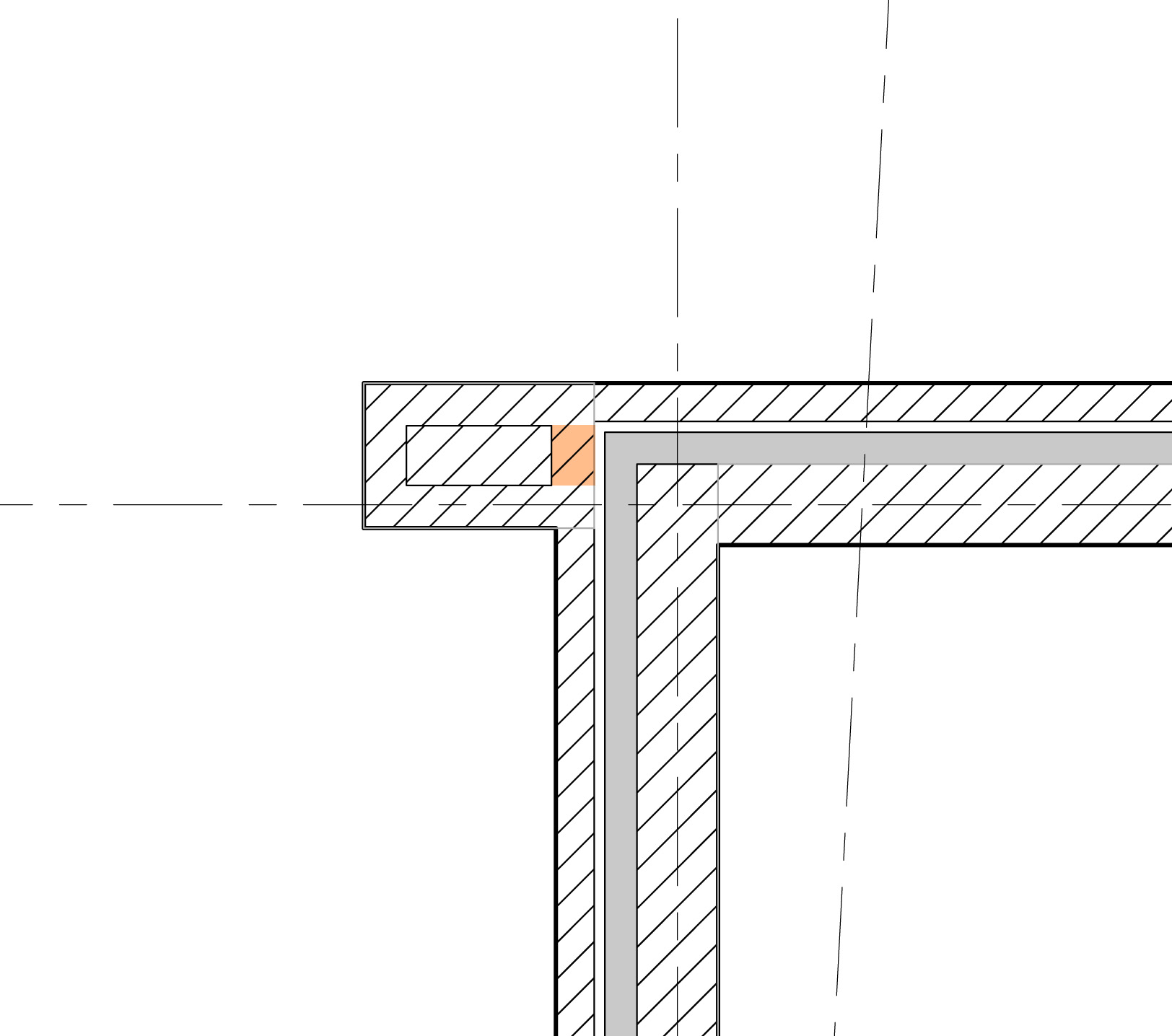
Do you mean like this?
|
This user is offline |
View Website
|
|
|
active
Joined: Tue, Apr 12, 2005
1310 Posts
|
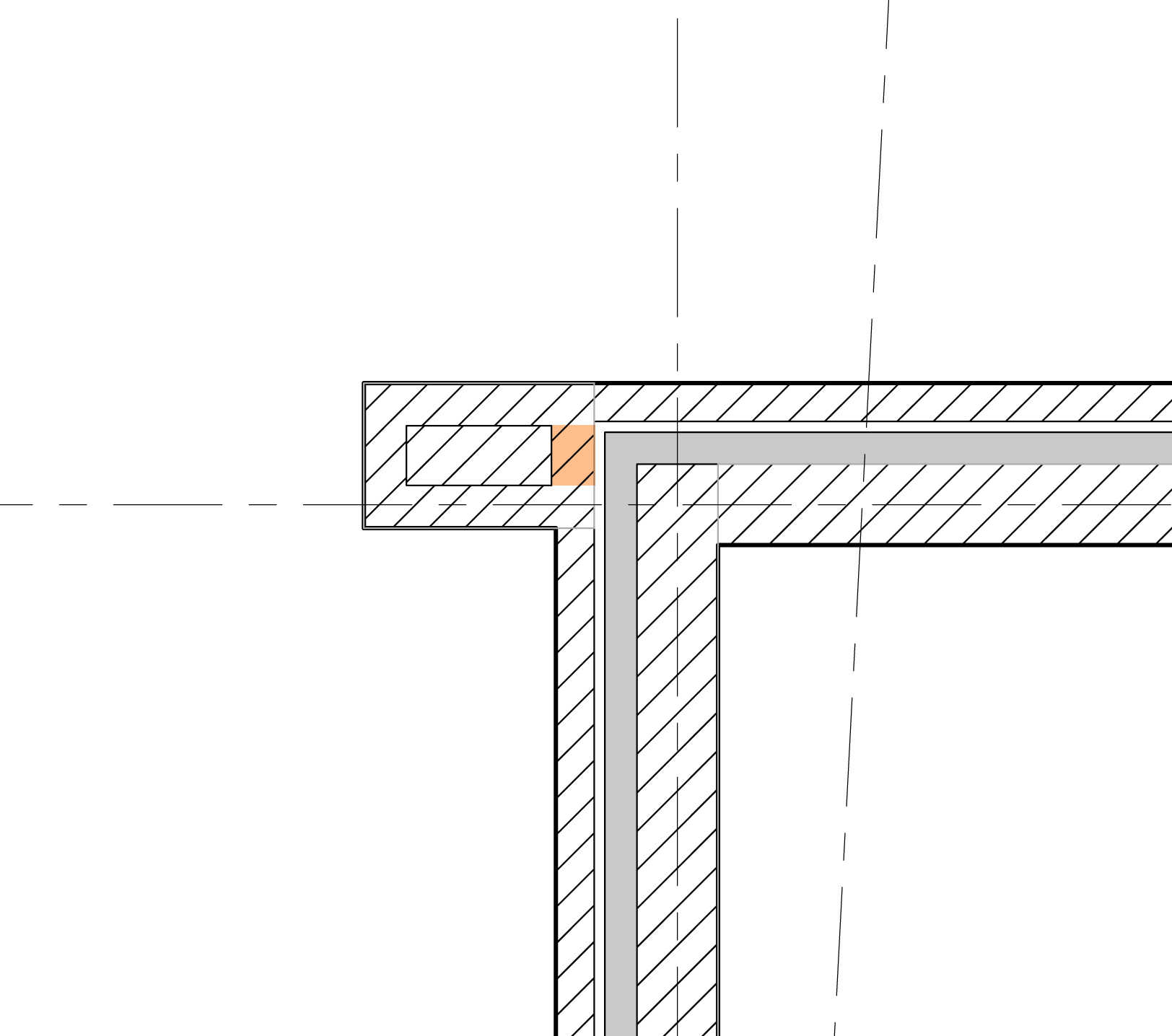
Or this?
|
This user is offline |
View Website
|
|
|
active
Joined: Fri, Jan 18, 2008
24 Posts
No Rating |
Sorry maybe I wasn't too clear with what i want. I've tried joining/disjoining of all sorts. Please see attached jpg. I want my block wall to extend to the part i have coloured orange. I know I can mask it with detail fill, but if there is a way to make the model correctly it would be great. Any other suggestions? (thanx allen)
|
This user is offline |
|
|
|
active
Joined: Fri, Jan 18, 2008
24 Posts
No Rating |
hi Tim, the first one is exactly what i need. So how do i get there? susan
|
This user is offline |
|
|
|
active
Joined: Tue, Apr 12, 2005
1310 Posts
|
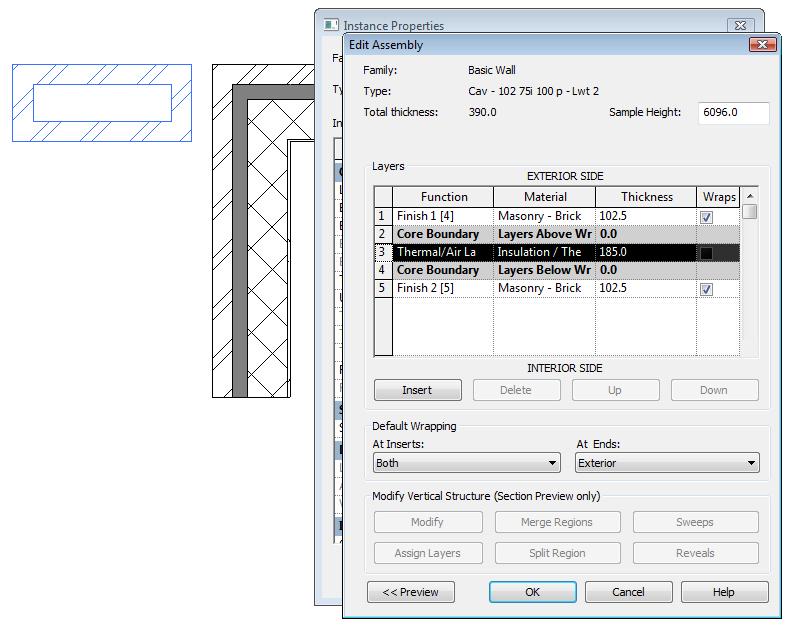
It consists of two wall types, shown in the two attached images. Note the position of the layers in relation to the core boundaries. I pulled them together, as shown in the image that I posted earlier (if the layers don't clean up properly at first, join the wall below the corner and move it up to the corner).
Edited on: Thu, Nov 26, 2009 at 3:24:21 PM
|
This user is offline |
View Website
|
|
|
active
Joined: Tue, Apr 12, 2005
1310 Posts
|
Missed the other image - here it is.
|
This user is offline |
View Website
|
|
|
Similar Threads |
|
Brick will not wrap to new wall type |
Revit Systems >> Technical Support
|
Thu, Apr 28, 2011 at 10:18:56 AM
|
1
|
|
Wrapping a wall type at bottom of wall |
Revit Building >> Technical Support
|
Sun, Nov 7, 2010 at 7:46:40 PM
|
1
|
|
wall wrap |
Revit Building >> Technical Support
|
Thu, Feb 4, 2010 at 8:52:22 AM
|
1
|
|
How to wrap the foundation slab material |
Revit Building >> Technical Support
|
Fri, Aug 6, 2010 at 10:36:30 AM
|
2
|
|
wrap exterior face of wall at ends as an instance not a type parameter |
General Discussion >> Wishlist
|
Thu, Mar 27, 2008 at 9:22:30 AM
|
1
|
|
|
Site Stats
Members: | 2161655 | Objects: | 23325 | Forum Posts: | 152479 | Job Listings: | 3 |
|
 Search