|
|
|
Home | Forums |
Downloads | Gallery |
News & Articles | Resources |
Jobs | FAQ |
| Join |
Welcome !
|
675 Users Online (44 Members):
Show Users Online
- Most ever was 3914 - Wed, Aug 26, 2026 at 4:53:14 AM |
Forums
|
Forums >> Revit Building >> Technical Support >> room area calculation
|
|
|
active
Joined: Mon, Jun 2, 2008
13 Posts
No Rating |
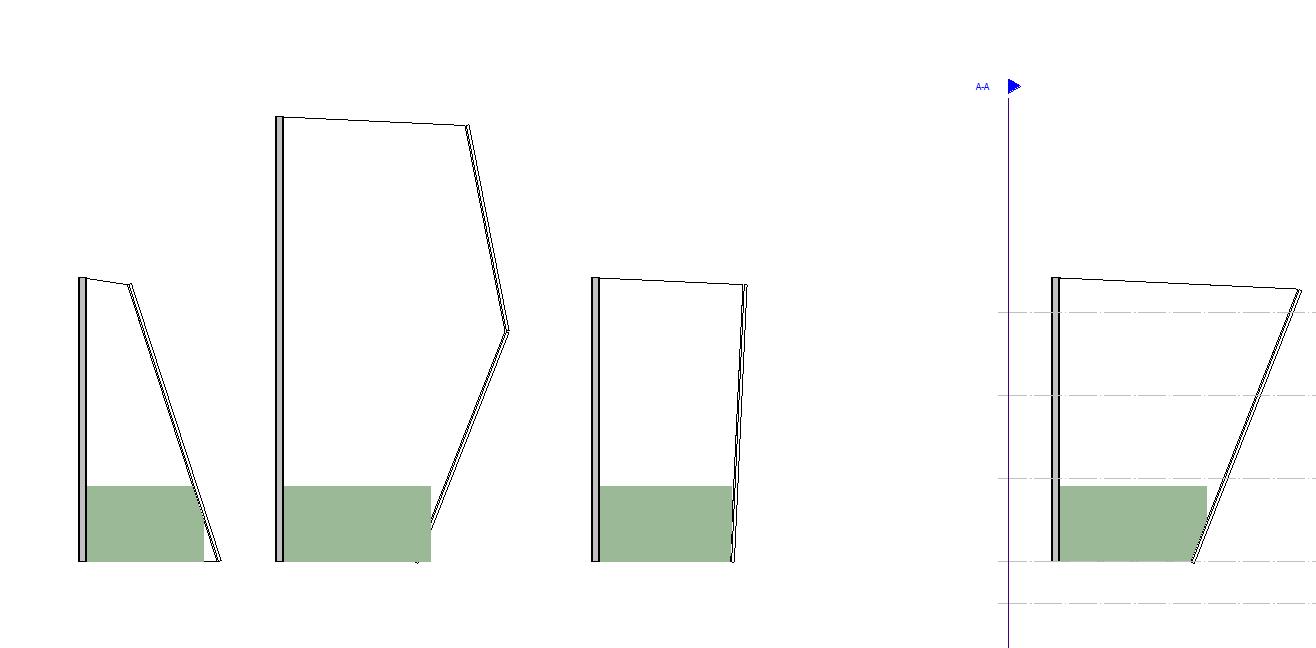
In the pic, the 4 sections have the same bottom floor area, but the room area is different. I find the room area doesn't calculat from the bottom, but above the ground. So the room area is larger than the floor area. Q: How could I adjust the height of the room area calculation, make it at some level that I want? In the 2nd section, you can see the room color doesn't be cut off by the curtain wall. What's wrong with it? How to change it? Could I make the color go align the wall? Do not show the whit corner in the 1st section? Waiting you responds, 3Q...
|
This user is offline |
|
 | |
|
|
active
Joined: Tue, Apr 12, 2005
1310 Posts
 |
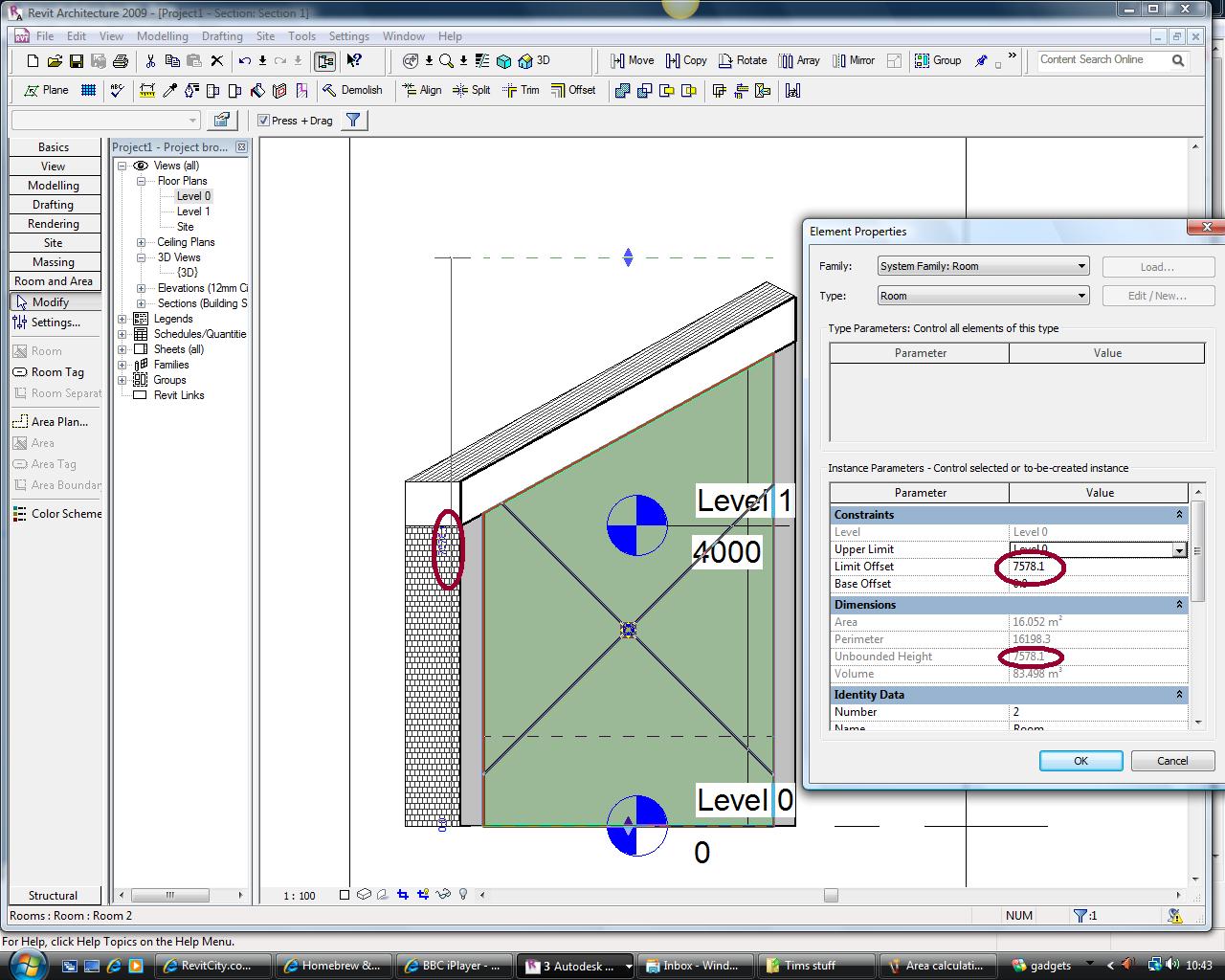
To change the room area calculation height, go to a section view and click one of the level datums, edit it and change the computation height. The default is 1200mm (image 1). with regard to the colour being cut off, drag the room height above any room bounding elements such as roof. Revit only calculates up to the element even though the unbounded height is higher - image 2.
|
This user is offline |
View Website
|
|
|
Similar Threads |
|
Revit interior walls transmission area calculation |
General Discussion >> Revit Project Management
|
Tue, Oct 28, 2014 at 1:44:23 PM
|
0
|
|
Scheduling based on another Schedule |
Revit Building >> Technical Support
|
Mon, Nov 20, 2006 at 11:10:32 AM
|
0
|
|
Room Tags That Calculate [ 1 2 ] |
Revit Building >> Technical Support
|
Mon, Feb 17, 2014 at 3:28:45 PM
|
22
|
|
Room area calculation |
Community >> Newbies
|
Sun, Nov 25, 2012 at 2:28:44 PM
|
1
|
|
Phantom Area Boundaries |
Revit Building >> Technical Support
|
Tue, Sep 29, 2009 at 1:12:12 PM
|
8
|
|
|
Site Stats
Members: | 2188366 | Objects: | 23399 | Forum Posts: | 152462 | Job Listings: | 0 |
|
 Search