
|
|
|
Home | Forums |
Downloads | Gallery |
News & Articles | Resources |
Jobs | FAQ |
| Join |
Welcome !
|
5 Users Online (3 Members):
Show Users Online
- Most ever was 626 - Mon, Jan 12, 2015 at 2:00:17 PM |
|
|
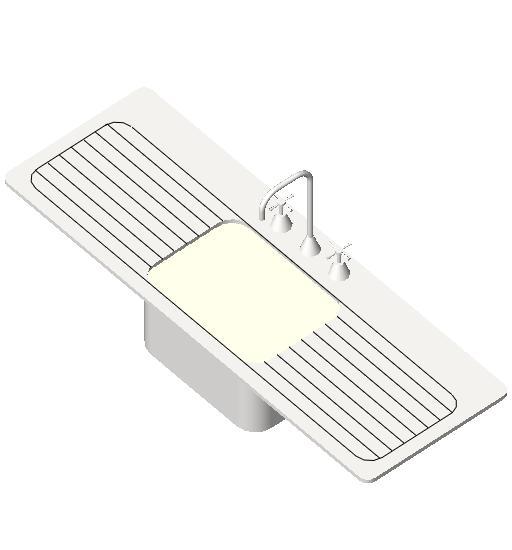
Double Drainer Sink
5571 Downloads

|
 | 
| |
If you want to get away from having Bench Tops/Counter Tops with Parametric holes for Sinks
I have added a piece of Bench Top to my Sinks; it is fixed Parametrically so that for a bigger or smaller sink the bench part adjusts with it.
The Bench part to my Sink has very specific parameters, the Bench Thickness is "Instance", it has a "Yes/No" Type parameter, (always switched off.) plan view is "Unticked", it is attached to the "Top of Counter Top" reference plane as is the Sink, the part is shaped with rounded corners (As the Counter Cut Outs would be)
The sink is added into the Project just as normal, just place it onto your Counter Top in the position you want; At this point your counter Top will pass through you sink!
Now all you have to do is use the REVIT "Cut Geometry" sellect your Counter Top, then the Sink and "WHALLA", you now have your "Counter Top" with a Cut Out, this approach allows you to move the sink and the cut out moves with it, if you delete the sink the Bench is repaired, (No Hole). (If you Hide the Sink Your Bench Top should have a Hole in it)
|
|
CSI Division: 22 40 00 Plumbing Fixtures
RevitCity Division: Plumbing > Fixtures
Product Version: Revit Architecture 2012 |
Uploaded By: albeyss
Uploaded On: Sun, Dec 13, 2015
Original Creator: Albeyss
|
|
|
Site Stats
Members: | 2161655 | Objects: | 23325 | Forum Posts: | 152479 | Job Listings: | 3 |
|
 Search