
|
|
|
Home | Forums |
Downloads | Gallery |
News & Articles | Resources |
Jobs | FAQ |
| Join |
Welcome !
|
5 Users Online (3 Members):
Show Users Online
- Most ever was 626 - Mon, Jan 12, 2015 at 2:00:17 PM |
|
|
Survey Point NEE, NEE TAG, & SCHEDULE SAMPLE
850 Downloads
No Rating
|
 | 
| |
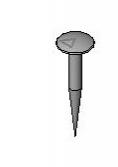
This is the original Survey model with new tweaks. Can appear in a schedule (attached). First load your “cad_site.dwg” file into Revit. Find the Civil Control Point & it’s NEE. Go to Manage Menu \ coordinates \ specify coordinates at a point & pick that point, enter the NEE. Now place component Survey Point NEE at that point. You will need to manually input NEE to schedule survey point. There is no way to acquire project data directly into the survey point at this time. You can always use the command "Report Shared Coordinates to ID your coordinates at a point in the project or control point and move it accordingly then re-edit the NEE inputs. The Site Tag is included. |
|
CSI Division: 02 Existing Conditions
RevitCity Division: Site > Miscellaneous
Product Version: Revit Architecture 2014 |
Uploaded By: justinburton69
Uploaded On: Thu, Mar 27, 2014
Original Creator: Justin Burton
|
|
Comments
|
Thu, Mar 27, 2014 at 5:11:14 PM
#1
|
|
active
Joined Sun, Jul 18, 2010
 This user is offline |
Site Tad is a seperate download, sorry.
|
|
|
Fri, Mar 28, 2014 at 2:57:40 PM
#2
|
|
active
Joined Sun, Jul 18, 2010
This user is offline |
The best way tp place a point at NEE is do it in cad then import the cad file. Then place the Object at the intersection of that point. Revit only allows one point per project to specify as project point or seuvey point. You can also dimension the Survey Makrer point and move it by changing the dims to that point.
|
|
|
Tue, Apr 1, 2014 at 4:34:02 PM
#3
|
|
active
Joined Sun, Jul 18, 2010
This user is offline |
Sorry for the speeling errors. :-) enjoy.
|
|
|
Site Stats
Members: | 2161655 | Objects: | 23325 | Forum Posts: | 152479 | Job Listings: | 3 |
|
 Search