
|
|
|
Home | Forums |
Downloads | Gallery |
News & Articles | Resources |
Jobs | FAQ |
| Join |
Welcome !
|
5 Users Online (3 Members):
Show Users Online
- Most ever was 626 - Mon, Jan 12, 2015 at 2:00:17 PM |
|
|
Slatwall
5720 Downloads

|
 | 
| |
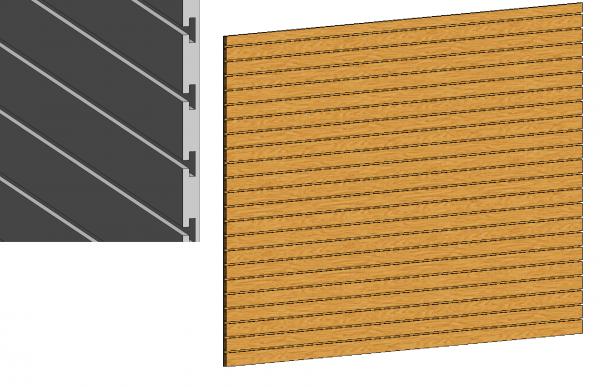
This file is a project containing a slatwall that you can copy to clipboard and paste into your project which will save the wall type. Because it is an actual wall instead of being wall mounted, you can put doors and other things in it as well as make it irregularly shaped. |
|
CSI Division: 09 Finishes
RevitCity Division: Walls
|
Uploaded By: annieruth7
Uploaded On: Wed, Sep 18, 2013
|
|
Comments
|
Fri, Sep 20, 2013 at 1:53:01 PM
#1
|
|
active
Joined Fri, Oct 19, 2012
 This user is offline |
Let me explain in more detail.
make sure you have your project and this one both open in one revit session.
You do not click on the wall and copy it to clipboard, you go to the project browser, then families, then walls, then basic wall, then slatwall 1" thick. then you right click on that and select "copy to clipboard."
then you go to your project and push ctrl+v and it should work that way.
|
|
|
Wed, Feb 28, 2018 at 3:41:08 PM
#2
|
|
active
Joined Mon, Jan 11, 2016
No rating This user is offline |
Thanks this is awesome. Saved me a lot of time.
|
|
|
Site Stats
Members: | 2161655 | Objects: | 23325 | Forum Posts: | 152479 | Job Listings: | 3 |
|
 Search