|
|
|
Home | Forums |
Downloads | Gallery |
News & Articles | Resources |
Jobs | FAQ |
| Join |
Welcome !
|
8 Users Online (6 Members):
Show Users Online
- Most ever was 626 - Mon, Jan 12, 2015 at 2:00:17 PM |
Forums
|
Forums >> Revit Structure >> Technical Support >> Brace goes Wrong?! wrong connections
|
|
|
active
Joined: Fri, Aug 28, 2020
0 Posts
No Rating |
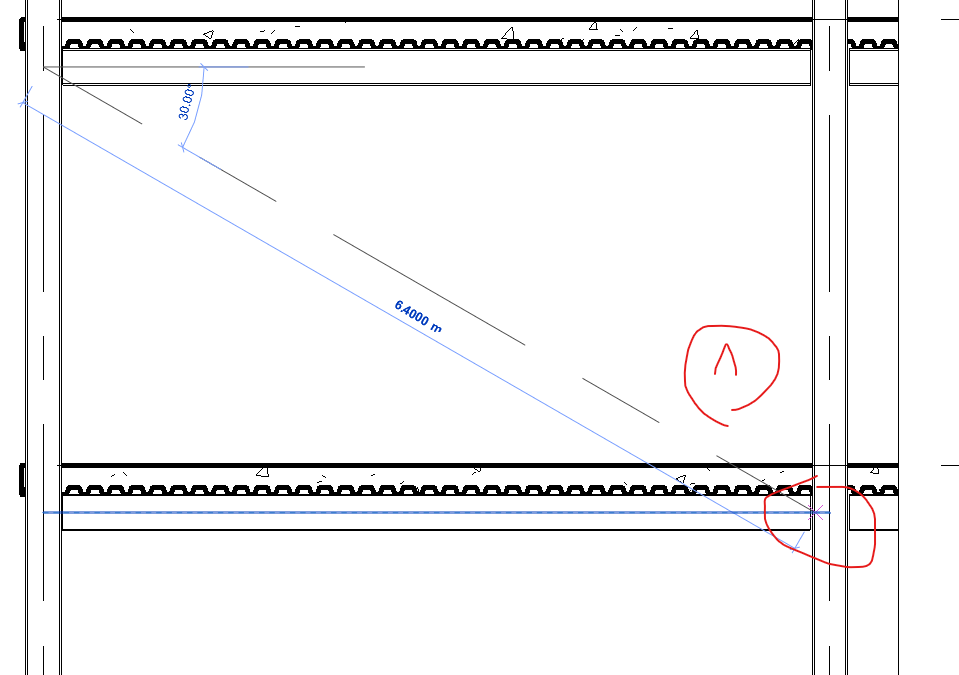
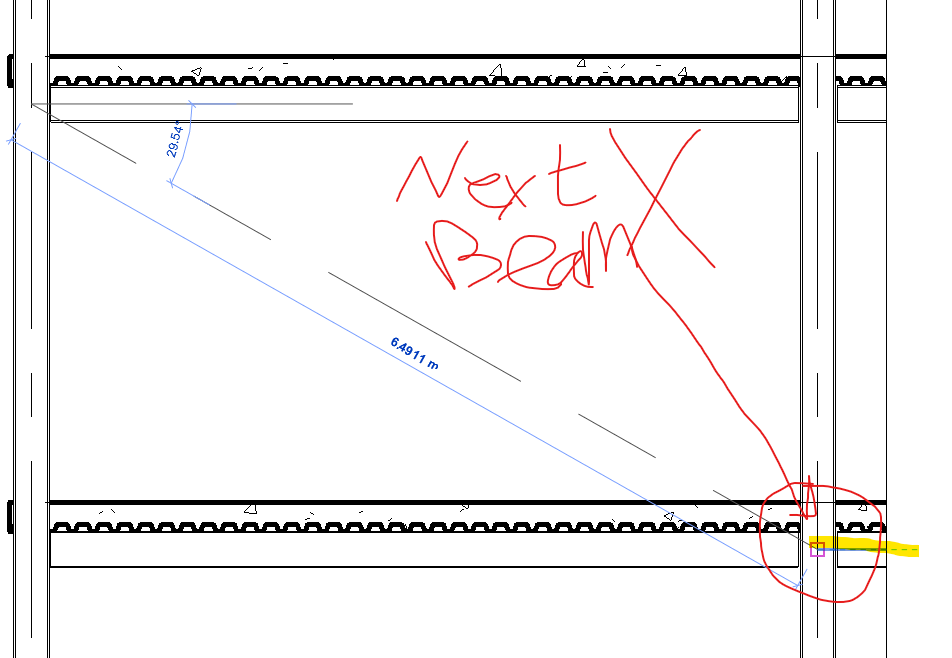
hey, i'm attempting to use a brace to connect a columns and a beam together, but it picks the wrong beam all the time, i tried to press TAB on the keyboard but nothing has changed. can you tell me what should I do?
|
This user is offline |
|
 | |
|
|
active

Joined: Fri, Sep 3, 2010
0 Posts
 |
Isolate (sunglasses icon, lower left corner) beams and columns in the view that you're working with, apply bracing and restore visibility.
|
This user is offline |
|
|
|
Similar Threads |
|
Connections to the wrong side ! |
Revit Systems >> Technical Support
|
Wed, Jan 29, 2014 at 7:55:09 AM
|
1
|
|
Brace that goes through a girt. Best way to break the brace? |
Revit Structure >> Technical Support
|
Fri, May 10, 2013 at 11:29:35 AM
|
1
|
|
x brace frame |
Revit Structure >> Technical Support
|
Wed, Dec 23, 2009 at 1:39:55 PM
|
7
|
|
after revit export to pdf the file is wrong scale |
Revit Building >> Technical Support
|
Sat, Nov 20, 2010 at 10:54:04 PM
|
3
|
|
What am I doing wrong? |
Revit Structure >> Technical Support
|
Thu, Jul 19, 2018 at 2:26:56 PM
|
1
|
|
|
Site Stats
Members: | 2161655 | Objects: | 23325 | Forum Posts: | 152479 | Job Listings: | 3 |
|
 Search