|
|
|
Home | Forums |
Downloads | Gallery |
News & Articles | Resources |
Jobs | FAQ |
| Join |
Welcome !
|
5 Users Online (3 Members):
Show Users Online
- Most ever was 626 - Mon, Jan 12, 2015 at 2:00:17 PM |
Forums
|
Forums >> Revit Building >> Technical Support >> Moving reference planes in a family
|
|
|
active
Joined: Sun, Mar 11, 2012
25 Posts
 |
Dear experts;
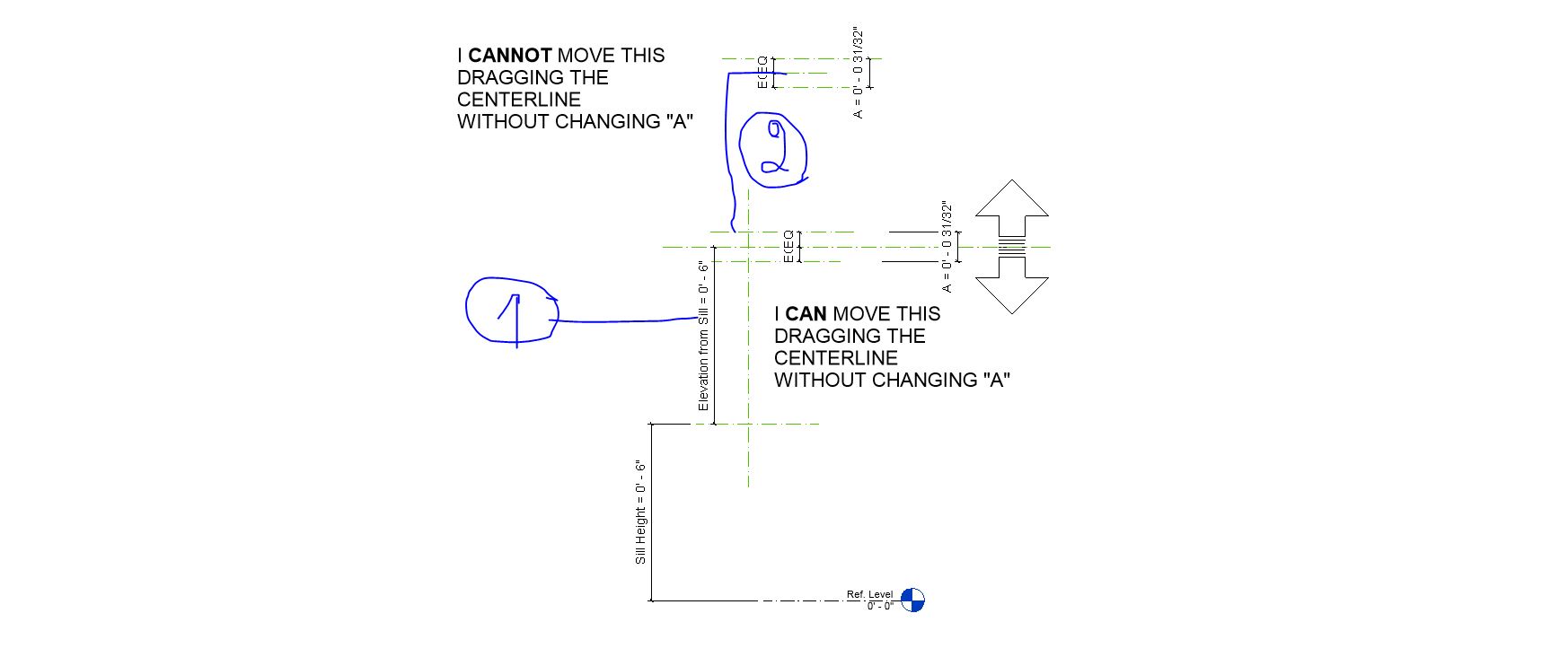
I created a group of ref. planes with a parameter A and a central ref. plane.
I CAN move the whole thing dragging the CENTRAL plane up and down WITHOUT ruining the constraints.
I cannot repeat it. Tried different sequences.
Please see the image and the file.
|
This user is offline |
|
 | |
|
|
active
Joined: Wed, Mar 2, 2011
106 Posts
 |
LOCK THE DIMENSION BETWEEN THEM
|
This user is offline |
|
|
|
active
Joined: Sun, Mar 11, 2012
25 Posts
|
Hi sllana;
Thank you for the reply.
The dimension between two exterior Ref. planes is a locked parameter.
In the example above Revit asks to unlock it.
Also I had it worked when one of the EQ-s is locked. But on the lower example they both are unlocked.
|
This user is offline |
|
|
|
active
Joined: Thu, Feb 18, 2016
0 Posts
 |
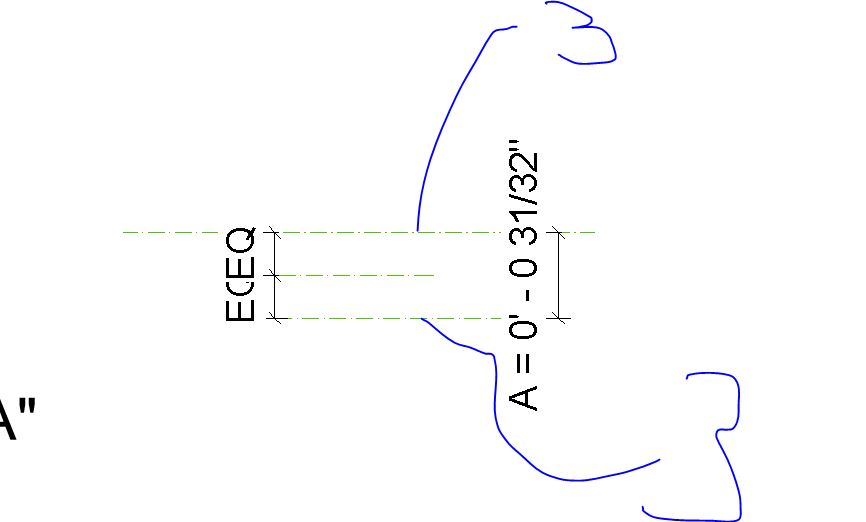
the lower one works because the reference plane is linked to a parameter if you attached the upper one to any parameter it will work ( Note 1 & 2 )
as for another workaround you can use the center line as a reference PLANE and the wing lines as REFRENCE LINES ( Note 3 ) ,
for the solution you just suggested it works for dragging but you will be unable to change the value of A .
Sorry for the bad presentation on the screen shots snipping tool sucks !
hope this helps
|
This user is offline |
|
|
|
active
Joined: Sun, Mar 11, 2012
25 Posts
|
Thank you for the reply.
I still cannot find the differenc, because all the three in both examples are PLANES, and the "wings" in both examples are linked by the locked parameter "A".
I think you suggest to change the wings from REF PLANES to REF LINES, but i need planes in this case. And it works in the lower example.
I still do not understand.
Thanks.
|
This user is offline |
|
|
|
active
Joined: Wed, Mar 2, 2011
106 Posts
|
like this
|
This user is offline |
|
|
|
Similar Threads |
|
Listing the Abilities of Reference Planes |
Revit Building >> Tips & Tricks
|
Sun, Sep 9, 2012 at 9:24:07 PM
|
2
|
|
reference planes |
Revit Building >> Technical Support
|
Thu, Mar 26, 2009 at 3:14:10 PM
|
2
|
|
reference planes |
Community >> The Studio
|
Wed, May 24, 2006 at 10:19:12 AM
|
0
|
|
Cuts on reference planes dropping off when elements are moved |
Revit Structure >> Technical Support
|
Thu, Feb 27, 2014 at 6:07:22 PM
|
5
|
|
2 Out of 6 Reference Planes are not visible |
Revit Building >> Technical Support
|
Sun, Jul 13, 2008 at 4:52:58 AM
|
5
|
|
|
Site Stats
Members: | 2161655 | Objects: | 23325 | Forum Posts: | 152479 | Job Listings: | 3 |
|
 Search
 156187_Test_Ref_Planes.rfa