|
|
|
Home | Forums |
Downloads | Gallery |
News & Articles | Resources |
Jobs | FAQ |
| Join |
Welcome !
|
20 Users Online (18 Members):
Show Users Online
- Most ever was 626 - Mon, Jan 12, 2015 at 2:00:17 PM |
Forums
|
Forums >> Revit Building >> Technical Support >> Edit Extrusion From Different View
|
|
|
active
Joined: Fri, Nov 18, 2016
0 Posts
No Rating |
Hello,
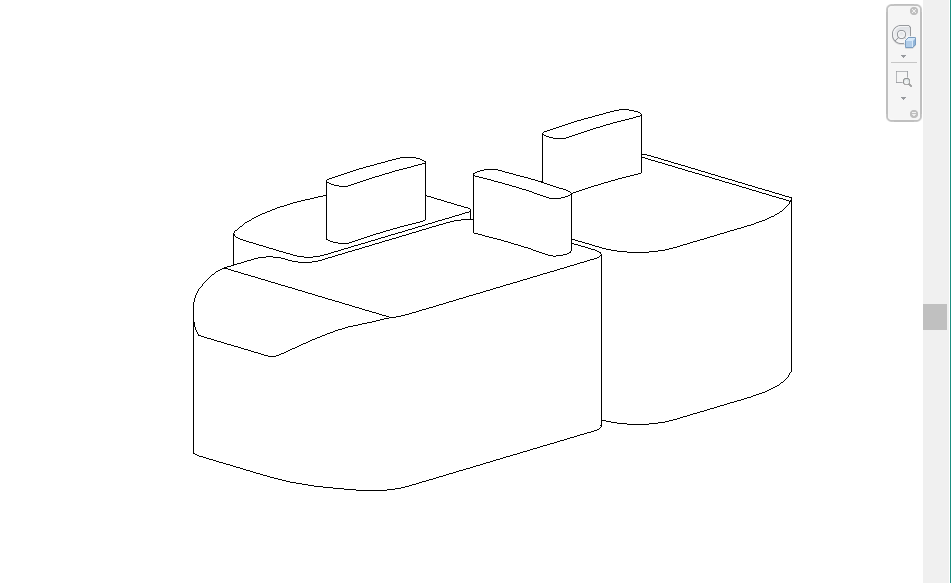
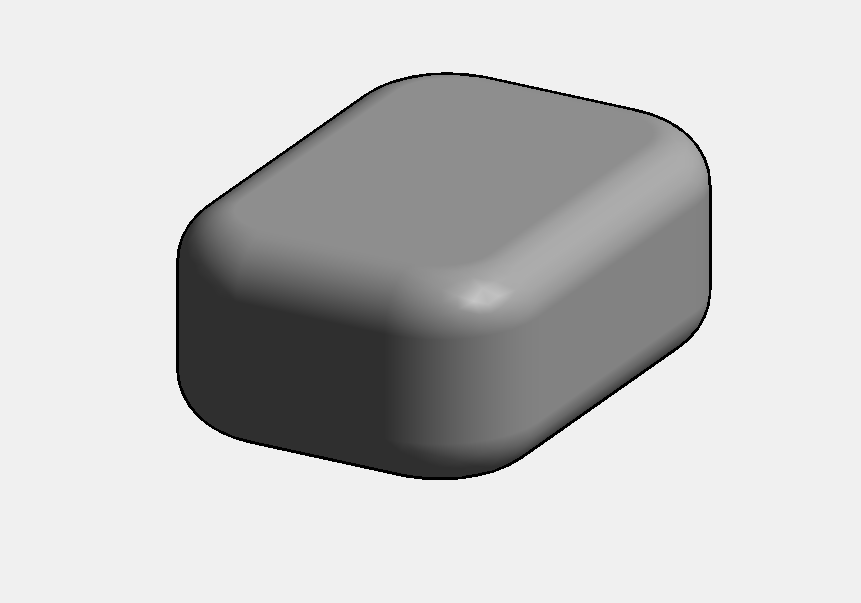
I'm creating furniture in the "Generic Model Family" (specifically, soft lounge seating.) I've created the basic shapes by Extrusion in the Floor Plan view and now I would like to soften and round out some of those sharp edges. It would be so simple to do if I could edit the lines in Elevation view, however, the tool pallette is activated in Plan view only (I'm assuming because this is the view in which it was created).
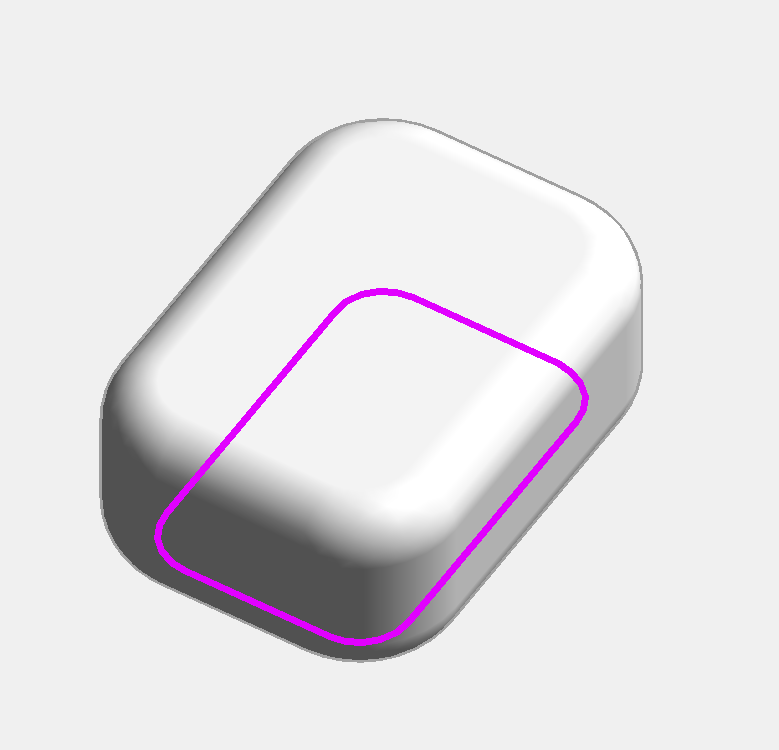
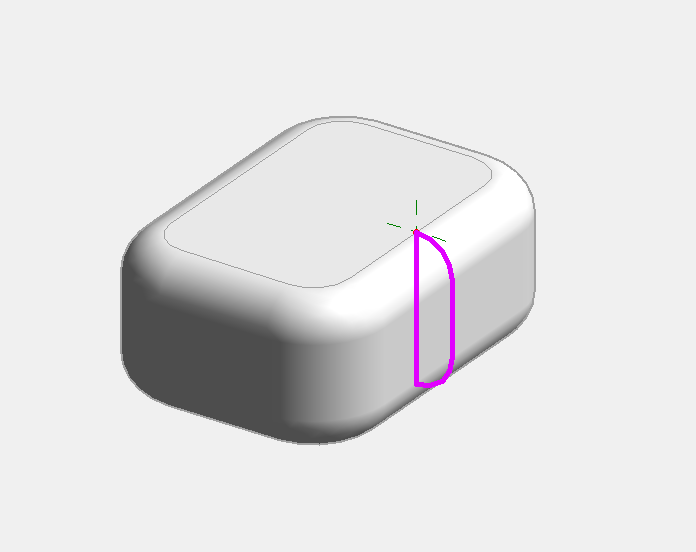
I attempted instead to create Void Forms to cut off the sharp edges, however that only worked for the Front/Back Elevation view. When I attempted to do the same in the Left/Right Elevation view, I kept getting the "Cannot keep lines connected" message. I opted to proceed anyway, but nothing appears to be cut by the Void Geometry.
Does anyone know if there is a way to edit these objects create in Plan View in Elevation View? If not, is there a different way you all are going about creating a softer edge on something like a cushion? Please advise! (See attached photos).
Thanks in advance.
Edited on: Thu, Mar 9, 2017 at 11:52:20 AM
Edited on: Thu, Mar 9, 2017 at 11:52:53 AM
|
This user is offline |
|
 | |
|
|
site moderator|||
Joined: Tue, May 16, 2006
13079 Posts
 |
Revit has never been good at modeling soft or folded forms.
Your best process would be to add a void sweep from a 3D view using pick edges. You should be able to round the complete top with one sweep, the bottom with another. The corners should have benn handled in your plan view sketch.
|
This user is offline |
|
|
|
active
Joined: Fri, Nov 18, 2016
0 Posts
No Rating |
Of course! I always have a knack for picking the most difficult tasks to try to achieve. Will try out your suggestion. Thanks for the reply!
|
This user is offline |
|
|
|
active

Joined: Fri, Sep 3, 2010
0 Posts
 |
Sometimes, it’s just easier to add instead of subtract. Solid extrusion and solid sweep should do the job.
|
This user is offline |
|
|
|
site moderator|||
Joined: Tue, May 16, 2006
13079 Posts
|
GREAT SUGGESTION pijpiwo!
|
This user is offline |
|
|
|
active
Joined: Fri, Nov 18, 2016
0 Posts
No Rating |
"
Sometimes, it’s just easier to add instead of subtract. Solid extrusion and solid sweep should do the job.
"
Thanks so much!
|
This user is offline |
|
|
|
Similar Threads |
|
Family - edit Extrusion |
Revit Building >> Technical Support
|
Mon, Jul 18, 2016 at 5:16:12 AM
|
2
|
|
Edit Plan of Roof by Extrusion |
Revit Building >> Technical Support
|
Thu, Jul 25, 2013 at 7:10:35 AM
|
6
|
|
How to edit a sketch of Extrusion? |
Workflow & Implementation >> API & Third Party Apps
|
Thu, Aug 1, 2013 at 10:38:11 AM
|
1
|
|
Solid Extrusion Question |
Community >> The Studio
|
Wed, Aug 2, 2006 at 9:32:08 AM
|
1
|
|
Noob Question |
Community >> Newbies
|
Thu, Nov 17, 2011 at 11:27:01 AM
|
0
|
|
|
Site Stats
Members: | 2161655 | Objects: | 23325 | Forum Posts: | 152479 | Job Listings: | 3 |
|
 Search