|
|
|
Home | Forums |
Downloads | Gallery |
News & Articles | Resources |
Jobs | FAQ |
| Join |
Welcome !
|
4 Users Online (2 Members):
Show Users Online
- Most ever was 626 - Mon, Jan 12, 2015 at 2:00:17 PM |
Forums
|
Forums >> General Discussion >> Revit Project Management >> 3d model "fuzzy" almost wifreframe like
|
|
|
active
Joined: Sun, Feb 12, 2017
0 Posts
No Rating |
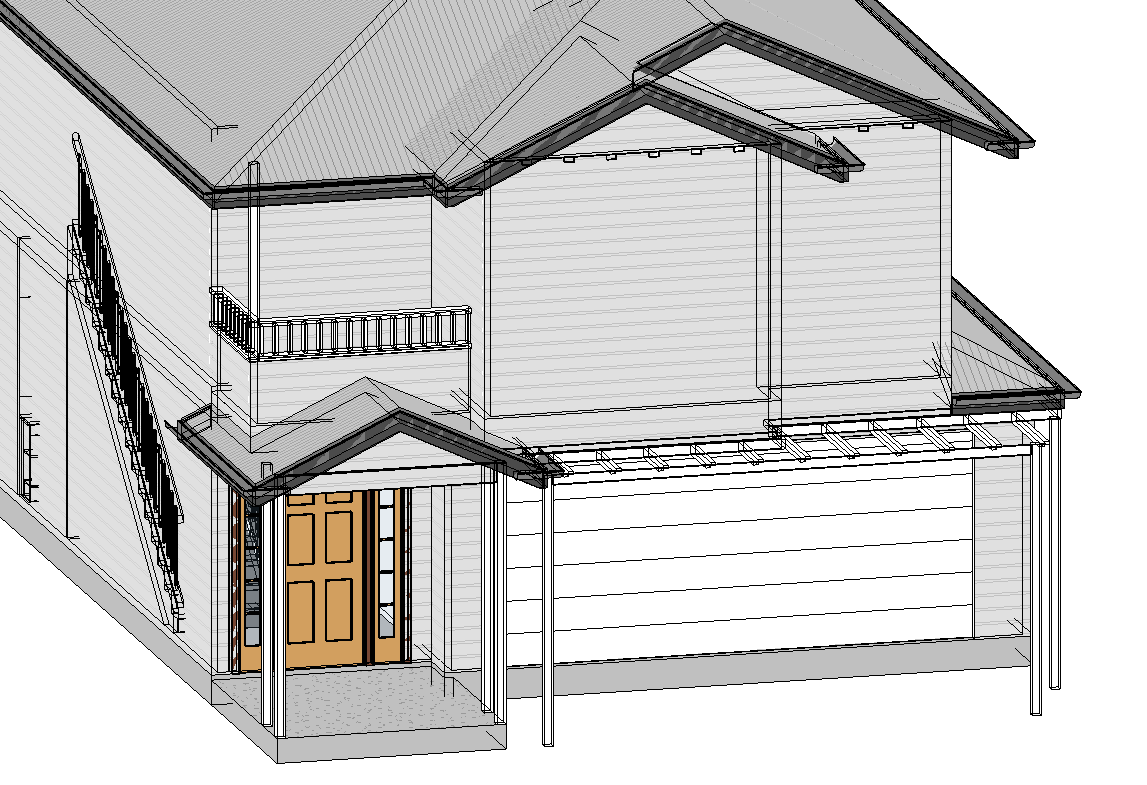
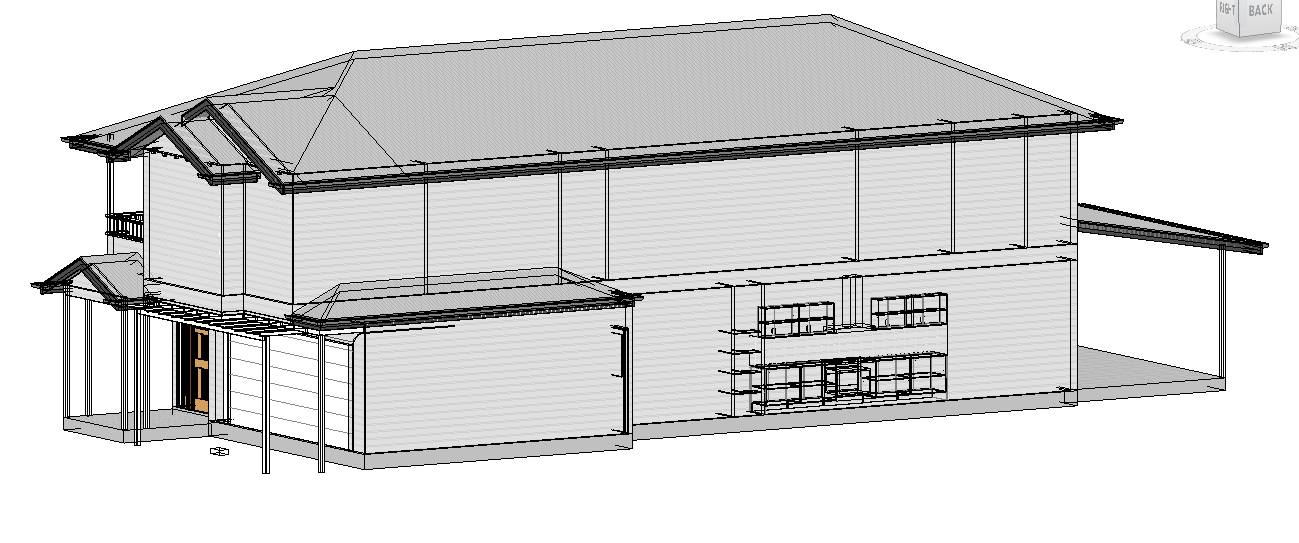
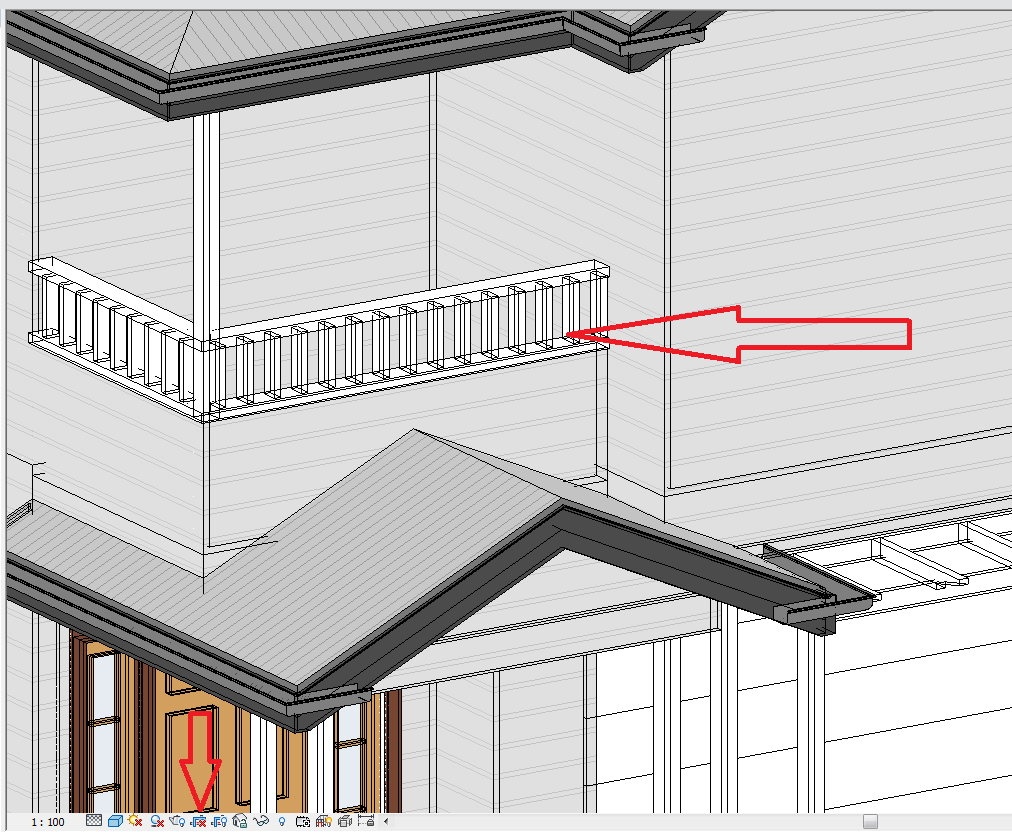
Anyone know what causes this? showing almost wireframe like
can you advise why these hidden lines so to speak, or almost wire frame like are showing in the 3d model?? Despite all settings to normal, like no shadowings and on consistent colours
|
This user is offline |
|
 | |
|
|
active
Joined: Thu, Feb 18, 2016
0 Posts
 |
there is no transparency override of course ?
|
This user is offline |
|
|
|
site moderator|||

Joined: Tue, May 22, 2007
5921 Posts
|
Seems lika a graphic card issue, try to update drivers.
-----------------------------------
I Hope and I Wish to LEARN more, and more, and more.... REVIT |
This user is offline |
|
|
|
Similar Threads |
|
"fuzzy" halftone lines when plotting to KIP3000 |
Revit Building >> Technical Support
|
Thu, Jul 28, 2011 at 7:33:26 AM
|
2
|
|
Ceiling Plan tags in Linked Model Views "Moving" (2010) |
Revit Building >> Tips & Tricks
|
Tue, Dec 21, 2010 at 7:20:58 AM
|
7
|
|
How to make a "Model in-place" a "Family" |
Revit Building >> Technical Support
|
Thu, Mar 17, 2011 at 5:07:59 PM
|
5
|
|
How do you change a "generic model" family into a "mechanical equipment" family? |
Revit Systems >> Technical Support
|
Fri, Apr 6, 2018 at 6:18:19 PM
|
4
|
|
model: column-"properties" dims not scaling to whats shown on drawing |
Revit Building >> Technical Support
|
Fri, Dec 12, 2008 at 3:10:11 PM
|
3
|
|
|
Site Stats
Members: | 2161655 | Objects: | 23325 | Forum Posts: | 152479 | Job Listings: | 3 |
|
 Search