|
|
|
Home | Forums |
Downloads | Gallery |
News & Articles | Resources |
Jobs | FAQ |
| Join |
Welcome !
|
11 Users Online (9 Members):
Show Users Online
- Most ever was 626 - Mon, Jan 12, 2015 at 2:00:17 PM |
Forums
|
Forums >> Revit Building >> Technical Support >> Windows & Doors appear dark grey in consistent colour
|
|
|
active
Joined: Mon, Jun 27, 2016
0 Posts
No Rating |
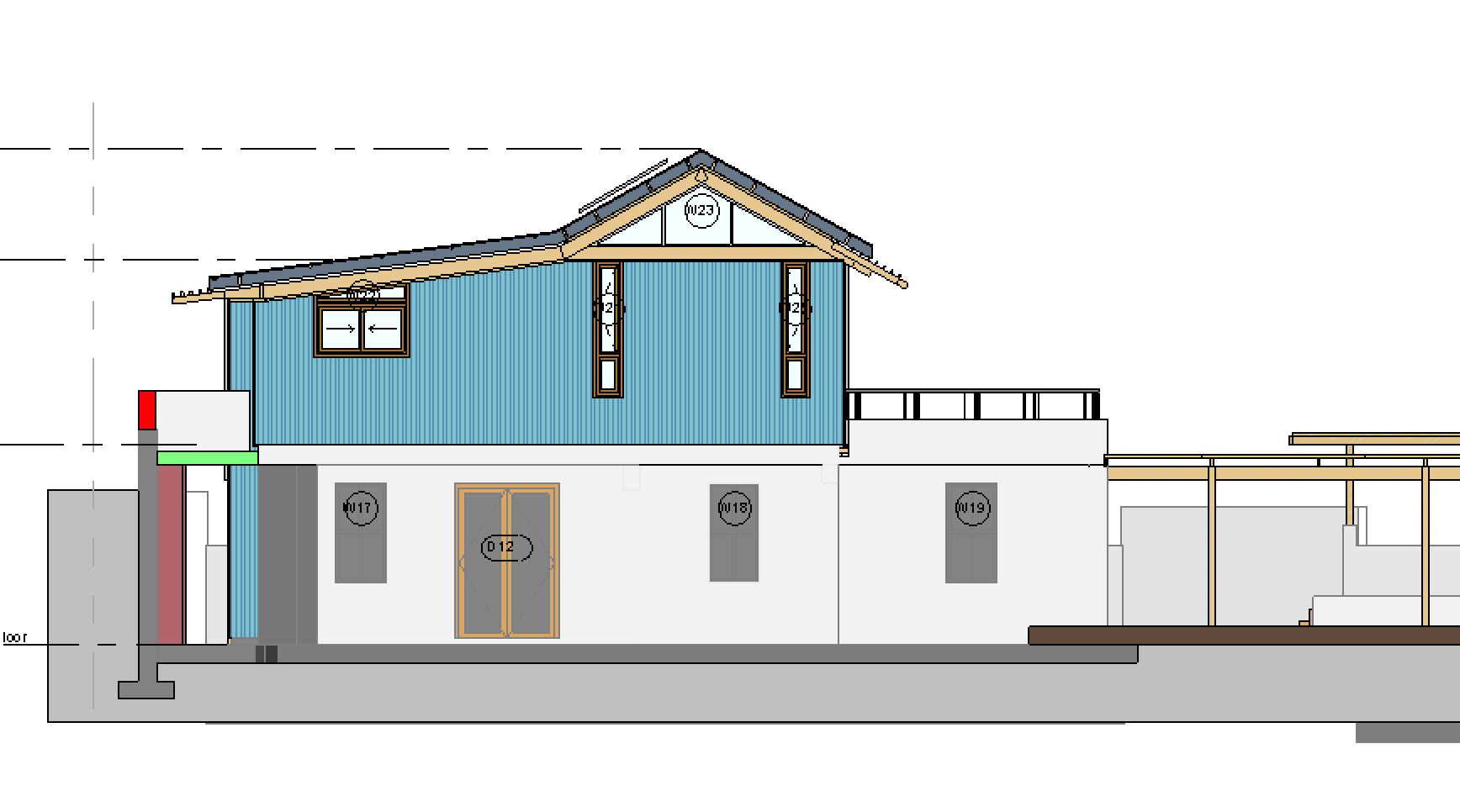
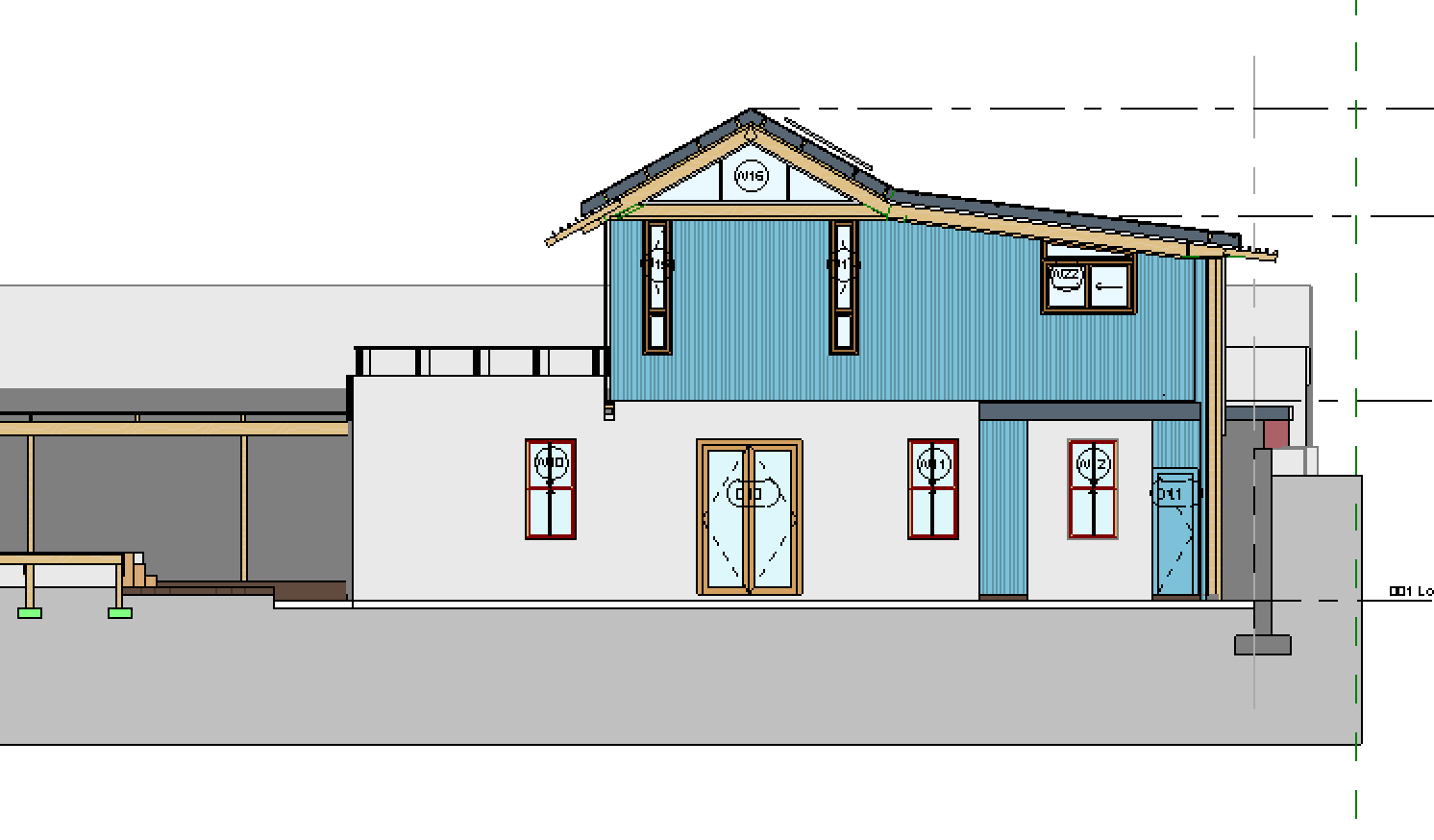
I am having a problem where in one of my elevations, all materials in a family appear as a dark grey. They are phased existing, set in an existing wall. By messing with the material appearance settings I was able to make the frame of the door appear, but no luck with the other materials or families.
This problem does not occur in other elevations.
|
This user is offline |
|
 | |
|
|
site moderator|||
Joined: Tue, May 16, 2006
13079 Posts
 |
Use show complete view setting.
|
This user is offline |
|
|
|
active

Joined: Tue, Aug 25, 2009
0 Posts
 |
There is no material assigned either to the category or to the object (glass) in the window family.
|
This user is offline |
View Website
|
|
|
Similar Threads |
|
Why is my default 3D model all grey? |
Revit Building >> Technical Support
|
Thu, Jan 5, 2012 at 7:22:09 AM
|
4
|
|
Window view on floor plan (grey instead of white) |
Revit Building >> Technical Support
|
Tue, Oct 15, 2013 at 10:39:44 AM
|
6
|
|
White walls are dark grey when rendered? |
Revit Building >> Technical Support
|
Wed, Aug 10, 2005 at 10:57:54 PM
|
6
|
|
Door & Window Schedules - how to schedule existing doors and windows |
Revit Building >> Technical Support
|
Tue, Feb 3, 2009 at 11:11:39 AM
|
2
|
|
Brick Colour |
Revit Building >> Technical Support
|
Mon, Jan 13, 2014 at 9:27:03 AM
|
4
|
|
|
Site Stats
Members: | 2161655 | Objects: | 23325 | Forum Posts: | 152479 | Job Listings: | 3 |
|
 Search