|
|
|
Home | Forums |
Downloads | Gallery |
News & Articles | Resources |
Jobs | FAQ |
| Join |
Welcome !
|
3 Users Online (1 Members):
Show Users Online
- Most ever was 626 - Mon, Jan 12, 2015 at 2:00:17 PM |
Forums
|
Forums >> Revit Building >> Technical Support >> Schedule Headers-bold?
|
|
|
active
Joined: Tue, Oct 13, 2015
0 Posts
No Rating |
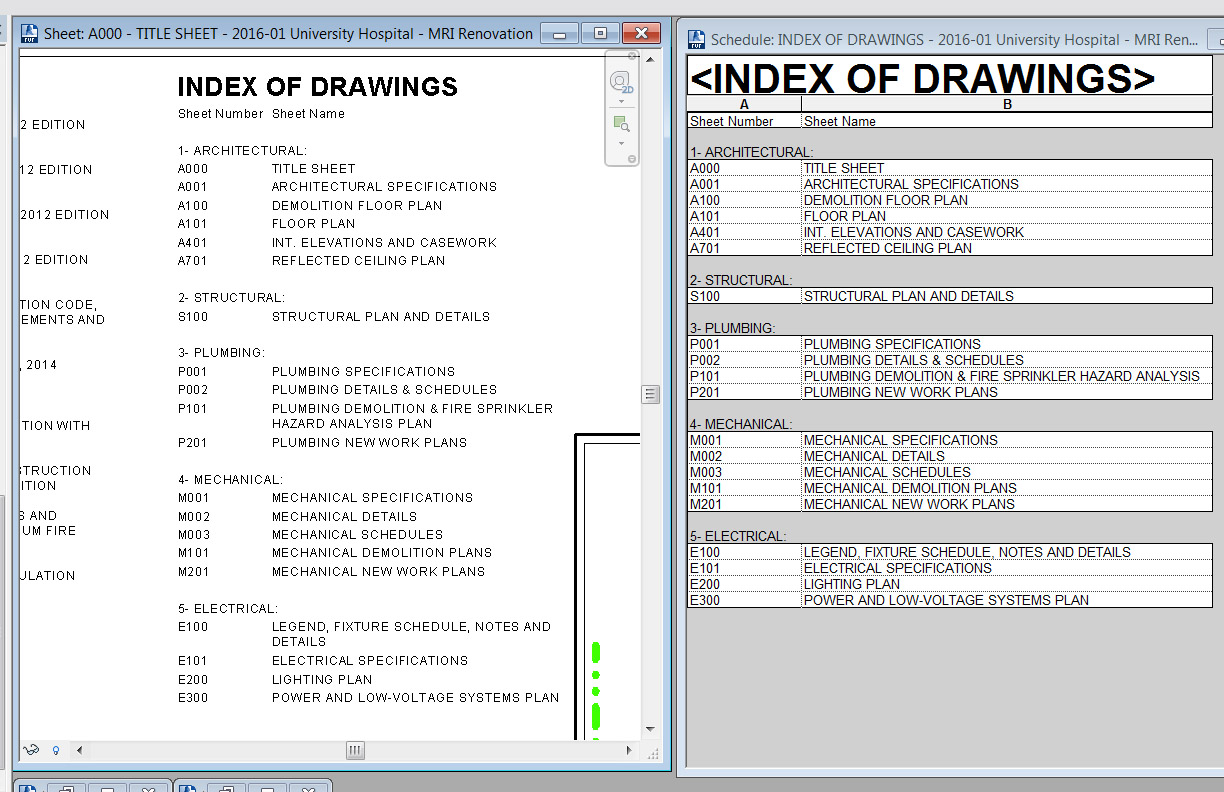
I recently discovered sorting schedules by discipline and having the headers show up. Two issues:
1. How do I bold the headers of the disciplines?
2. To avoid another hidden parameter of entered text, i numbered the discipline. Is there a better way?
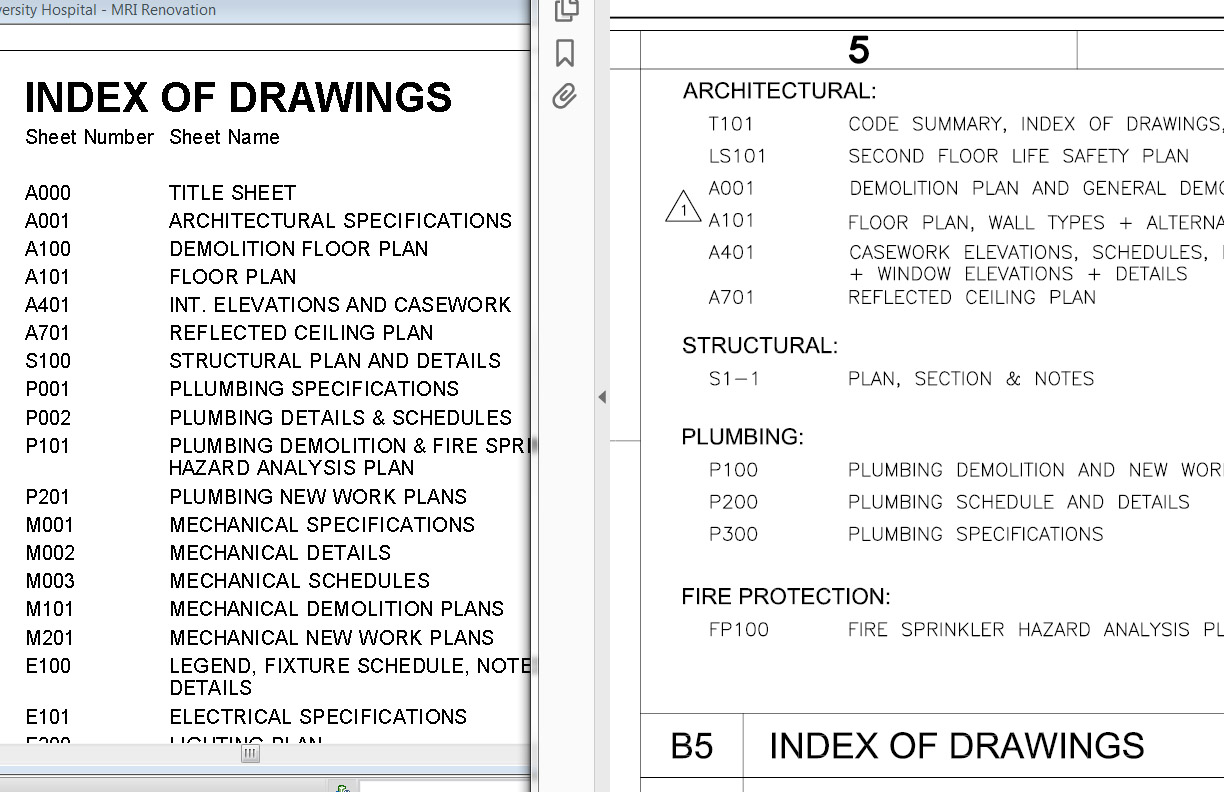
First image attached is my current revit file. Second file is what our Revit used to look like vs. how they had it in AutoCAD
|
This user is offline |
|
 | |
|
|
active
Joined: Fri, Jul 5, 2013
38 Posts
 |
Revit seems to lack a box to configure the font for those headers. It only lets us change the top header in the tab Appearance.
-----------------------------------
Marc Faber
BIM Solutions Developer
goto.archi | Oslo, Norway
|
This user is offline |
View Website
|
|
|
Similar Threads |
|
Schedule headers disappear |
Revit Building >> Technical Support
|
Fri, Dec 11, 2015 at 12:56:59 PM
|
4
|
|
Schedule Headers |
Revit Building >> Technical Support
|
Wed, Mar 21, 2012 at 3:42:41 PM
|
0
|
|
Freezing Headers in Schedule - Revit 2014 |
Revit Building >> Tips & Tricks
|
Mon, Jul 1, 2013 at 11:11:36 PM
|
3
|
|
advanced schedule tabulation |
Revit Building >> Tips & Tricks
|
Thu, Nov 7, 2013 at 3:56:38 AM
|
2
|
|
Schedule Title Formatting |
General Discussion >> Wishlist
|
Thu, Jan 8, 2009 at 11:12:07 AM
|
2
|
|
|
Site Stats
Members: | 2161655 | Objects: | 23325 | Forum Posts: | 152479 | Job Listings: | 3 |
|
 Search