|
|
|
Home | Forums |
Downloads | Gallery |
News & Articles | Resources |
Jobs | FAQ |
| Join |
Welcome !
|
7 Users Online (5 Members):
Show Users Online
- Most ever was 626 - Mon, Jan 12, 2015 at 2:00:17 PM |
Forums
|
Forums >> Revit Building >> Technical Support >> REVIT 2015 DELETE FAMILIES FROM FILE BEFORE OPENING IT - UNRECOVERABLE ERROR
|
|
|
active
Joined: Mon, Jun 18, 2012
18 Posts
No Rating |
Hi All Im on revit 2015. Im trying to open a file and when it gets to 49% I get an "unrecoverable file..." error. None of the backup files work either. Tried all the "journal" fodler files and still cant get it to work.
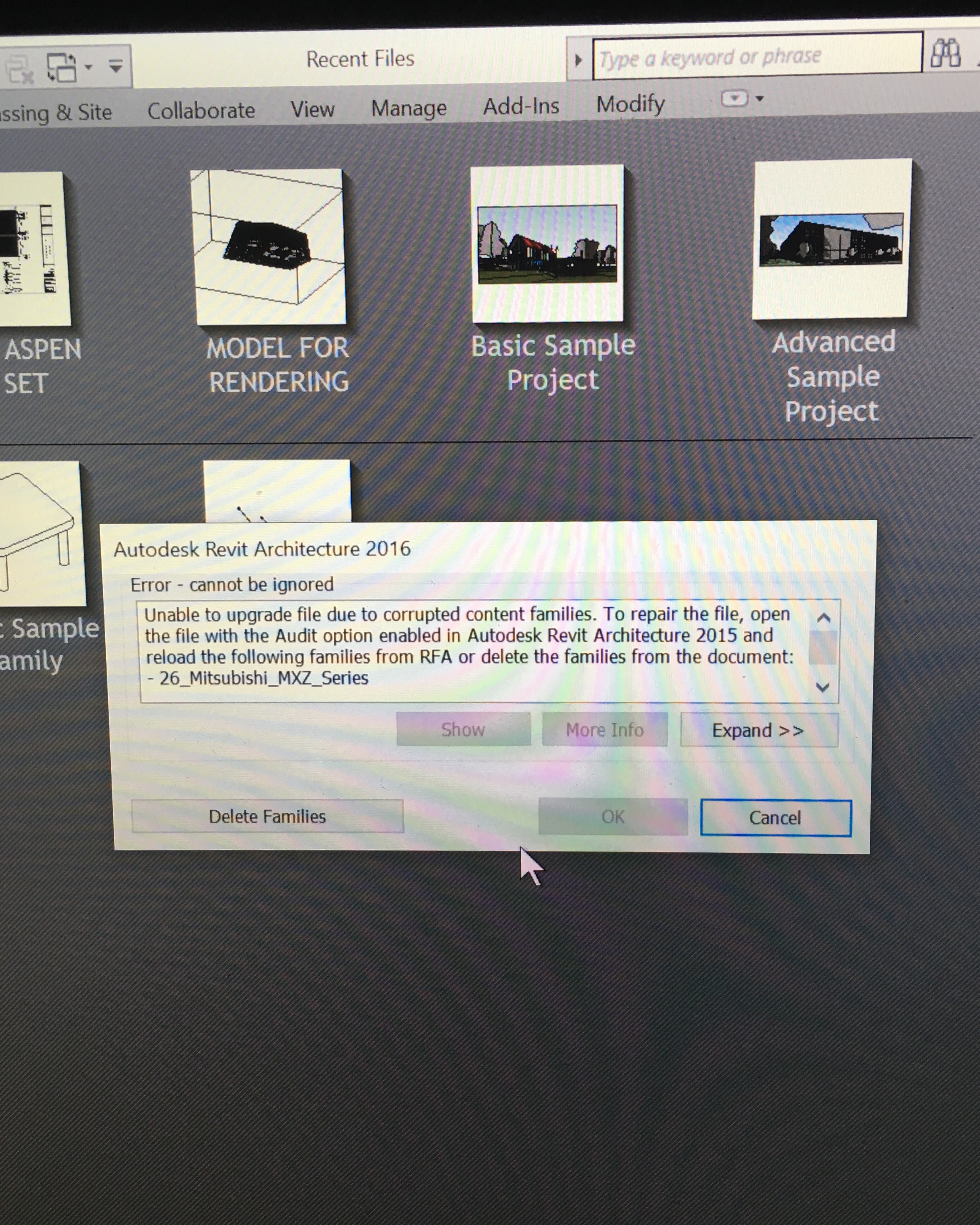
I tried upgrading the file to Revit 2016 and I get the following message:
"unable to upgrade file due to corrupted families. to repair the file, open the file with the audit option enabled in autodesk revitarchitecture 2015 and reload the following families from RFA or delete the families from the document:-26_mitsubishi_MXZ_series-26_mitsubishi_SEZ_series"
How can I delete the families without opening the file (for revit 2015)? 2016 gives me a button to "delete families" but revit 2015 simply crashes
S.O.S!!
Edited on: Wed, May 11, 2016 at 9:35:29 PM
Edited on: Wed, May 11, 2016 at 9:51:35 PM
|
This user is offline |
|
 | |
|
|
active

Joined: Mon, Nov 19, 2007
93 Posts
 |
Within the open revit model window did you try ticking the audit option down the bottom as it suggested?If that does not work, within the open revit model window tick the audit option and detach option down the bottom.If that doesn't work some further options:If you are working in a collaborative model and have local files on your C Drive, go to the folder on the C drive where the local files are kept and either cut and paste them somewhere else ( so you can use them later if need be) or delete them all ( if you don't need them). Either way, empty the local folder of everything.
Try these for now.
-----------------------------------
__________I'm the guy they come to when they didn't follow my recommended workflows.__________ |
This user is offline |
|
|
|
site moderator|||
Joined: Tue, May 16, 2006
13079 Posts
|
There is no reason to move or delete local files.
Are you opening a stad-alone, a local or a central file?
If it's a stand-alone and you can't open any back ups then something may bhe wrong with your system/program. Try a different system.
If you are opening a local, try opening from the central. If that doesn't work, then try opening that local detached. If that doesn't work, then try opening the central. If that too fails you could try a roll-back. And if all fails and you are on subscription, send it to autodesk.
|
This user is offline |
|
|
|
site moderator|||
Joined: Tue, May 16, 2006
13079 Posts
|
BTW - Local files are possibly some of the best backups you can have because every user may have saved at a different time. I often name by local by date when I open from central so that I can have these in my system. My system is not backed up, only our network files.
I also periodically make a new central with a new date to give me a snapshot of the file at that point. I do this especially at issued for bid, issued for construction points. Those files go in a special backup folder without their backup files. No need for the backups because you will only open these detached.
|
This user is offline |
|
|
|
Similar Threads |
|
Opening 2008 file in 2009 causes "Unrecoverable error" crash |
General Discussion >> Revit Project Management
|
Tue, Jul 28, 2009 at 1:36:33 AM
|
3
|
|
Revit 2008 - Unrecoverable Error when Opening Program |
Revit Structure >> Technical Support
|
Mon, Mar 24, 2008 at 11:14:57 PM
|
1
|
|
Unrecoverable Error - Decal |
Revit Building >> Technical Support
|
Tue, Dec 6, 2005 at 3:59:29 PM
|
1
|
|
Revit 2015 Install Error |
Workflow & Implementation >> Hardware
|
Tue, May 20, 2014 at 9:24:55 AM
|
5
|
|
Green Building Studio Error |
Revit Building >> Technical Support
|
Fri, Oct 21, 2016 at 11:44:00 PM
|
0
|
|
|
Site Stats
Members: | 2161655 | Objects: | 23325 | Forum Posts: | 152479 | Job Listings: | 3 |
|
 Search