|
|
|
Home | Forums |
Downloads | Gallery |
News & Articles | Resources |
Jobs | FAQ |
| Join |
Welcome !
|
7 Users Online (5 Members):
Show Users Online
- Most ever was 626 - Mon, Jan 12, 2015 at 2:00:17 PM |
Forums
|
Forums >> Revit Building >> Technical Support >> Phantom Walls
|
|
|
active
Joined: Wed, Sep 30, 2015
0 Posts
No Rating |
Hi,
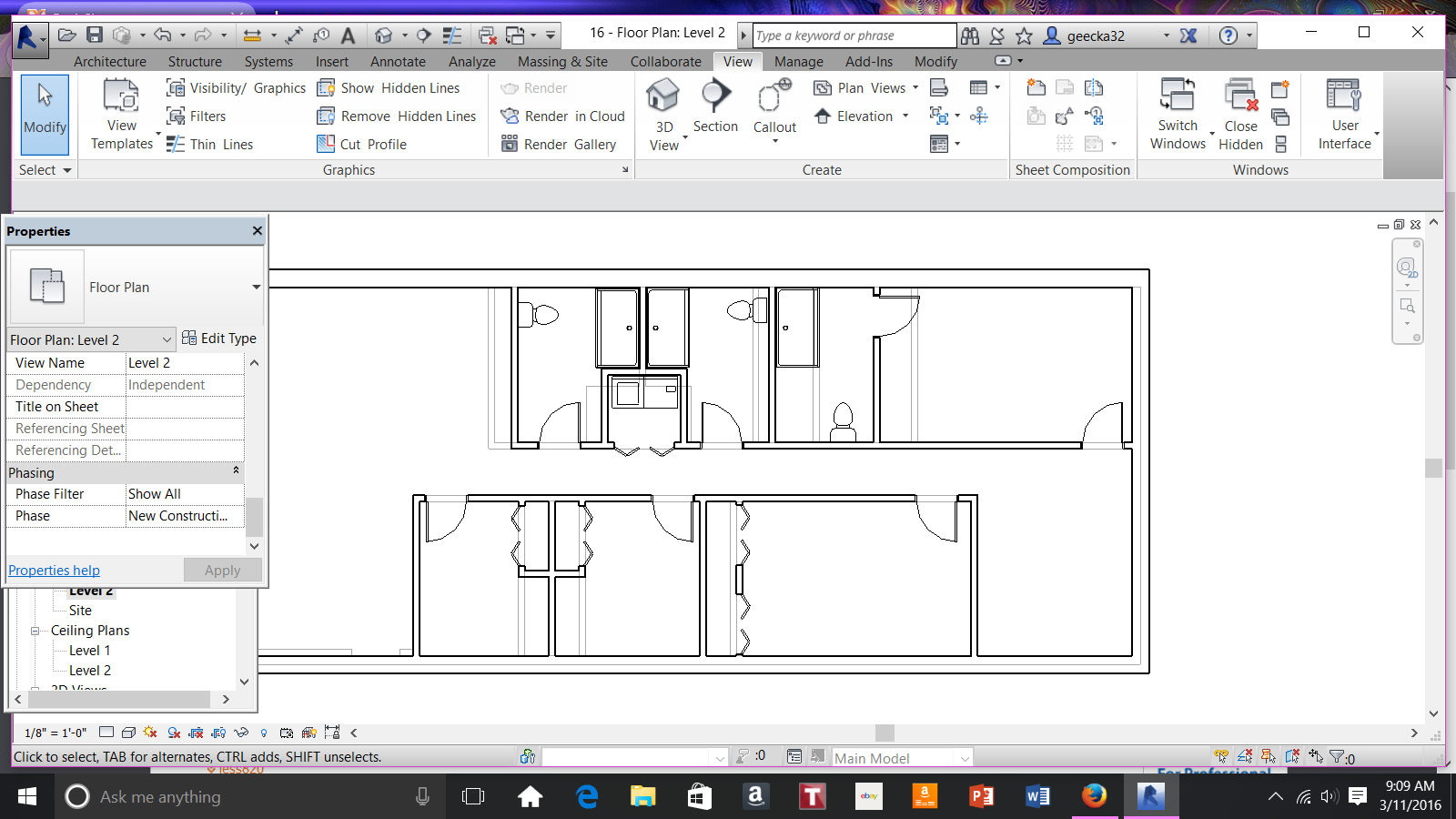
Im a student learning Revit. I am doing a simple floor plan currently. When I move walls the original wall location is still
there as a light gray line. I can not delete it. It wont highlight to change it. However, when I place componets that line shows
up as a guide. My floor plan looks horrible. HELP!
|
This user is offline |
|
 | |
|
|
active
Joined: Wed, Sep 30, 2015
0 Posts
No Rating |
|
This user is offline |
|
|
|
active

Joined: Fri, Sep 3, 2010
0 Posts
 |
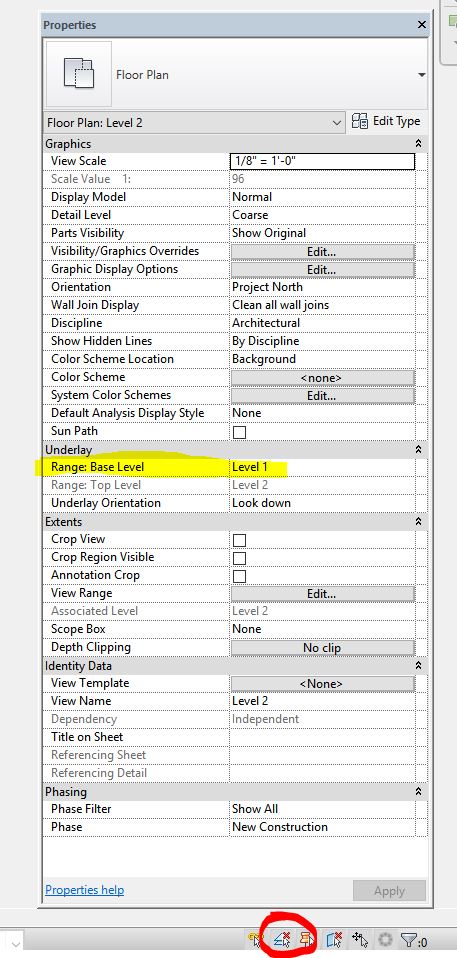
Set underlay to none.
It’s not selectable because ‘select underlay elements’ option is disabled.
|
This user is offline |
|
|
|
active
Joined: Wed, Sep 30, 2015
0 Posts
No Rating |
THANK YOU THANK YOU THANK YOU!!!! you saved my project.
|
This user is offline |
|
|
|
Similar Threads |
|
Phantom Wall [ 1 2 ] |
General Discussion >> Revit Project Management
|
Thu, Dec 8, 2011 at 12:47:41 PM
|
15
|
|
Phantom Area Boundaries |
Revit Building >> Technical Support
|
Tue, Sep 29, 2009 at 1:12:12 PM
|
8
|
|
PHANTOM HANDRAIL IN PLANS REVIT 2016 |
Community >> The Studio
|
Tue, Aug 8, 2017 at 2:25:13 PM
|
3
|
|
Phantom Levels |
Revit Building >> Technical Support
|
Mon, Nov 26, 2012 at 2:47:33 PM
|
4
|
|
Phantom Elements in Perspective View |
General Discussion >> Revit Project Management
|
Mon, Mar 26, 2012 at 7:05:28 AM
|
3
|
|
|
Site Stats
Members: | 2161655 | Objects: | 23325 | Forum Posts: | 152479 | Job Listings: | 3 |
|
 Search