|
|
|
Home | Forums |
Downloads | Gallery |
News & Articles | Resources |
Jobs | FAQ |
| Join |
Welcome !
|
607 Users Online (13 Members):
Show Users Online
- Most ever was 3914 - Wed, Aug 26, 2026 at 4:53:14 AM |
Forums
|
Forums >> Revit Structure >> Technical Support >> How To Create A Complex Sweep?
|
|
|
active
Joined: Tue, Jan 28, 2014
0 Posts
No Rating |
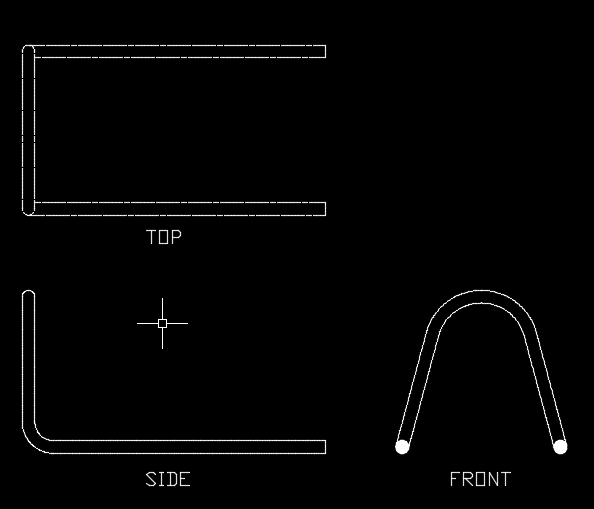
Hey guys, I'm using Revit 2015. I'm including a .png of the object I'm trying to model in Revit. This is a strand loop that we embed into precast pieces and use it to lift the piece for stripping or erection purposes.
I feel like it should be able to be done with the Swept Blend command, but I haven't been able to get it to work. Any ideas? Thanks ahead of time.
|
This user is offline |
|
 | |
|
|
active

Joined: Fri, Sep 3, 2010
0 Posts
 |
Take a look at this similar thread. Hope it helps.
|
This user is offline |
|
|
|
active
Joined: Mon, Aug 6, 2012
173 Posts
|
I don't see this as a Sweep Blend. Looks like a simple sweep, ending and sterting with a circle profile.
This is relatively easy to do. Create a path to follow with a Ref. or Model Line, then open the Sweep Command
and pick those lines for the path. Then go to edit profile and sketch your circle. Save and presto! Your Sweep complete.
|
This user is offline |
|
|
|
active
Joined: Mon, Aug 6, 2012
173 Posts
|
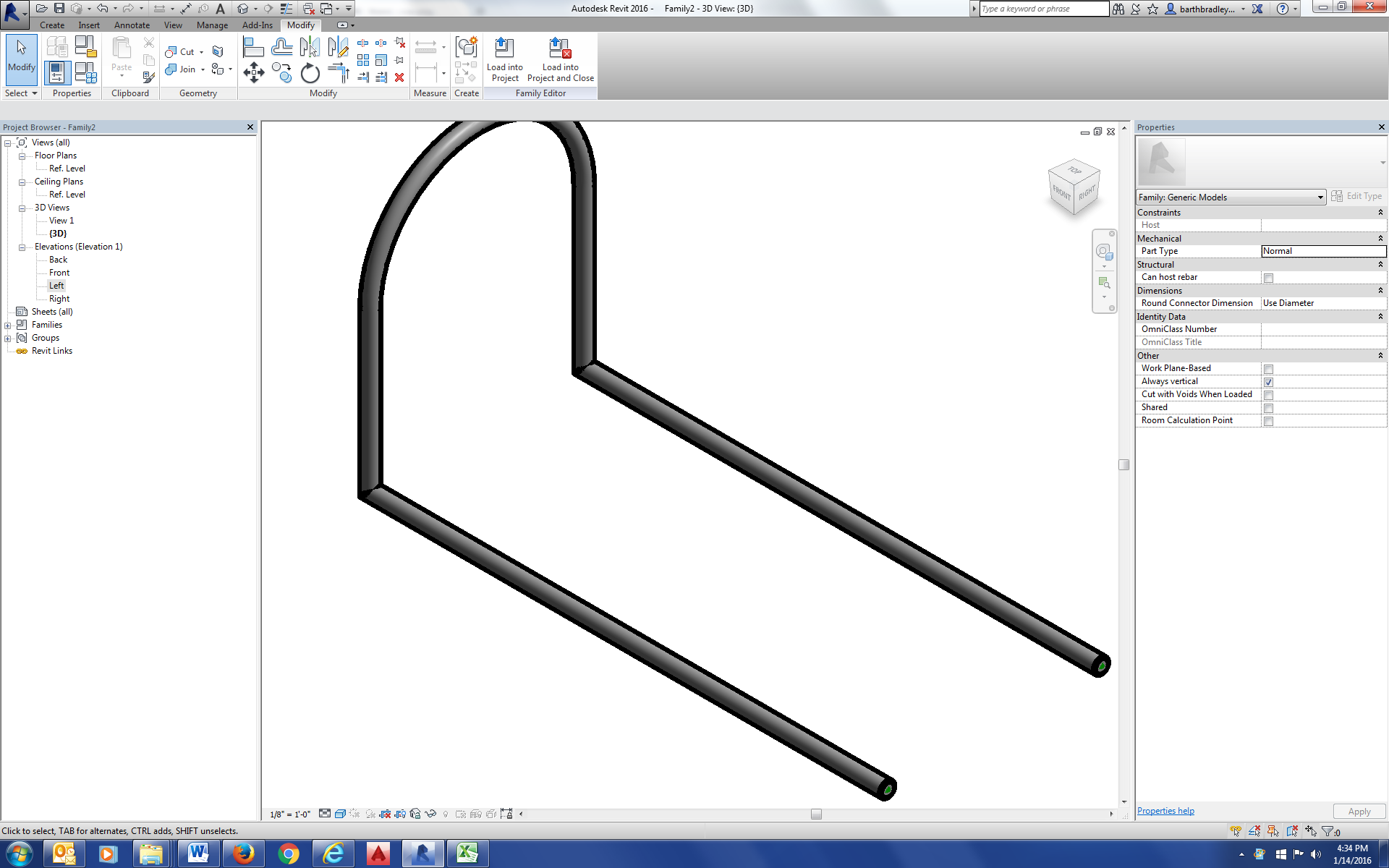
something like this quickie...
|
This user is offline |
|
|
|
active
Joined: Tue, Jan 28, 2014
0 Posts
No Rating |
Thanks pijpiwo!
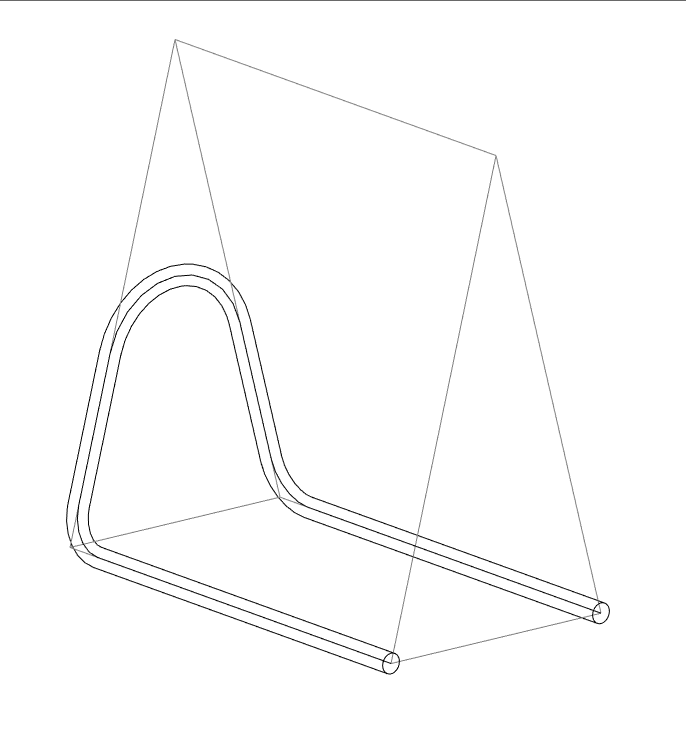
That link you put here was exactly what I needed. Here's an image of basically what I did. Using an extrusion's faces as the reference planes worked like a charm!
|
This user is offline |
|
|
|
active
Joined: Mon, Aug 6, 2012
173 Posts
|
...or you could do it the slower way if you're being paid by the hour.
|
This user is offline |
|
|
|
active
Joined: Mon, Jan 2, 2012
0 Posts
No Rating |
thanks, i did have the same thoughts too.
|
This user is offline |
|
|
|
Similar Threads |
|
Wall Sweep to Join with Window Family |
Revit Building >> Technical Support
|
Thu, Aug 27, 2009 at 7:31:27 AM
|
3
|
|
Issues with wall sweeps ... |
Revit Building >> Technical Support
|
Wed, Nov 24, 2010 at 6:15:12 PM
|
0
|
|
Wall Sweeps |
Revit Building >> Technical Support
|
Mon, Oct 3, 2005 at 1:53:00 AM
|
5
|
|
Complex Line Types |
Community >> Newbies
|
Tue, Oct 16, 2012 at 11:06:02 AM
|
3
|
|
MULTIPLE MATERIALS WITHIN SWEEP PROFILES??? |
Revit Building >> Technical Support
|
Mon, Aug 25, 2008 at 2:57:30 PM
|
2
|
|
|
Site Stats
Members: | 2190195 | Objects: | 23399 | Forum Posts: | 152449 | Job Listings: | 0 |
|
 Search