|
|
|
Home | Forums |
Downloads | Gallery |
News & Articles | Resources |
Jobs | FAQ |
| Join |
Welcome !
|
552 Users Online (15 Members):
Show Users Online
- Most ever was 3914 - Wed, Aug 26, 2026 at 4:53:14 AM |
Forums
|
Forums >> Revit Structure >> Technical Support >> Dimensioning Wall Joints
|
|
|
active
Joined: Tue, Jan 28, 2014
0 Posts
No Rating |
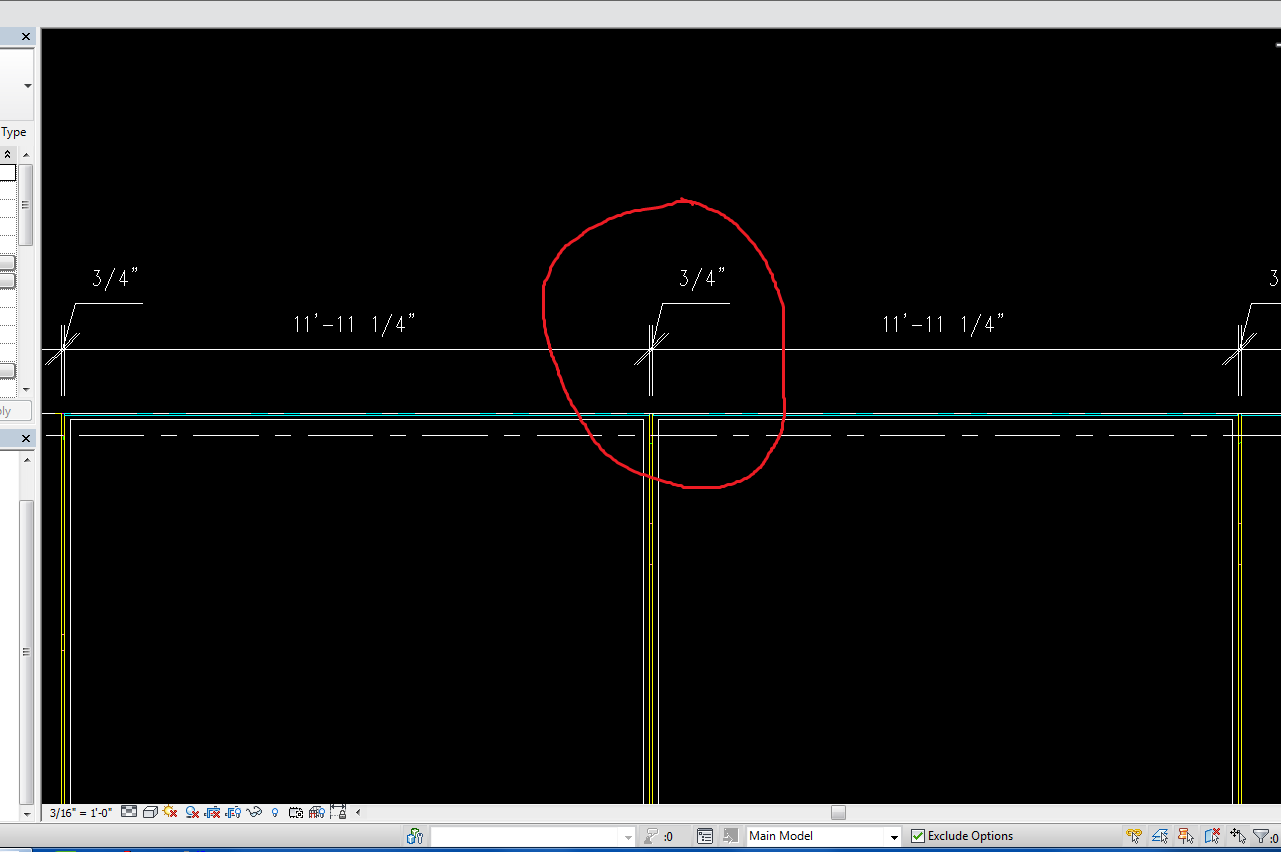
Hey, I'm using Revit 2015. I was wondering if there's any way to get Revit to automatically make small dimensions (such as for a wall joints) shoot out with a leader, like AutoCad does. I know I can drag them out myself and make it snap to the same height as the others, but that gets to be time consuming in big projects. I've attached a screenshot of what I would like for it to be able to do automatically. Thanks!
|
This user is offline |
|
 | |
|
|
site moderator|||
Joined: Tue, May 16, 2006
19889 Posts
 |
You have to do this manually.
|
This user is offline |
|
|
|
Similar Threads |
|
vertical joints in hosted wall sweep? |
Revit Building >> Technical Support
|
Mon, Aug 13, 2007 at 3:37:15 PM
|
0
|
|
Revit 2008 - Dimensioning Curtain Wall |
Revit Building >> Technical Support
|
Tue, Feb 19, 2008 at 5:26:46 PM
|
0
|
|
Concrete control joints |
Revit Building >> Technical Support
|
Thu, Mar 31, 2016 at 1:52:27 PM
|
11
|
|
Precast Concrete Panels |
Revit Building >> Technical Support
|
Thu, May 29, 2014 at 8:32:56 PM
|
8
|
|
Dimensioning to the centerpoint of an arc |
Revit Building >> Technical Support
|
Tue, Jul 29, 2008 at 4:11:55 PM
|
7
|
|
|
Site Stats
Members: | 2190171 | Objects: | 23399 | Forum Posts: | 152449 | Job Listings: | 0 |
|
 Search