|
|
|
Home | Forums |
Downloads | Gallery |
News & Articles | Resources |
Jobs | FAQ |
| Join |
Welcome !
|
20 Users Online (18 Members):
Show Users Online
- Most ever was 626 - Mon, Jan 12, 2015 at 2:00:17 PM |
Forums
|
Forums >> Revit Building >> Technical Support >> facade and 3d visualization does not match
|
|
|
active
Joined: Tue, Mar 3, 2015
0 Posts
No Rating |
Hello everyone, i´m writing down these lines because im having a problem and i really dont know how to solve it.
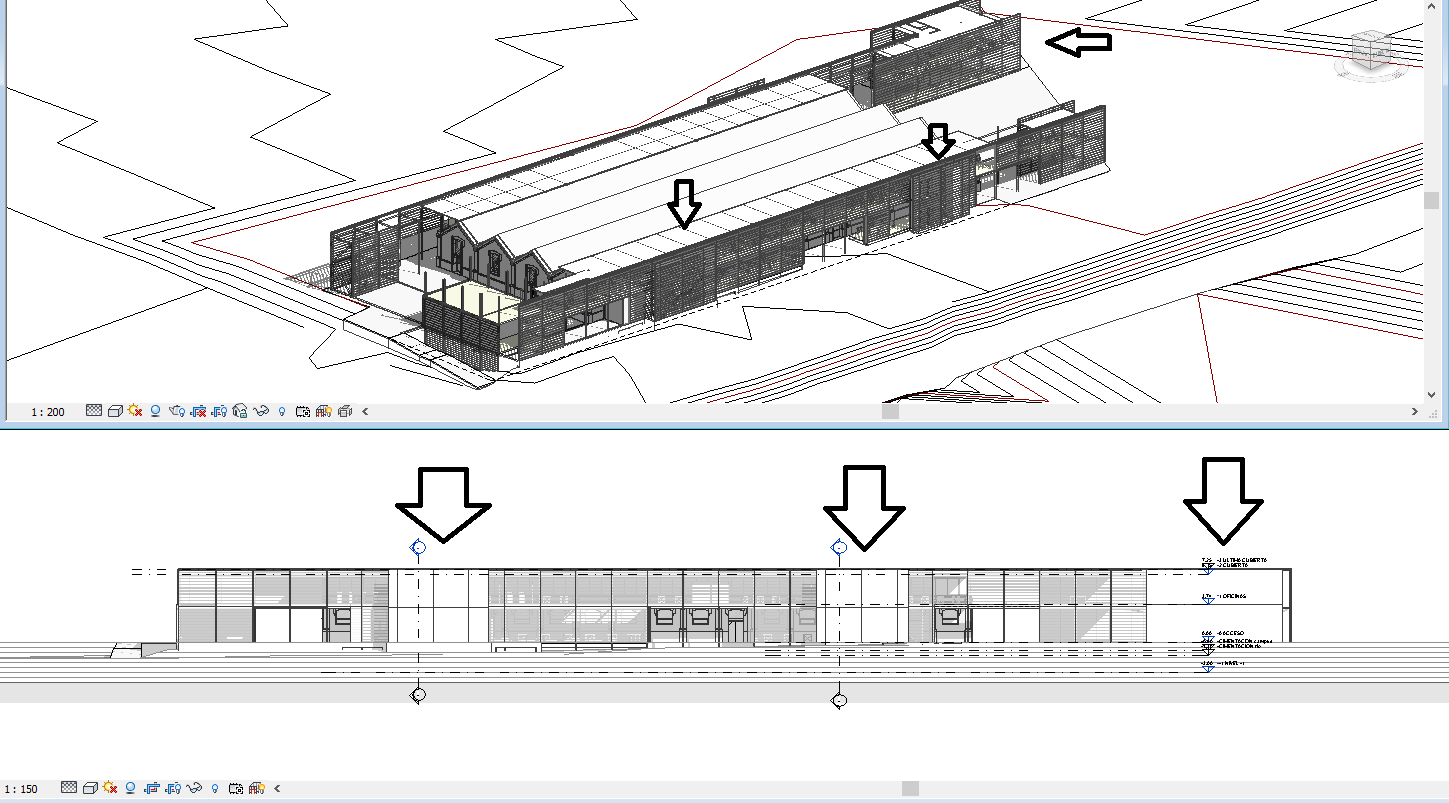
the thing is, as you can see in the pic, that apparently, the courtain wall of my project is like the 3d view is showing. It has some minor pieces of the same courtain wall that are displaced towards the exterior 1.5 meters to hold the staircases.
the problem is that the representation of the 2d drawing facade does not show the horizontal shading nor the transparency of the glazing. So i just have 3 white rectangles.
It is the same courtain wall, same type, same glazing panel.
thanks in advance. i m sure revit is testing, so i need some help! 
|
This user is offline |
|
 | |
|
|
site moderator|||
Joined: Tue, May 16, 2006
13079 Posts
 |
Where is your view cut plane? Look at that first. I suspect it may not be outside the building.
If that is NOT the problem, then thhese walls are not the same materials as the other walls.
|
This user is offline |
|
|
|
active
Joined: Tue, Mar 3, 2015
0 Posts
No Rating |
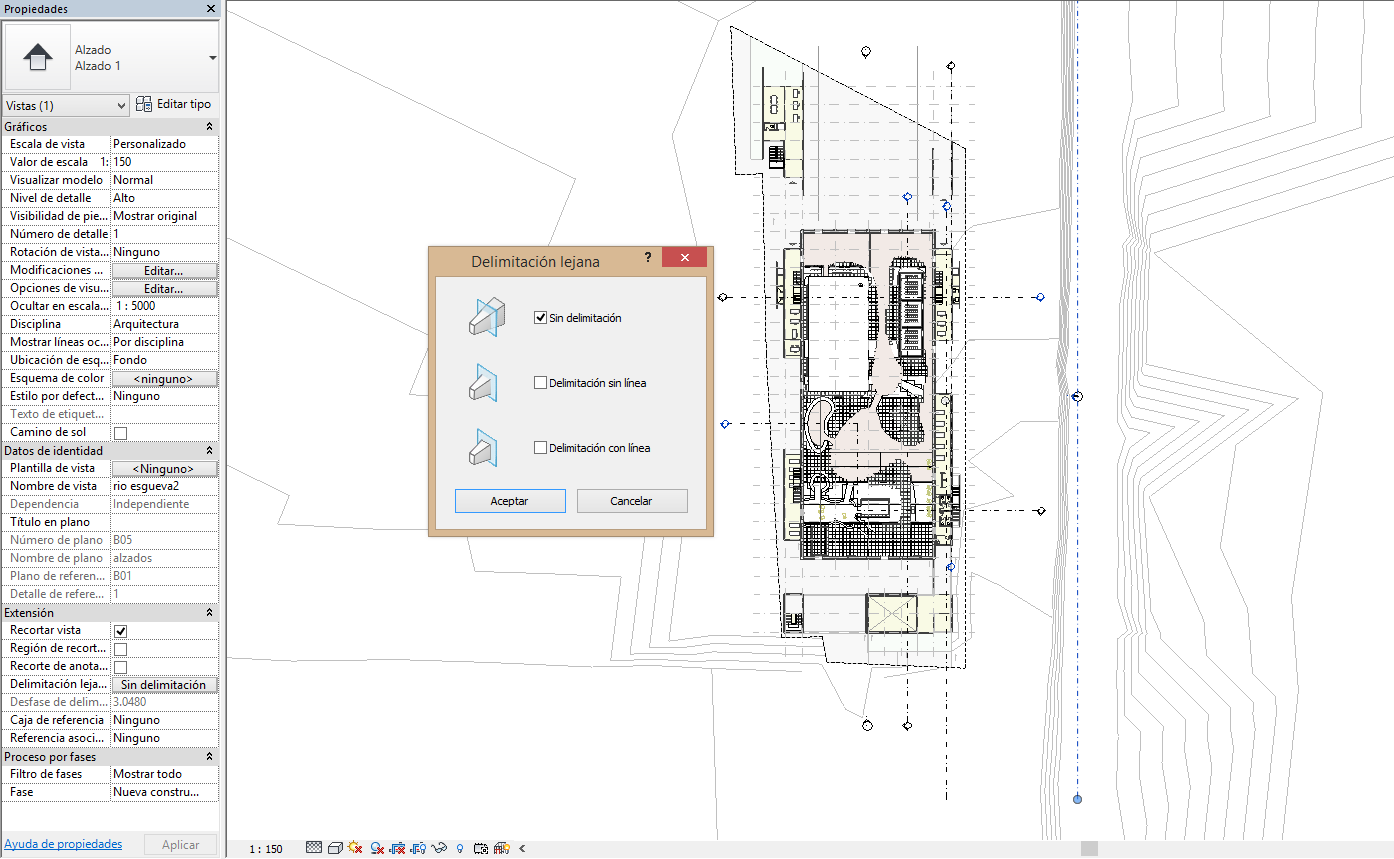
the cut plane shows in blue dashed line and i guess it is properly placed.
we can see in the pic i attached the configuration for the view in order to make that clear to anyone. thanks again
|
This user is offline |
|
|
|
site moderator|||
Joined: Tue, May 16, 2006
13079 Posts
|
The image is so small that we can't really see anything for sure but I believe the elevation cuts through the walls in question. Move it to the right or show us something better to look at. You know what you are looking at but we don't!
|
This user is offline |
|
|
|
active
Joined: Tue, Mar 3, 2015
0 Posts
No Rating |
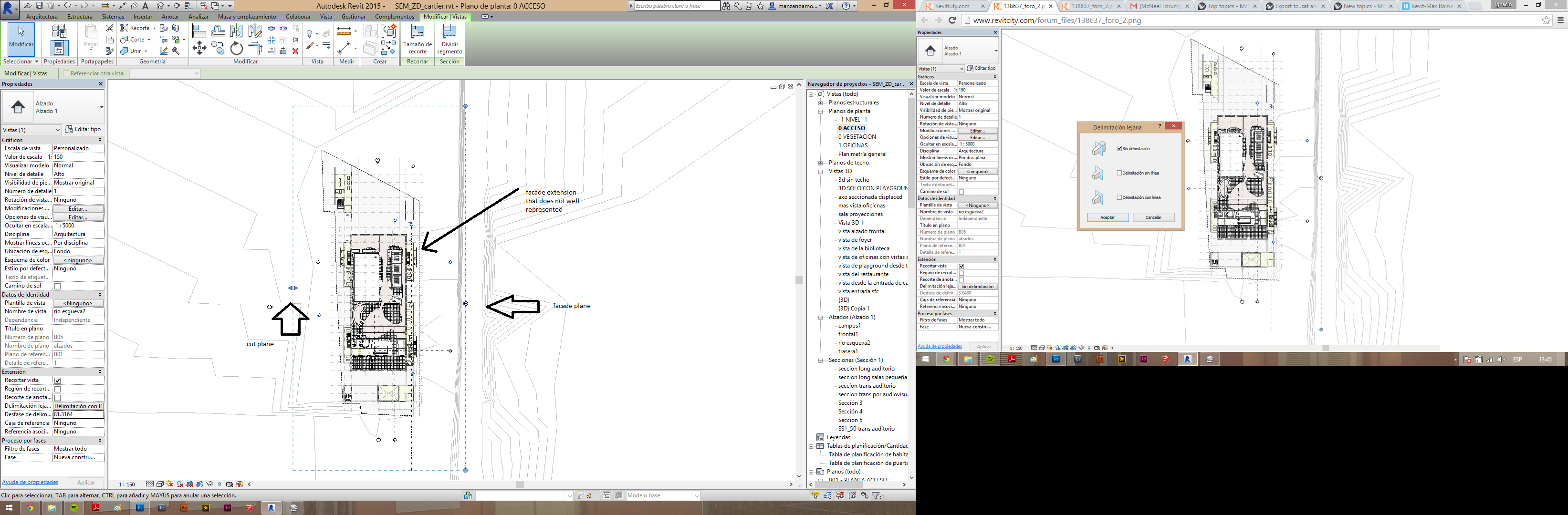
if u click on the image it will look bigger. at least on my pc
|
This user is offline |
|
|
|
active
Joined: Tue, Mar 3, 2015
0 Posts
No Rating |
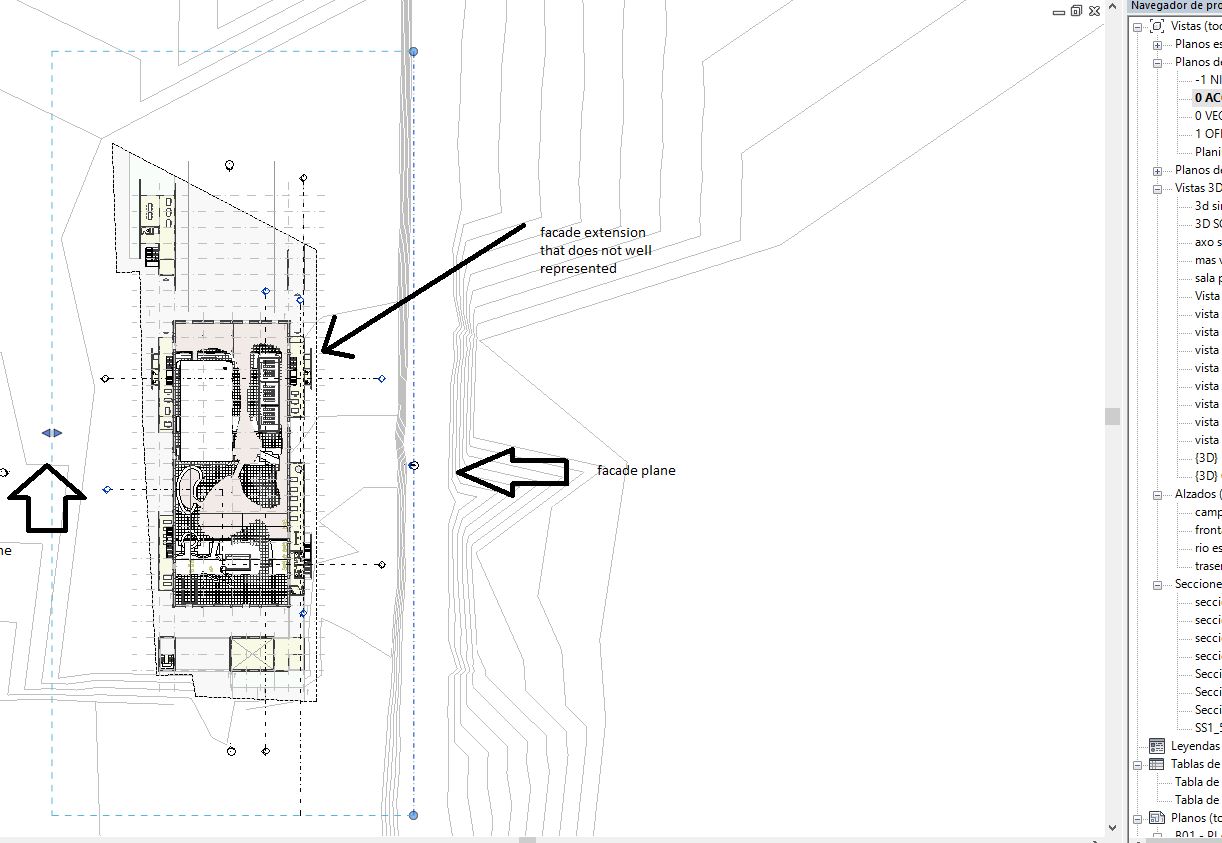
in this image we can appreciate the facade plan, the cut plane line and the wall that is inside the rectangle of the facade but does not show properly. 
|
This user is offline |
|
|
|
site moderator|||
Joined: Tue, May 16, 2006
13079 Posts
|
Now that you point out what's what, that helps. Smaller image areas that are larger on the screen would sure help when you post here.
From what you posted, I am assuming that these CW's are supposed to be the same transparency as the ones beside them. That can not be the case. Either the materials are different, materials have been over-ridden somehow or maybe you have phase issues.
Here is what I see when I click to enlarge it on my screen. Sure doesn't show me much - right? What did help was the arrow pointing out the elevation callout but do a better job of presenting your question. Show us a closeup of these items and their properties.
|
This user is offline |
|
|
|
Similar Threads |
|
Translucent polycarbonate facade |
General Discussion >> Revit Project Management
|
Wed, Apr 2, 2014 at 4:06:07 PM
|
4
|
|
metal facade? |
Revit Building >> Technical Support
|
Wed, Dec 21, 2005 at 9:37:10 AM
|
4
|
|
Plugin for online visualization |
Revit Building >> Technical Support
|
Thu, Feb 21, 2019 at 4:19:49 PM
|
1
|
|
How to Create a facade |
Revit Building >> Technical Support
|
Thu, Apr 18, 2013 at 7:25:50 AM
|
1
|
|
Existing Facade Creation |
Revit Structure >> Technical Support
|
Mon, Mar 25, 2013 at 7:49:07 AM
|
1
|
|
|
Site Stats
Members: | 2161655 | Objects: | 23325 | Forum Posts: | 152479 | Job Listings: | 3 |
|
 Search