|
|
|
Home | Forums |
Downloads | Gallery |
News & Articles | Resources |
Jobs | FAQ |
| Join |
Welcome !
|
4 Users Online (2 Members):
Show Users Online
- Most ever was 626 - Mon, Jan 12, 2015 at 2:00:17 PM |
Forums
|
Forums >> Revit Building >> Technical Support >> Topo import from CAD to Revit - Scale is off - Revit 2014
|
|
|
active

Joined: Fri, Feb 4, 2011
30 Posts No Rating |
Hi all,
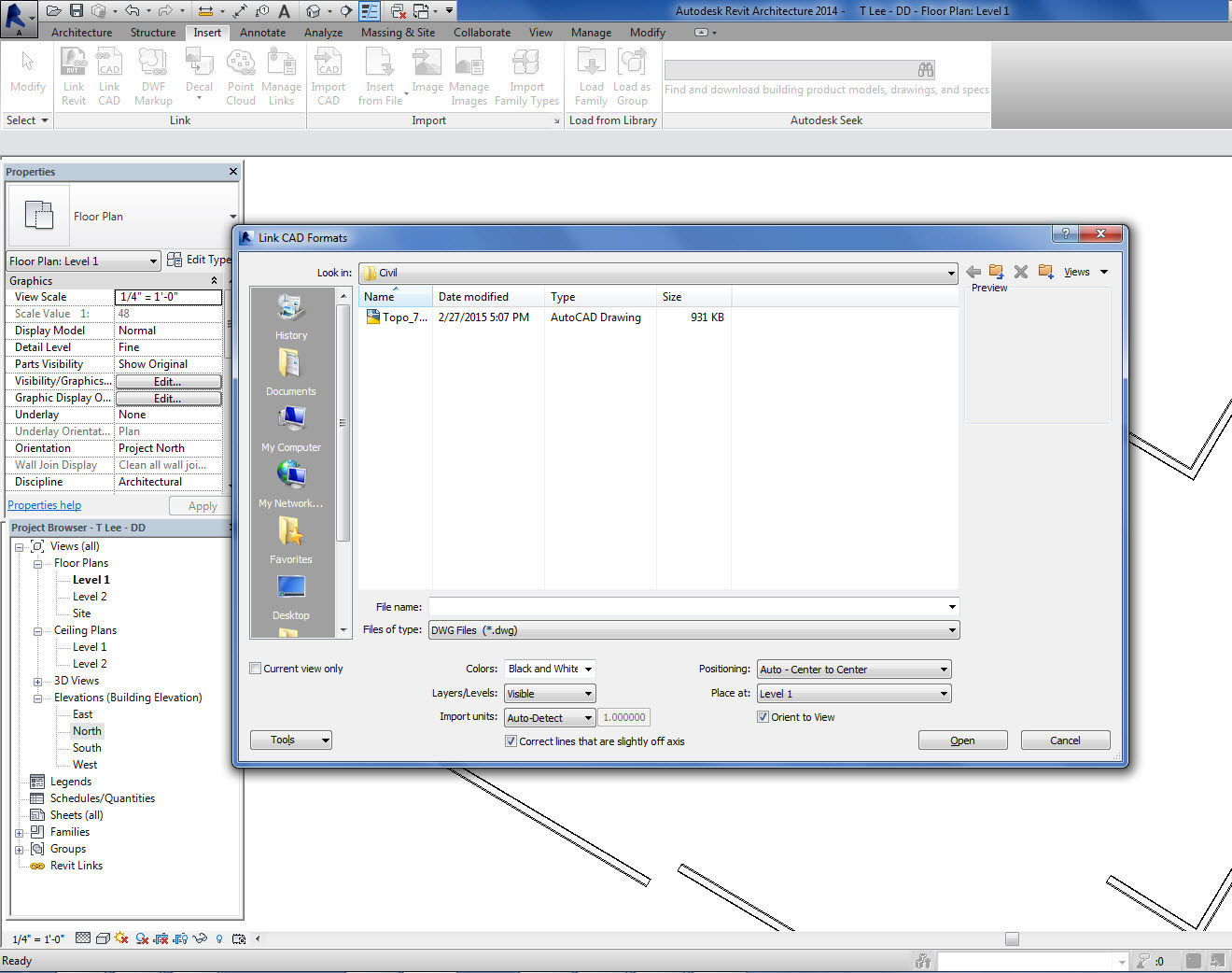
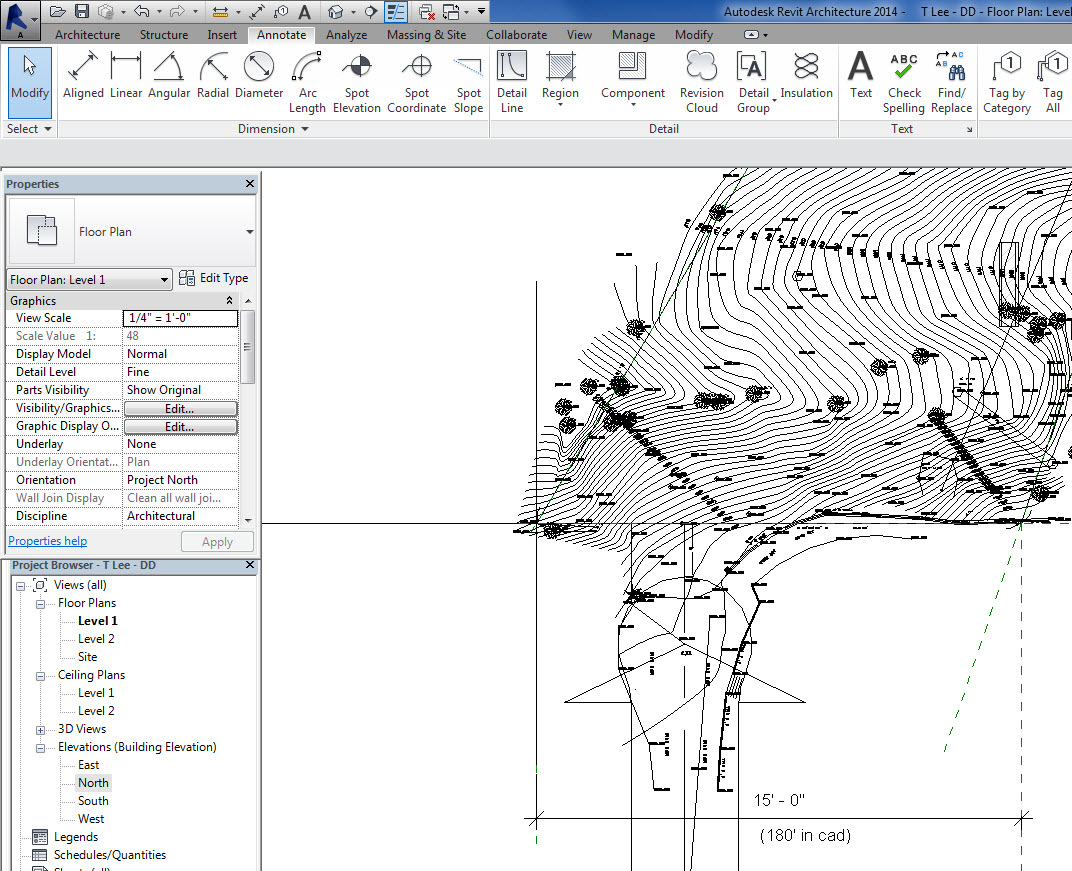
I linked a cad topo file from the civil engineer into my revit 2014 file. For some reason the scale is way off...
Example: The property should dimension at 180' (in cad it's ok) but in revit it's only 15'-0"?
See attached pics.
Any ideas on what I can do to fix this?
Thanks
|
This user is offline |
|
 | |
|
|
active

Joined: Fri, Feb 4, 2011
30 Posts No Rating |
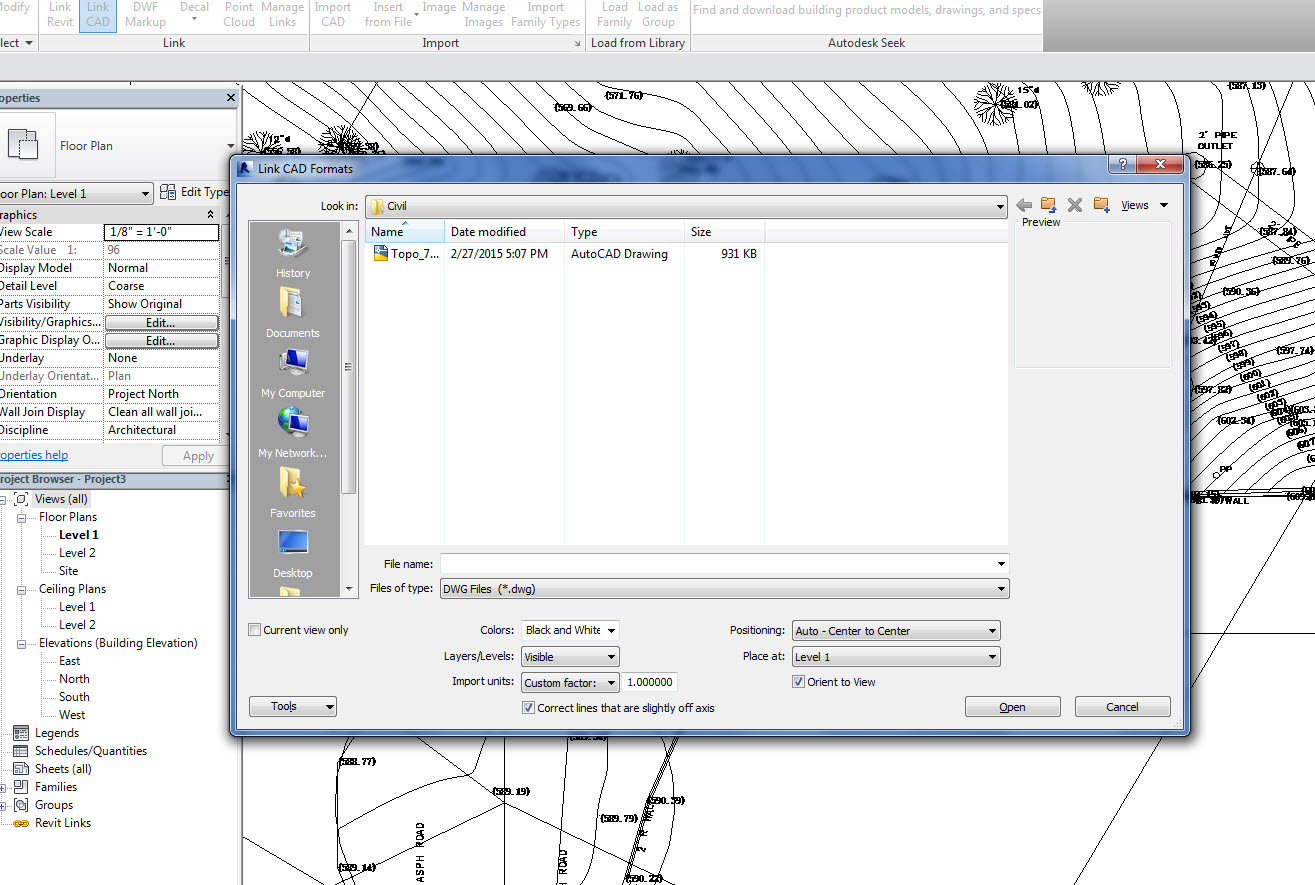
Never mind...just figured out what the problem was.
In case someone has the same problem...here's what worked for me.
1. Set Import Units to Custom and 1.0000
Done
|
This user is offline |
|
 |
 |
Similar Threads |
|
Adjusting scale during import of CAD file |
Revit Building >> Technical Support
|
Tue, Nov 15, 2005 at 11:42:04 PM
|
8
|
|
TOPO scaling help....need help asap |
Revit Building >> Technical Support
|
Thu, Apr 17, 2014 at 3:57:46 PM
|
4
|
|
Importing topo surface from CAD in Revit |
Revit Building >> Technical Support
|
Fri, May 1, 2015 at 7:28:19 AM
|
7
|
|
import cad |
Revit Systems >> Technical Support
|
Thu, Dec 8, 2016 at 5:06:17 PM
|
4
|
|
How to import sketchup models into revit 2014 |
Revit Building >> Technical Support
|
Fri, Aug 5, 2016 at 9:29:15 AM
|
4
|
 |
|
Site Stats
Members: | 2161655 | Objects: | 23325 | Forum Posts: | 152479 | Job Listings: | 3 |
|