|
|
|
Home | Forums |
Downloads | Gallery |
News & Articles | Resources |
Jobs | FAQ |
| Join |
Welcome !
|
10 Users Online (8 Members):
Show Users Online
- Most ever was 626 - Mon, Jan 12, 2015 at 2:00:17 PM |
Forums
|
Forums >> Community >> Newbies >> Pads mess up topography?
|
|
|
active
Joined: Wed, May 2, 2012
0 Posts
No Rating |
HI
I'm trying to model a building which is on a steep site and has different levels.
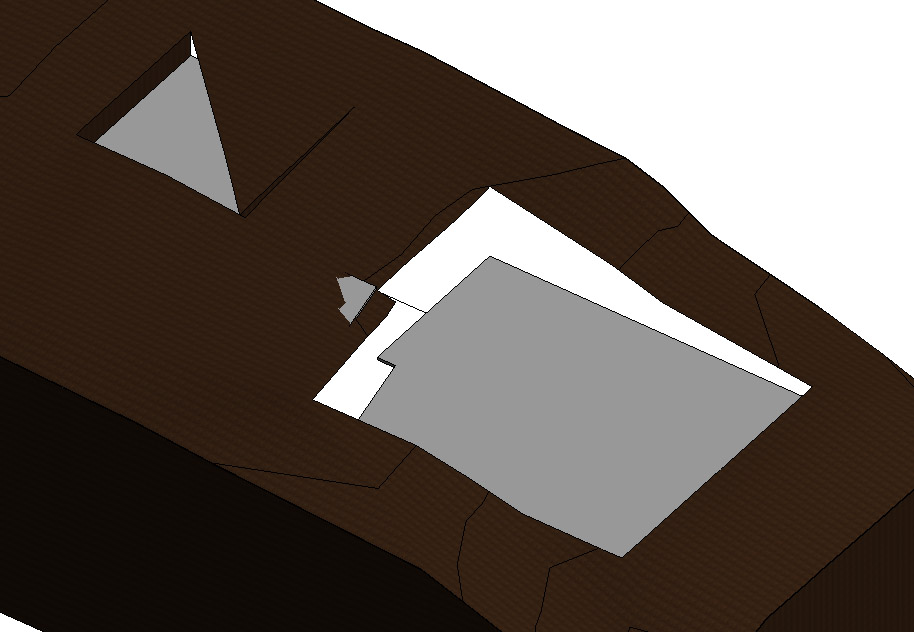
I used 3 different pads to carve out the topography but they mess up the topo. (photo attached)
they're not overlapped.
And as soon as I delete 2 of the 3 , everything becomes normal. It seems like only 1 pad works!
Any thoughts?
|
This user is offline |
|
 | |
|
|
site moderator|||
Joined: Tue, May 16, 2006
13079 Posts
 |
We can't see what you are talking about. Ask your question better and give us more information.
|
This user is offline |
|
|
|
Similar Threads |
|
Topography and pads trick |
Revit Building >> Tips & Tricks
|
Mon, Jan 14, 2013 at 2:53:18 PM
|
0
|
|
PADS dont cut the TOPOGRAPHY |
Revit Building >> Technical Support
|
Mon, Mar 10, 2014 at 8:12:14 AM
|
1
|
|
problem pads and subregions , weird depression on topography |
Revit Building >> Technical Support
|
Sun, Mar 22, 2015 at 1:46:45 PM
|
7
|
|
New to using Topography & Building Pads |
Revit Building >> Technical Support
|
Thu, Jun 17, 2010 at 2:45:09 PM
|
7
|
|
Topography dissapearing |
Revit Building >> Technical Support
|
Wed, Nov 7, 2012 at 2:46:15 PM
|
2
|
|
|
Site Stats
Members: | 2161655 | Objects: | 23325 | Forum Posts: | 152479 | Job Listings: | 3 |
|
 Search