|
|
|
Home | Forums |
Downloads | Gallery |
News & Articles | Resources |
Jobs | FAQ |
| Join |
Welcome !
|
57 Users Online (55 Members):
Show Users Online
- Most ever was 626 - Mon, Jan 12, 2015 at 2:00:17 PM |
Forums
|
Forums >> Revit Building >> Technical Support >> filters and walls in plan/section
|
|
|
active
Joined: Thu, Jul 31, 2014
0 Posts
No Rating |
Hi
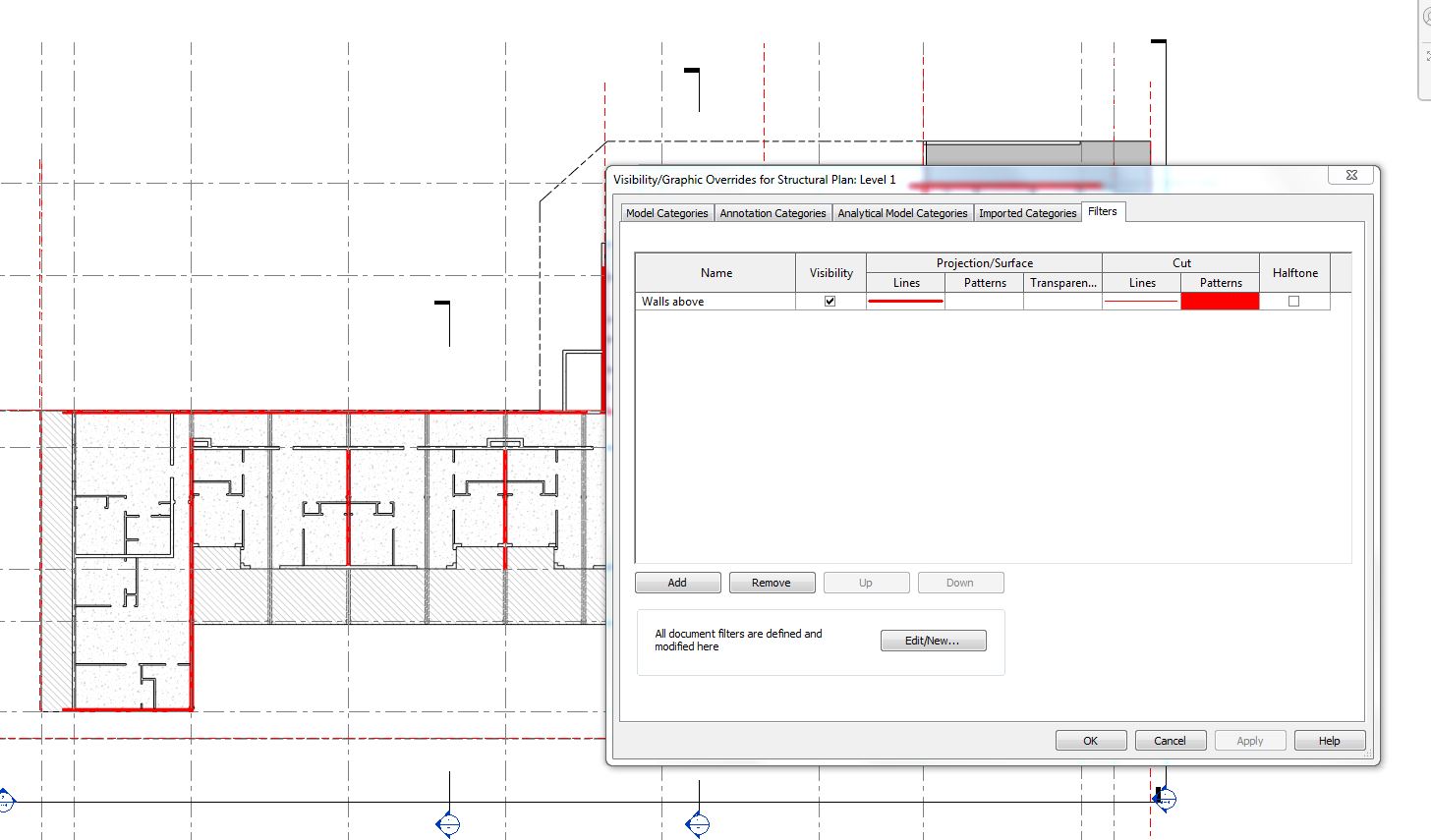
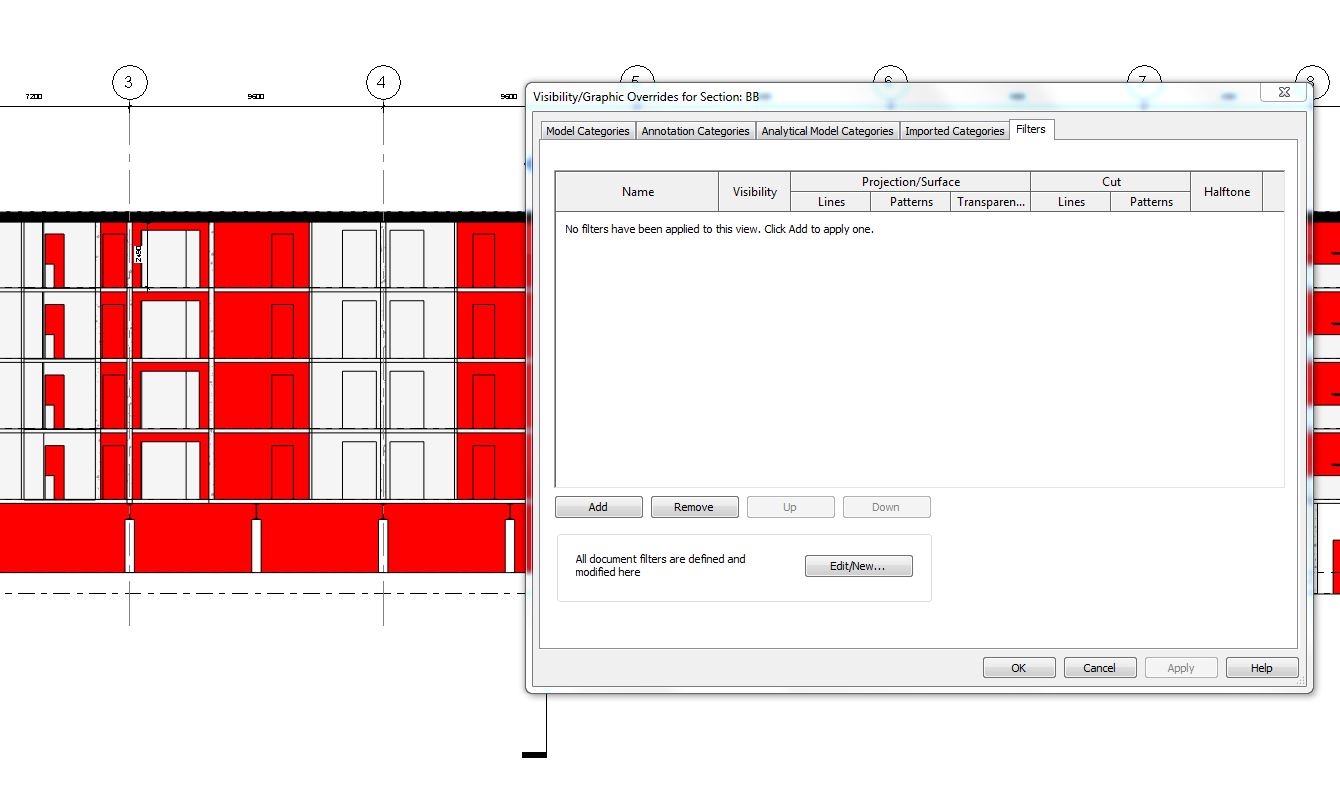
I'm using Revit 2014 and a relative new user. I am an architect, want to set up structural plans for an apartemnt building to look at structural options with engineer. I set up a structural plan, and used a filter to colour load bearing walls (red). Great, it worked, but now I have red coloured walls on all my sections and elevations... according to the graphics visibility overrides there are no filter applied to the views so why are the walls red? On my non structural plans the walls have remained as they should - black with a grey solid fill.
I've attached screenshots of plan and section with graphics/visibilty dialogue showing filters as set.
Any assitance gratefully recieved.
|
This user is offline |
|
 |
|
Similar Threads |
|
Cut Pattern in Plan vs Section |
General Discussion >> Revit Project Management
|
Tue, Aug 25, 2009 at 8:47:59 AM
|
7
|
|
rated walls using filters |
Revit Building >> Technical Support
|
Wed, Sep 23, 2020 at 3:55:13 AM
|
1
|
|
Section tag missing on plan but section still exists |
Revit Building >> Technical Support
|
Tue, Nov 22, 2016 at 2:58:15 PM
|
9
|
|
Walls in section. |
Revit Building >> Technical Support
|
Wed, Jan 19, 2005 at 5:06:54 PM
|
4
|
|
Is there a way to force walls to show section? |
General Discussion >> Revit Project Management
|
Tue, Aug 4, 2015 at 7:40:31 PM
|
3
|
|
|
Site Stats
Members: | 2161655 | Objects: | 23325 | Forum Posts: | 152479 | Job Listings: | 3 |
|
 Search