|
active
Joined: Wed, Aug 20, 2008
318 Posts
 |
has anyone had this happen to them:
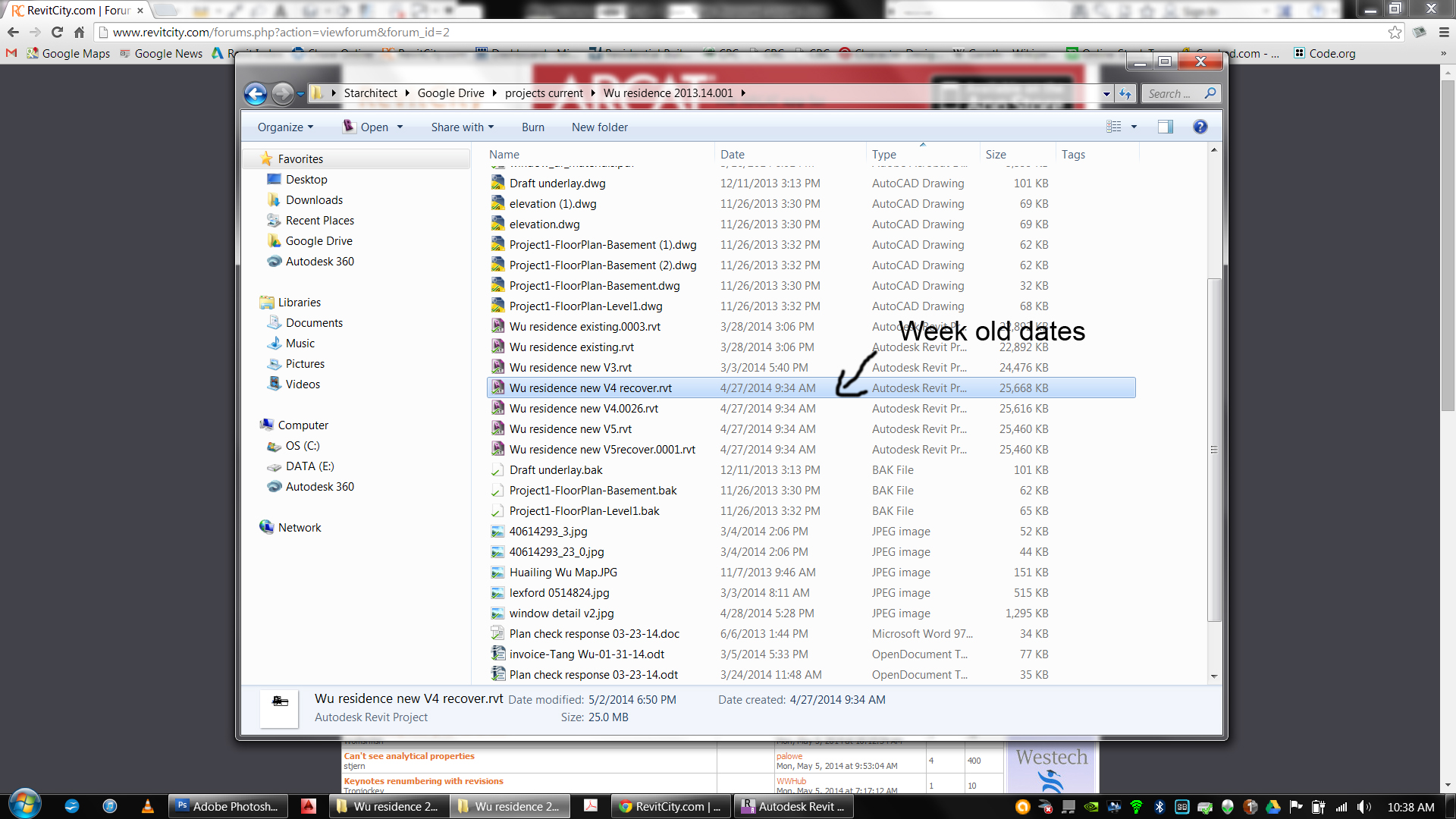
the file AND all the backups have an old "date modified" on them when viewed on the explorer. I try to open the most recent one. also showing a week past (even though its been worked on) and its a fatal loss, no recovery possible.
also, the modify dates in the explorer dont update! weird.
One forum, says that "if you publish a project, that it turns off autosave until you reengage it"
what does this mean? how do I turn it back on :-(
EDIT:!!!! Solved this! read more...
If you have a file that wont open and closed down revit and stuff like that. try this. Find the "journal file" (in 2013) its located at: C:/users/<your user name>/appdata/local/autodesk/revit/autodesk revit architecture 2013/journals
find the text file that matches the "time modified" time that was when you lost your file. open it in note pad, remove the last line of text (ie. the last command back to, and including, the apostorphe), and resave with a new file name. then all you do is drag this file onto the Revit 3013 Icon, and revit will rebuild the file from the journal file. (with the last command removed, the corruption should be gone) re-save that new revit file! THIS WORKED FOR ME!!!
Edited on: Mon, May 5, 2014 at 2:10:48 PM
|

 Search