|
|
|
Home | Forums |
Downloads | Gallery |
News & Articles | Resources |
Jobs | FAQ |
| Join |
Welcome !
|
8 Users Online (6 Members):
Show Users Online
- Most ever was 626 - Mon, Jan 12, 2015 at 2:00:17 PM |
Forums
|
Forums >> Community >> Newbies >> Trying to rotate project north but imports wont turn
|
|
|
active
Joined: Thu, Mar 11, 2010
35 Posts
No Rating |
Hi
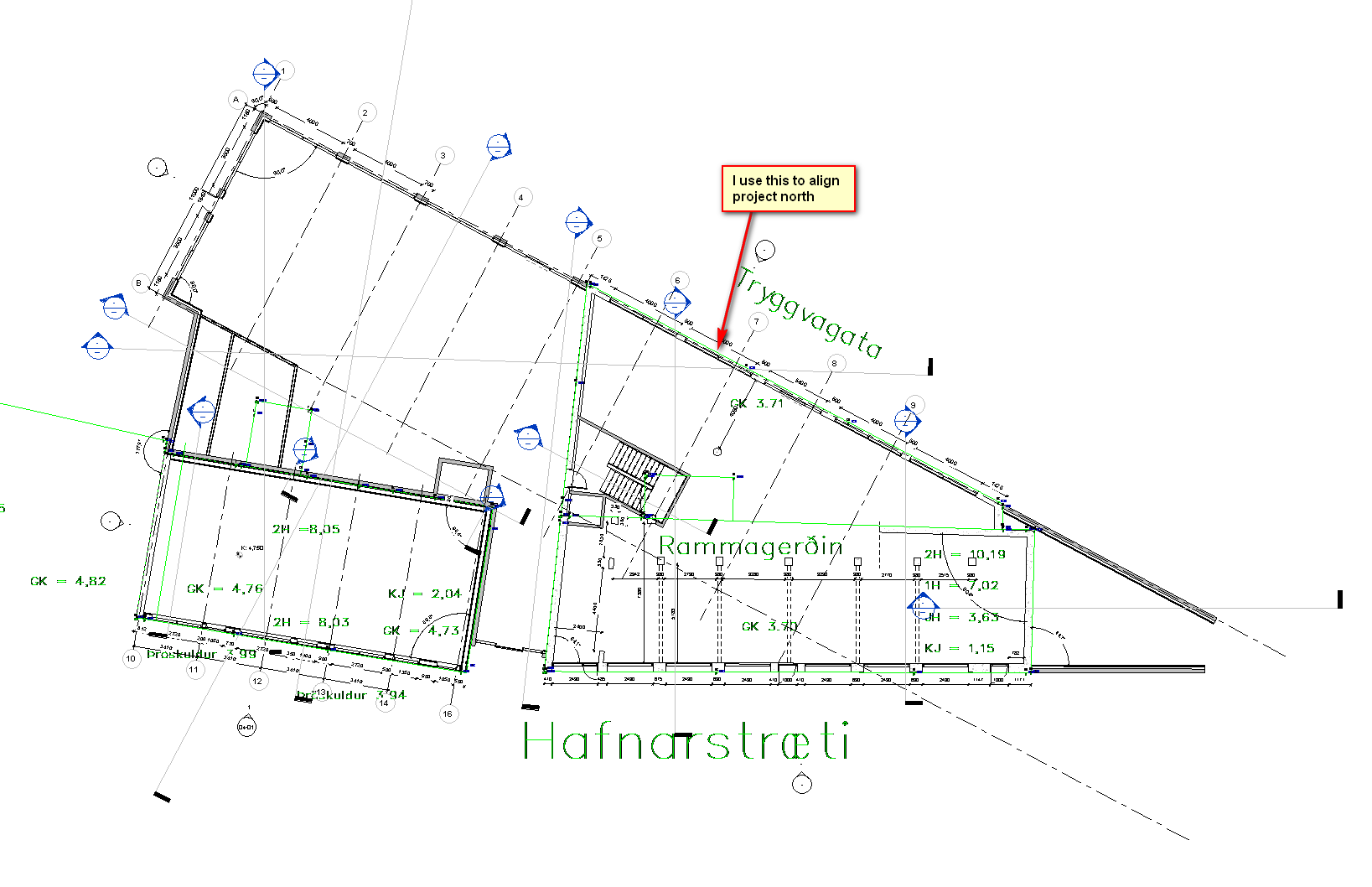
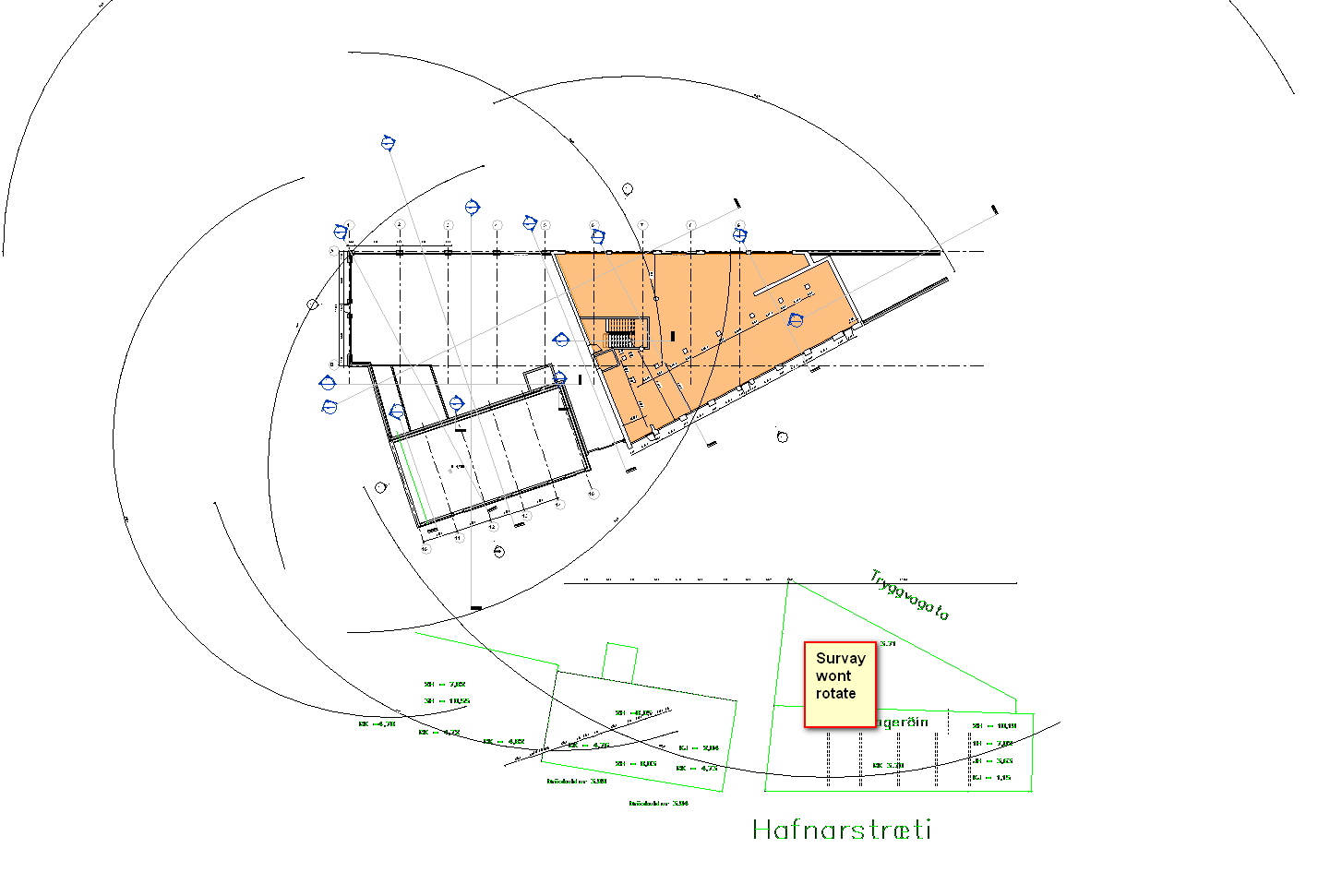
I am trying to rotate project north after drawing a building according to my survey points.
The problem is that the cad links that are carrying the projects coordinates wont rotate.
Any ideas?
|
This user is offline |
|
 | |
|
|
active
Joined: Wed, Jan 14, 2009
0 Posts
 |
So you've drawn your building in 'True North', rotated 'Project north' to the correct orientation and it hasnt moved?
Have you changed the view to 'project north' under orientation in the properties in a plan view?
|
This user is offline |
|
|
|
site moderator|||
Joined: Tue, May 16, 2006
13079 Posts
 |
Have you already acquired your coordinates from the CAD file? If so then set the view to project north. The CAD and your model elements will all point to true north up.:
Rotating project north is initially only on 90 degree increments and it will rotate all model elements and annotation elements as well as the elevation markers. This really has nothing to do with the survey. Remember, this is only in relation to the convention of north being straight up and allows your default "NORTH ELEVATION" to be relationally correct.
But this is not what you really want, is it? You don't have a rectangular structure and your elevations may be named differently then NSEW (except you have a conventional east.
Set your view to project north. Now select everything and rotate it so that east wall aligns with north/south and up will be your project north. Now you can rotate project north CW or counter CW and have your view oriented with your sheet.
|
This user is offline |
|
|
|
Similar Threads |
|
rotate PROJECT north (not true north) |
Revit Building >> Technical Support
|
Wed, Jun 10, 2009 at 9:11:40 AM
|
5
|
|
How to Rotate True North without rotating the whole Project? |
Revit Building >> Technical Support
|
Thu, Mar 18, 2010 at 7:25:35 PM
|
2
|
|
project north/true north |
Revit Building >> Technical Support
|
Thu, Mar 17, 2005 at 5:00:19 PM
|
2
|
|
Project North doesn't rotate back after changed to True North |
Revit Building >> Technical Support
|
Fri, May 7, 2010 at 3:24:14 AM
|
0
|
|
Rotate Project North results in 100's of errors. |
Revit Building >> Technical Support
|
Fri, Mar 11, 2011 at 2:33:17 PM
|
6
|
|
|
Site Stats
Members: | 2161655 | Objects: | 23325 | Forum Posts: | 152479 | Job Listings: | 3 |
|
 Search