|
|
|
Home | Forums |
Downloads | Gallery |
News & Articles | Resources |
Jobs | FAQ |
| Join |
Welcome !
|
6 Users Online (4 Members):
Show Users Online
- Most ever was 626 - Mon, Jan 12, 2015 at 2:00:17 PM |
Forums
|
Forums >> Revit Building >> Technical Support >> Family material parameters duplicating issue
|
|
|
active
Joined: Wed, Oct 17, 2012
0 Posts
 |
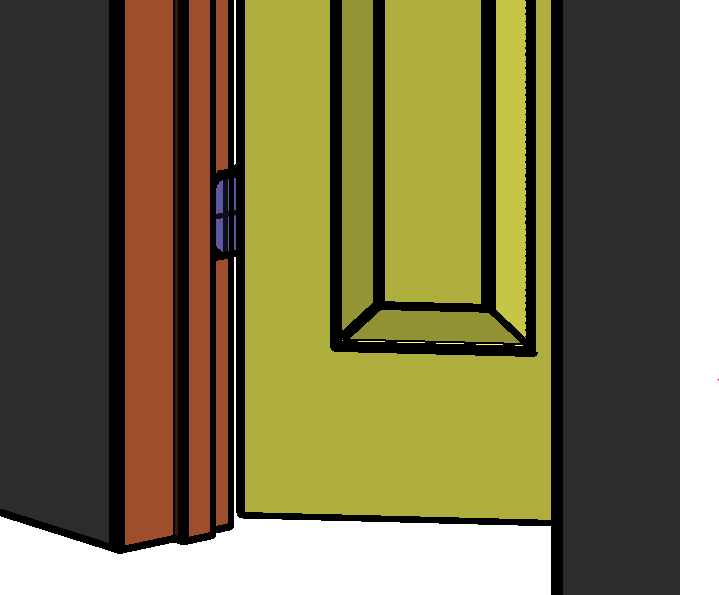
I have spent a abnormous time creating a detailed door family from scratch (yes I do realize that I may have found similar family online). So issue happened when I tried to apply material parameters at the very end of my family creation, once I had finalized all the Bells and whistles. For some unknown reason, when I try to applying separate already created material parameters to the door, frame, hinge ,etc , it would change other parts material parameter to the same even though I had already applied a material. For example when I select the door it self n apply a (door material parameter) than I select the door frame it self and apply a (frame material parameter) it will change the first selected door parameter to reflect the same as the frame. I have desperately attempted to resolve this issue in so many ways with no luck . Nothing seems to work , not even manually applying separate material paints on the door family once it is in a floor plan it self. Please if anyone has ideas how to correct this , I would be extremely thankful, ,as how I stated this was something I had spent a large amount of my time to create but now cannot complete. Autodesk Revit 2013 update-3 Windows 8.1
Edited on: Fri, Mar 7, 2014 at 2:25:57 PM
|
This user is offline |
|
 | |
|
|
site moderator|||
Joined: Tue, May 16, 2006
13079 Posts
 |
I think we will need to see the family.
|
This user is offline |
|
|
|
active
Joined: Wed, Oct 17, 2012
0 Posts
|
I have added attachment for door family.
please if anyone is quite skilled in revit families please give any thoughts on the issue.
thank you
|
This user is offline |
|
|
|
site moderator|||
Joined: Tue, May 16, 2006
13079 Posts
|
You overdid the joins. Joining in a family acquires the property of the item to be joined to so all of your objects ended up as one material. Un-join them in the family.
BTW - I opened in 2014 because you were not considerate enough to tell us what Revit you were using so I will not include the fixed family.
|
This user is offline |
|
|
|
active
Joined: Wed, Oct 17, 2012
0 Posts
|
Thank you for the help. Much appreciated. But i have tried doing something somewhat similar as far as unjoining groups and it caused my family to come apart in some way or form in the parameters. I believe it may have listed the version of Revit and windows on the end of my question. Do you think it would still be possible to send me that fixed family?
|
This user is offline |
|
|
|
Similar Threads |
|
confusion re material parameters |
Community >> Newbies
|
Sun, May 7, 2017 at 8:32:10 AM
|
1
|
|
Material troubles when duplicating a material |
Revit Building >> Technical Support
|
Mon, Dec 12, 2016 at 8:47:07 PM
|
4
|
|
Material Library with custom parameters. |
Revit Building >> Technical Support
|
Fri, May 6, 2016 at 3:36:29 PM
|
8
|
|
Create a family that includes another family |
Revit Structure >> Tips & Tricks
|
Tue, Oct 11, 2022 at 12:32:18 PM
|
3
|
|
type versus instance and fuzzy behaviour |
Revit Building >> Technical Support
|
Sun, Apr 17, 2005 at 8:09:54 PM
|
3
|
|
|
Site Stats
Members: | 2161655 | Objects: | 23325 | Forum Posts: | 152479 | Job Listings: | 3 |
|
 Search
 129475_FULL_DOOR.rfa