|
|
|
Home | Forums |
Downloads | Gallery |
News & Articles | Resources |
Jobs | FAQ |
| Join |
Welcome !
|
6 Users Online (4 Members):
Show Users Online
- Most ever was 626 - Mon, Jan 12, 2015 at 2:00:17 PM |
Forums
|
Forums >> Revit Building >> Technical Support >> PDF Guidelines
|
|
|
active
Joined: Thu, Jul 13, 2006
0 Posts
No Rating |
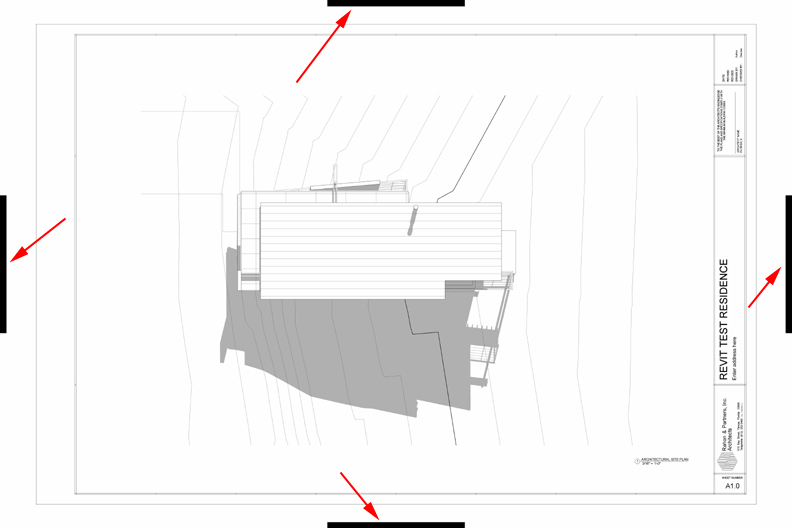
How do I get rid off the black bars created when printing to a pdf?
|
This user is offline |
View Website
|
 | |
|
|
site moderator|||
Joined: Tue, May 16, 2006
13079 Posts
 |
I have never seen those so this is your system, it is not a Revit issue... what PDF printer? Have you got the latest driver installed? What Revit?
|
This user is offline |
|
|
|
active

Joined: Fri, Apr 20, 2007
5 Posts
 |
You are using a Students Version of Revit, am I right?
The black bars are a kind of "watermark" Revit applies to sheets when you print. I suppose Autodesk does this to prevent companies from using a (free) student version of Revit.
You could always open the pdf in photoshop (or similar program) and remove the bars. That's how I used to do it, when I was in college.
|
This user is offline |
View Website
|
|
|
Similar Threads |
|
Family Naming Guideline |
General Discussion >> Revit Project Management
|
Thu, Dec 11, 2008 at 1:20:35 PM
|
2
|
|
Help! Revit Crashing when I... |
Revit Building >> Technical Support
|
Tue, Aug 25, 2009 at 8:53:50 AM
|
0
|
|
REVIT 2011 TO PDF FROM CUTE PDF PROBLEM...BLACK BORDER AROUND?? |
Revit Building >> Technical Support
|
Thu, Nov 4, 2010 at 9:43:22 AM
|
7
|
|
PDF File Names |
General Discussion >> Revit Project Management
|
Thu, Apr 7, 2011 at 8:37:37 AM
|
5
|
|
pdf print |
Community >> Newbies
|
Thu, Sep 25, 2014 at 6:04:04 PM
|
2
|
|
|
Site Stats
Members: | 2161655 | Objects: | 23325 | Forum Posts: | 152479 | Job Listings: | 3 |
|
 Search