|
|
|
Home | Forums |
Downloads | Gallery |
News & Articles | Resources |
Jobs | FAQ |
| Join |
Welcome !
|
17 Users Online (15 Members):
Show Users Online
- Most ever was 626 - Mon, Jan 12, 2015 at 2:00:17 PM |
Forums
|
Forums >> Revit Structure >> Technical Support >> Revit not cutting imported cad
|
|
|
active
Joined: Wed, Feb 12, 2014
0 Posts
No Rating |
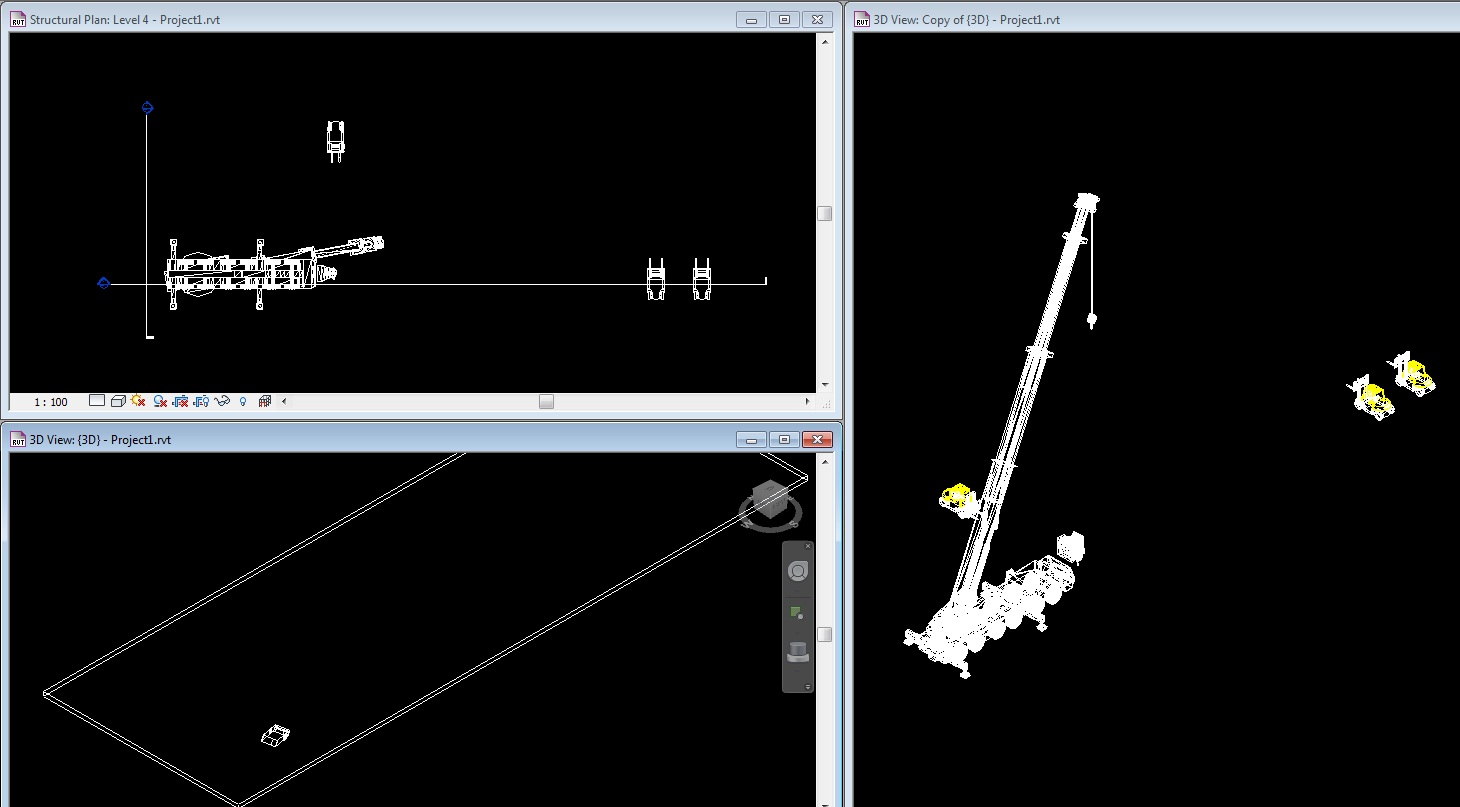
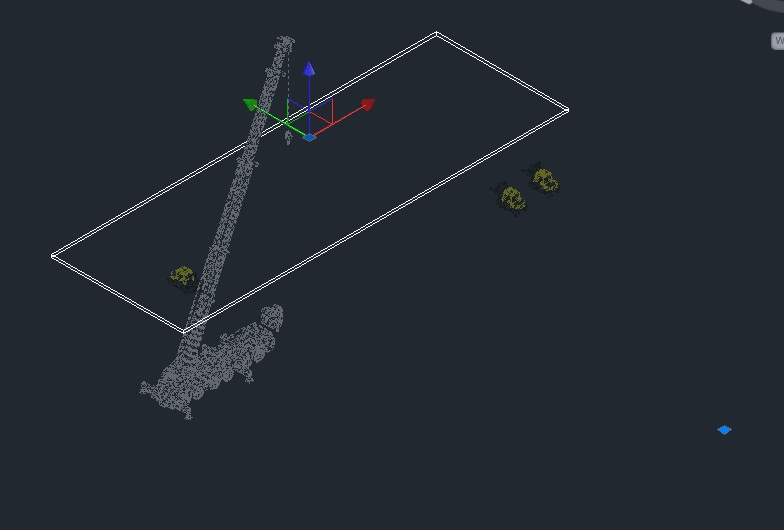
I have combined a .rvt file with imported 3D .dwg files to extract a 2D cuts in revit. I want to export this cut as a 2D cut back to autocad. When i set the view range and orient to my floor view everything is cut ok. When i switch to the plan view in the selection tree its showing stuff from outside of my view range on multiple levels. If I export from the orient to floor as a dwg, everything comes out okay and cut but my files are 30mb with are too large to work with. If i export from the plan the flies export as 2d and are 2mb and lines I can work with in autocad, but it exports stuff outside of my view range.
Can anyone help me with this issue??
Thanks.
Note: I have only ever used revit to import these files to create this cut.
|
This user is offline |
|
 | |
|
|
site moderator|||
Joined: Tue, May 16, 2006
13079 Posts
 |
Did you try a section box? I suggest you do.
|
This user is offline |
|
|
|
active
Joined: Wed, Feb 12, 2014
0 Posts
No Rating |
The section box only works for the 3d view. Its still showing everything in my plan even though i have the view range set.
|
This user is offline |
|
|
|
site moderator|||
Joined: Tue, May 16, 2006
13079 Posts
|
Sorry - I did not fully understand your question initially because your talking about CAD stuff beyond your view.
I think your stuck. But why does it matter in the CAD file? You can delete or not show in the paper view.
|
This user is offline |
|
|
|
active
Joined: Wed, Feb 12, 2014
0 Posts
No Rating |
It matters because its exporting as one xref even though its showing my section box. Im trying to make cuts from a 10 story building with multiple imported cad components. we have designed the structure in revit and it cuts.
Am i importing the link cad incorrectly? I tried linking it through mass but it gave me an error that it was too complex.
Edited on: Wed, Feb 12, 2014 at 2:14:34 PM
|
This user is offline |
|
|
|
active
Joined: Wed, Feb 12, 2014
0 Posts
No Rating |
Ok so the xref thing was the checked box in the export. Now i can explode it and it comes as a cut in the 3d view. Still not working in the 2d view.
I tired the section cut and it will give me something to work with but wont let me section as a plan, only sectioning elevations.
|
This user is offline |
|
|
|
site moderator|||
Joined: Tue, May 16, 2006
13079 Posts
|
You could create a 3D, section box top oriented (plan) to cad plan but obviously - no text / dimensions unless you lock the 3D then add them.
|
This user is offline |
|
|
|
Similar Threads |
|
Removing Imported CAD file from Visablity Graphics |
Revit Building >> Technical Support
|
Mon, May 15, 2017 at 2:12:28 PM
|
5
|
|
CAD import to Revit |
Revit Systems >> Technical Support
|
Mon, Dec 13, 2010 at 3:34:54 PM
|
3
|
|
Remove hidden CAD imports |
Revit Building >> Technical Support
|
Thu, Nov 6, 2008 at 9:32:16 AM
|
3
|
|
Section or elevations not cutting imported dwg's |
Revit Building >> Technical Support
|
Fri, May 9, 2008 at 3:30:44 PM
|
3
|
|
Imported CAD drawings - editing in Revit |
Revit Building >> Technical Support
|
Sun, May 18, 2008 at 7:45:38 AM
|
2
|
|
|
Site Stats
Members: | 2161655 | Objects: | 23325 | Forum Posts: | 152479 | Job Listings: | 3 |
|
 Search