
|
|
|
Home | Forums |
Downloads | Gallery |
News & Articles | Resources |
Jobs | FAQ |
| Join |
Welcome !
|
19 Users Online (17 Members):
Show Users Online
- Most ever was 626 - Mon, Jan 12, 2015 at 2:00:17 PM |
Forums
|
Forums >> Revit Building >> Technical Support >> Wall by face not working with slightly slanted wall
|
|
|
active
Joined: Fri, Aug 5, 2011
3 Posts
No Rating |
I have a wall that is nearly vertical, but not quite. It is 1" out of plumb over about 50' in height.
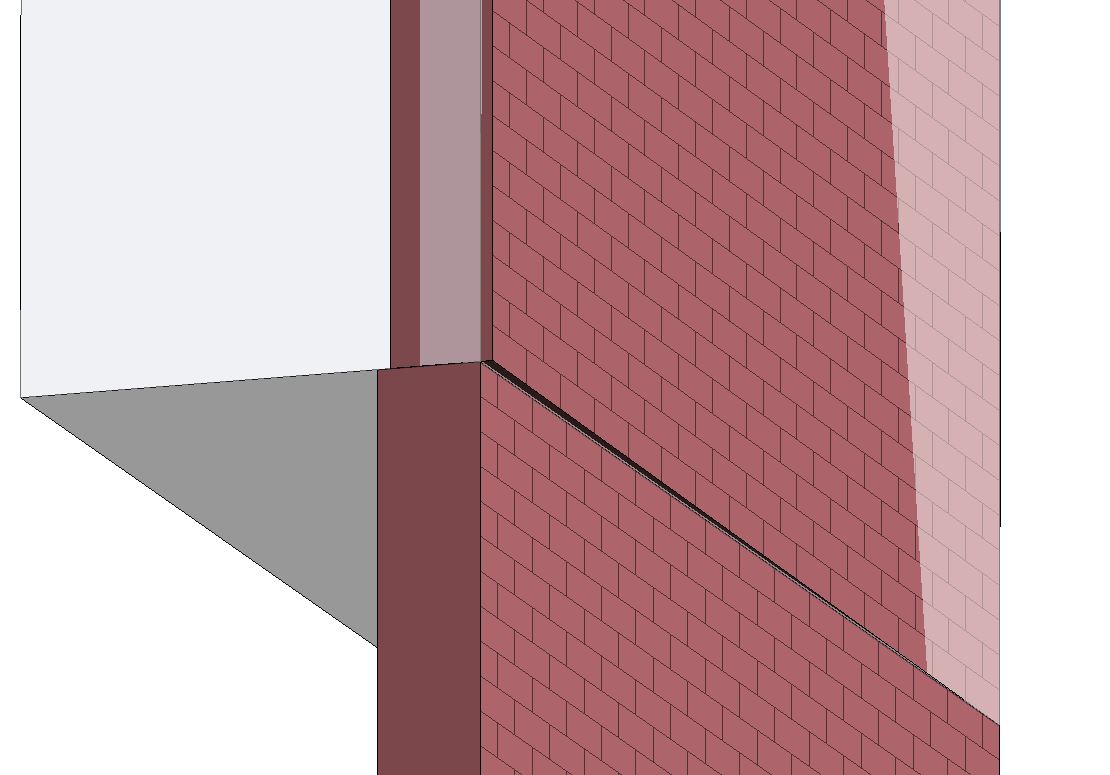
I've created a mass that is slanted by 1", then I put i the wall in using "Wall by Face". The problem is that the wall does not truly sit on the face of the mass. It looks twisted (see photos).
If I exaggerate the slant of the wall to 1.5" it will work fine. It will also work if I keep the 1" slant, but reduce the height down to about 25'.
Is there some kind of tolerance that needs to be exceeded for Revit to be able to do this?
This is an as-built project so we're trying to show the wall as accurately as possible.
I've also attached an .rvt file showing my issue.
Thanks,
Rob
|
This user is offline |
|
 | |
|
|
site moderator|||
Joined: Tue, May 16, 2006
13079 Posts
 |
I would not do this as a wall by face. I would either do this as a regular wall - thicker and with an in-place void to cut it back or an in-place wall - blend.
|
This user is offline |
|
|
|
active
Joined: Fri, Aug 5, 2011
3 Posts
No Rating |
An in-place void sounds like a great idea. I just tried it though and I get an error message saying "Can't make cut-out". This was for the 1" slant. If I increase the slant to 1.5" it works fine, so again I'm wondering if this angle in the wall is just too small for Revit.
|
This user is offline |
|
|
|
site moderator|||
Joined: Tue, May 16, 2006
13079 Posts
|
Make the void bigger to the outside just like your mass. If that doesn't work, simply do a box then rotate it the 1".
|
This user is offline |
|
|
|
active
Joined: Fri, Aug 5, 2011
3 Posts
No Rating |
Thanks again for the suggestions.
Both of those workarounds (rotating a void by 1", and making the void extrusion larger) still produce the "Can't make cut-out" error message. In theory this should all work, so I'll follow up with Autodesk.
In the meantime, I will have to go with using an in-place family to create the wall.
Thanks,
Rob
|
This user is offline |
|
|
|
Similar Threads |
|
Curtain Wall in a Slanted Wall? |
Revit Building >> Technical Support
|
Wed, Aug 8, 2012 at 9:17:56 AM
|
9
|
|
How to align windows in slanted wall |
Revit Building >> Technical Support
|
Wed, Aug 1, 2012 at 4:53:54 PM
|
6
|
|
How to make a slanted curtain wall? |
Revit Systems >> Technical Support
|
Thu, Apr 24, 2014 at 3:35:15 AM
|
1
|
|
How can I create opening in Slanted Curtain wall |
Revit Building >> Technical Support
|
Sun, Oct 21, 2012 at 11:29:41 PM
|
8
|
|
Slanted curtain wall help! (pic attached) |
Revit Building >> Technical Support
|
Wed, Oct 22, 2014 at 6:02:39 PM
|
6
|
|
|
Site Stats
Members: | 2161655 | Objects: | 23325 | Forum Posts: | 152479 | Job Listings: | 3 |
|
 Search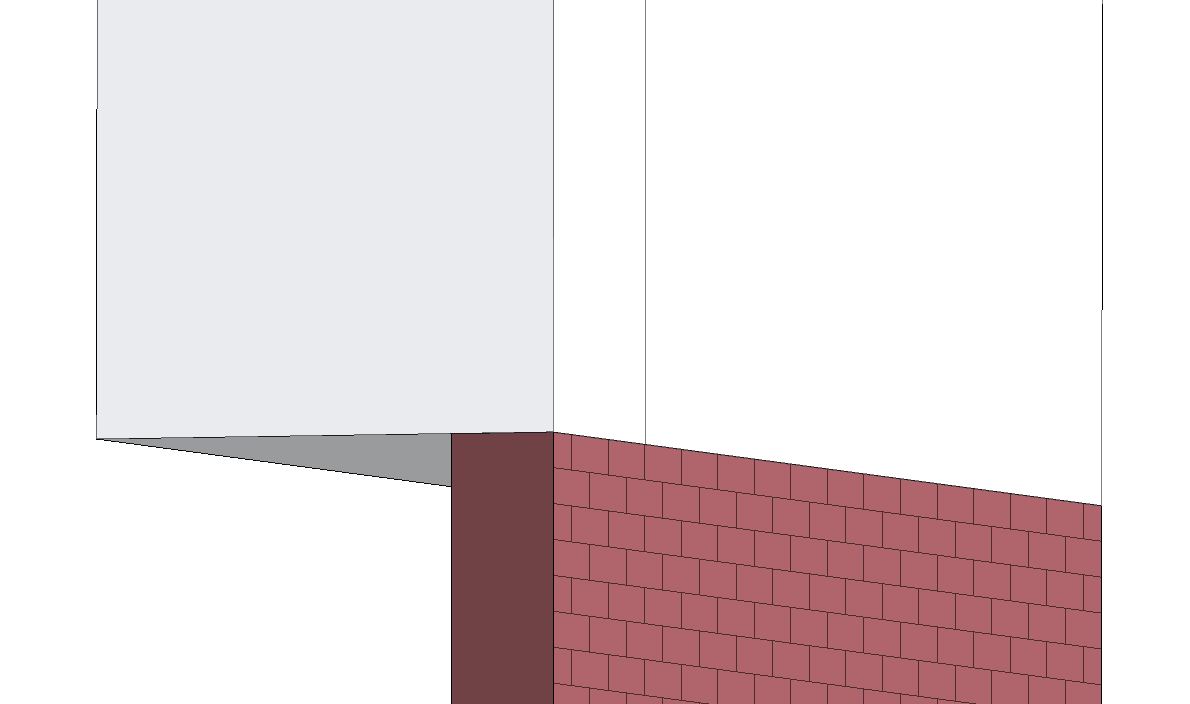
 126392_Near_vertical_wall.rvt