Forums
|
Forums >> Revit Building >> Technical Support >> DWG Nested Inside Detail Comp. > Nested Inside Profile > Nested Inside Window
|
|
|
active
Joined: Sun, Dec 13, 2009
3 Posts
No Rating |
Hello, all!
I've been searching this for a while. I have done all kinds of tests in order to reach my objective without success and that's why I am starting this thread.
I hope you guys may come up with a solution!
What I intend to accomplish:
- I have a 1:1 detail DWG.
- I need to nest this DWG inside a Detail Component.
- I need to nest this Detail Component inside a Profile Family.
- I need to nest this Profile Family inside a Window family and use that profile as a sweep profile inside the very same Window Family.
What does not happen:
- When I load that Window Family inside a project I do NOT see the Detail Component (and, of course, neither the DWG).
Is it simply not possible within Revit? Or am I doing something wrong?
Thanks!
Eduardo
|
This user is offline |
|
 | |
|
|
site moderator|||

Joined: Fri, Nov 12, 2010
1749 Posts
 |
First of all I would change the DWG over to a Revit familiy before starting to nest things. Secondly did you try the families separate before combining them together to see if they work alone? Thirdly if you are using this for a mullion profile I would be careful as the more detailed you get the more it will bog your project down. Images of what you are creating are helpful also.
|
This user is offline |
View Website
|
|
|
site moderator|||
Joined: Tue, May 16, 2006
13079 Posts
 |
I will not build or use model families with nested details. I think they are a bad practice. I prefer to place detail families in a detail and turn off the model element. I want to be able to control the detail.
That being said, why would you do this? It is always a bad practice to insert CAD. Always revitize the CAD whever possible.
From straight out of your HELP: "A profile is a single line, chain of connected lines, or closed loop that can be used to generate a form."
<< So no matter what you want to do - this is the rule.
|
This user is offline |
|
|
|
active
Joined: Sun, Dec 13, 2009
3 Posts
No Rating |
Firstly, than you for your fast replies.
Well, the reason why I am nesting a DWG is because Revit won’t recognize "too small" elements. This DWG detail representation is a very complex detail which will reduce Revit performance dramatically if I explode it, as I have already tried.
I know that a profile is a chain of connected lines. My profile complies with that rule. My profile is very simple, just for 3D, Coarse and Medium representations. When I reach a fine representation I need to show 1:1 details which are only possible with imported DWGs as Revit does not recognize "too small" elements.
Please, find attached to this post a very simplified version of what I am trying to accomplish.
Thanks,
Eduardo
|
This user is offline |
|
|
|
site moderator|||
Joined: Tue, May 16, 2006
13079 Posts
|
If it is too small for Revit, then it is really too small for your detail. I always blow away those tiny curves that were done in a CAD dwgs that was super sized on the screen. Just because you can enlarge the screen view to where you can see these doesn't mean you need them. I always reflect on my hand drafting days. I could not draw a radius that was less that small so we didn't.
|
This user is offline |
|
|
|
active
Joined: Sun, Dec 13, 2009
3 Posts
No Rating |
The point is: I cannot change a detail from the actual manufacturer. That´s the away we work down here.
Do you think It is possible to do what I am trying to do? I am sorry to stick to this method, but this is the only way I will reach my objective.
Thanks,
Eduardo
|
This user is offline |
|
|
|
site moderator|||
Joined: Tue, May 16, 2006
13079 Posts
|
Obviously, you did not read my entire first post. "A profile ....."
^^ Sorry - I see that you say you have built the profile correctly. .... your upload doesn't tell us anything.
Edited on: Tue, Nov 26, 2013 at 12:49:58 PM
|
This user is offline |
|
|
|
site moderator|||
Joined: Tue, May 16, 2006
13079 Posts
|
OK - here is my test:
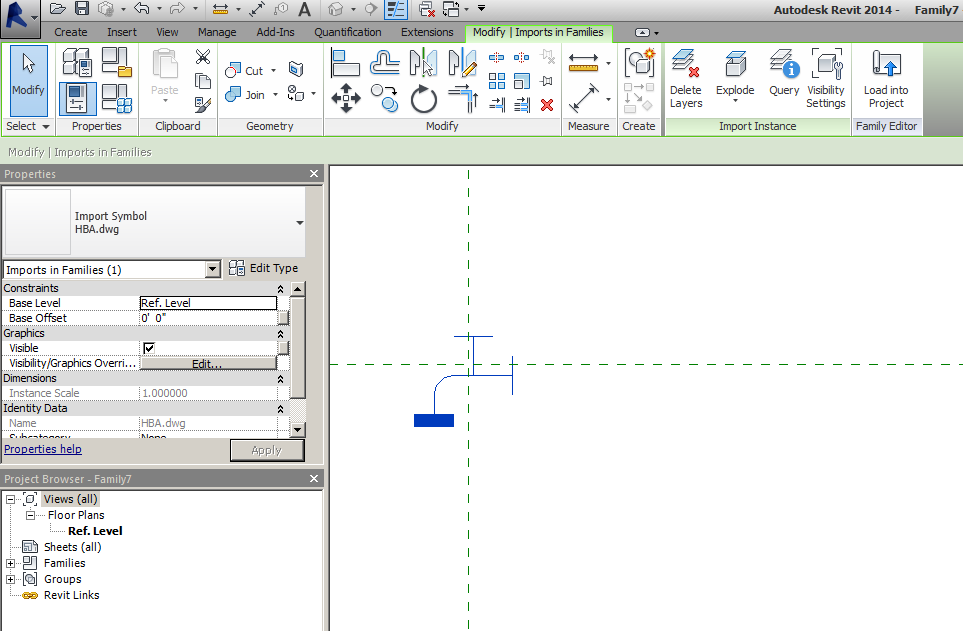
Family 7 is the detail element with HB CAD DWG.
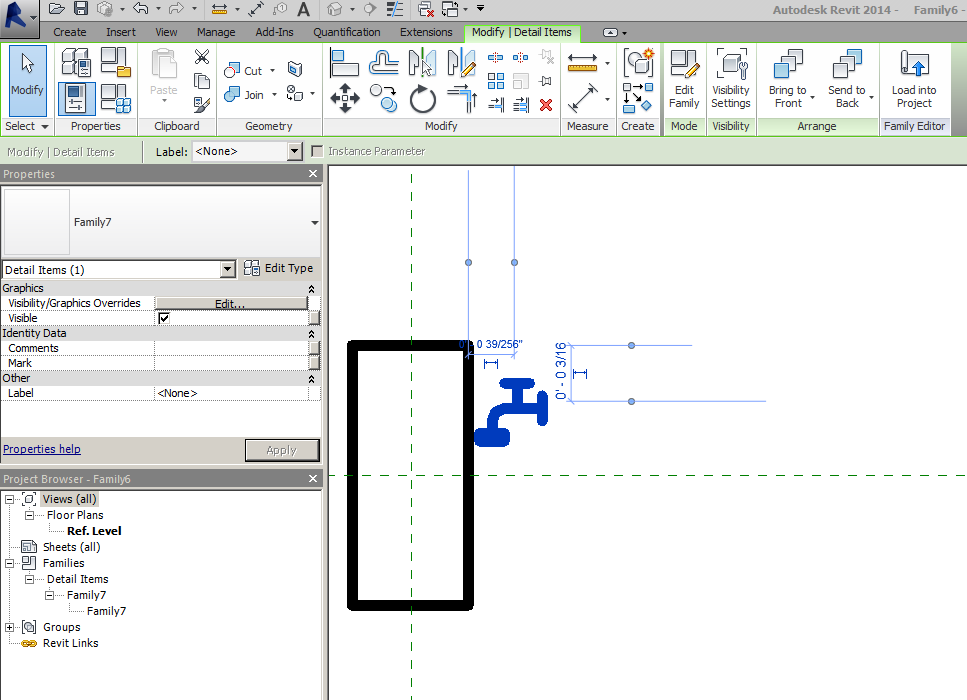
Family 6-7 is the mullion profile with the detail inserted.
And it works in a project.
Either your profile is not drawn correctly or Revit does not like your CAD.
|
This user is offline |
|
|
|
Similar Threads |
|
Editable nested family inside parametric array host family |
Revit Building >> Technical Support
|
Wed, May 19, 2021 at 8:05:22 AM
|
1
|
|
Nested detail components |
Revit Building >> Technical Support
|
Mon, Aug 8, 2005 at 6:45:27 AM
|
1
|
|
Annotations nested inside a wall hosted equip family: Cant see the annotation |
Revit Building >> Technical Support
|
Wed, Aug 20, 2008 at 6:37:31 PM
|
4
|
|
Nested families |
Revit Systems >> Technical Support
|
Sun, Apr 22, 2012 at 2:03:18 PM
|
2
|
|
Nested window family not appearing in window legend |
Revit Building >> Technical Support
|
Wed, Jun 3, 2009 at 4:13:11 PM
|
3
|
|
|
Site Stats
Members: | 2161655 | Objects: | 23325 | Forum Posts: | 152479 | Job Listings: | 3 |
|

 Search
 126384_Project_X.rvt