|
|
|
Home | Forums |
Downloads | Gallery |
News & Articles | Resources |
Jobs | FAQ |
| Join |
Welcome !
|
6 Users Online (4 Members):
Show Users Online
- Most ever was 626 - Mon, Jan 12, 2015 at 2:00:17 PM |
Forums
|
Forums >> Revit Building >> Technical Support >> floor and wall joining and finish material
|
|
|
active
Joined: Thu, May 16, 2013
2 Posts
No Rating |
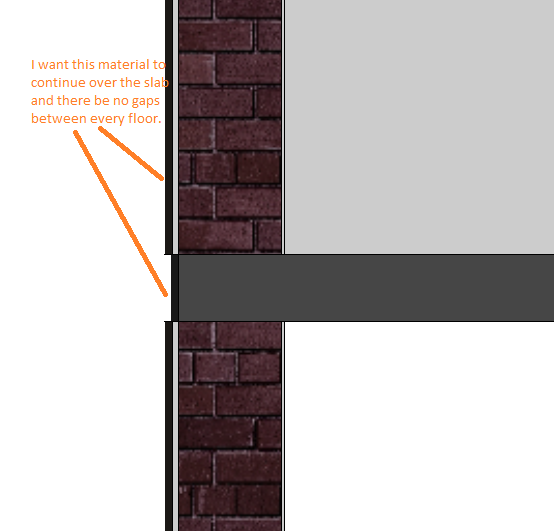
In sections, the floor and walls don't join as it should.
In elevation the material on wall on one level doesn't continue to another, there is always a floors slab in between in grey clolor at every level.
when I click on yes whether or not to attach the walls that go upto the floor after making a floor at places where there is no floor it automatically cuts the wall of the same thickness as of the slab...
|
This user is offline |
|
 | |
|
|
site moderator|||
Joined: Tue, May 16, 2006
13079 Posts
 |
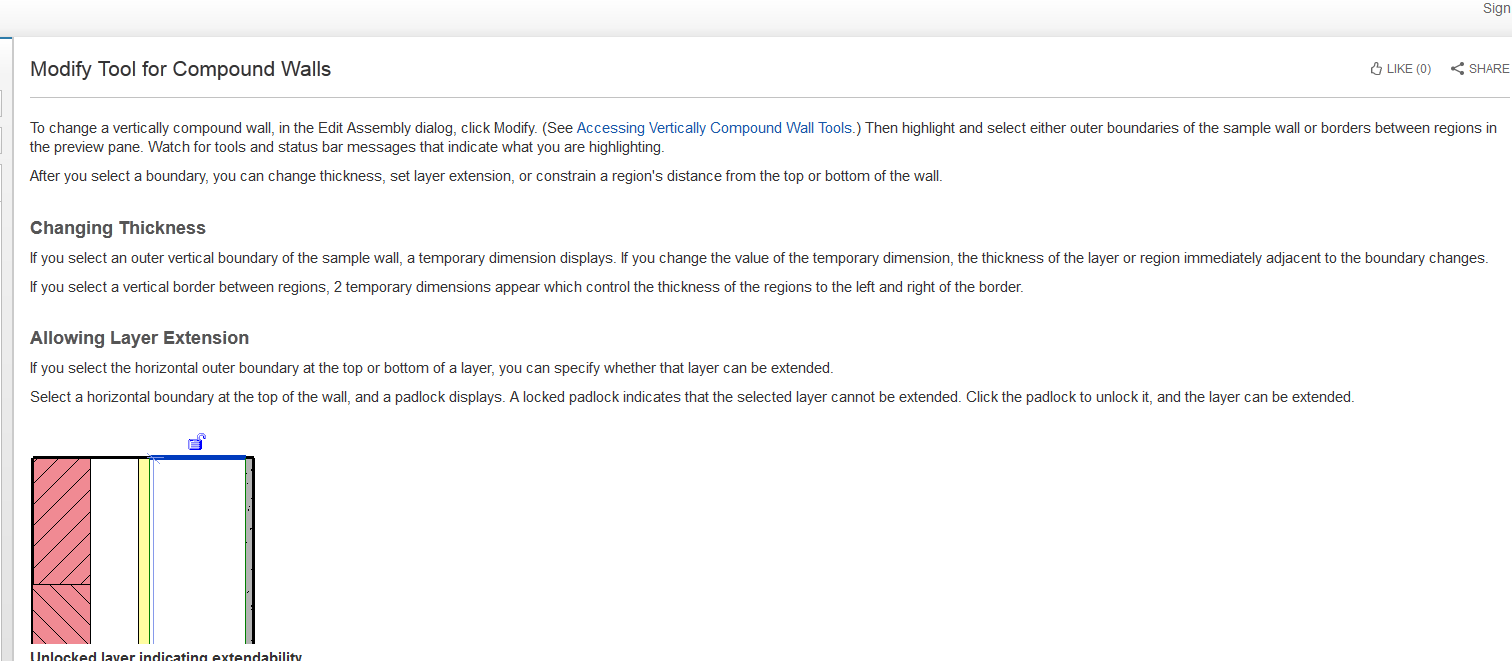
If your walls are floor to bottom of floor, then there will be nothing there. But you can unlock the outside wall layers in your wall definition so you can pull those up or down. You can read about that in your HELP. Another alternative is to have the lower wall go to the top of the next floor then join the wall and the floor. Now the floor will cut the wall.
|
This user is offline |
|
|
|
active
Joined: Thu, Jul 26, 2007
76 Posts
|
Oh man. I feel stupid. To create a building envelop makes sense. Now I will have to go back and edit the floors to make sure it "removes the volume". Thanks
|
This user is offline |
|
|
|
active
Joined: Fri, Apr 5, 2013
78 Posts
 |
hey
i'm having the exact same issue.
but i just didn't understand wwhub explaination.
i thought maybe this has something with wall wraping. so i found this video: http://www.youtube.com/watch?v=rqBTxvYVrTA
but still, i faild to practice on 2 walls with a floor slab between them.
|
This user is offline |
|
|
|
site moderator|||
Joined: Tue, May 16, 2006
13079 Posts
|
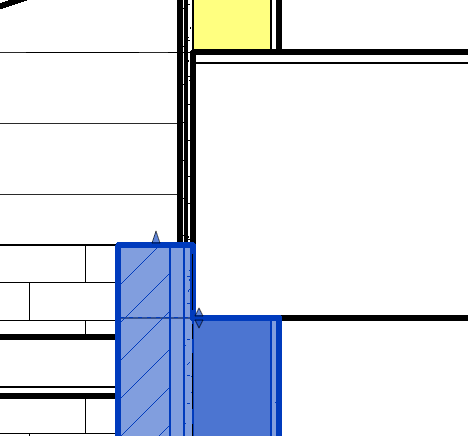
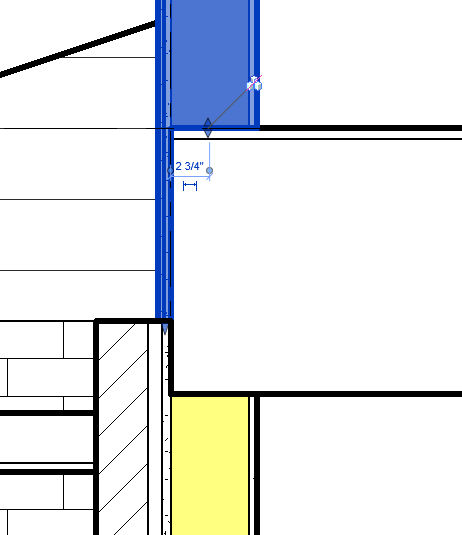
Lower wall - exterior layers unlocked and pulled up.
Upper wall - exterior layers unlocked and pulled down.
Read your help on wall definitions.
|
This user is offline |
|
|
|
active
Joined: Fri, Apr 5, 2013
78 Posts
|
Thank for your reply.
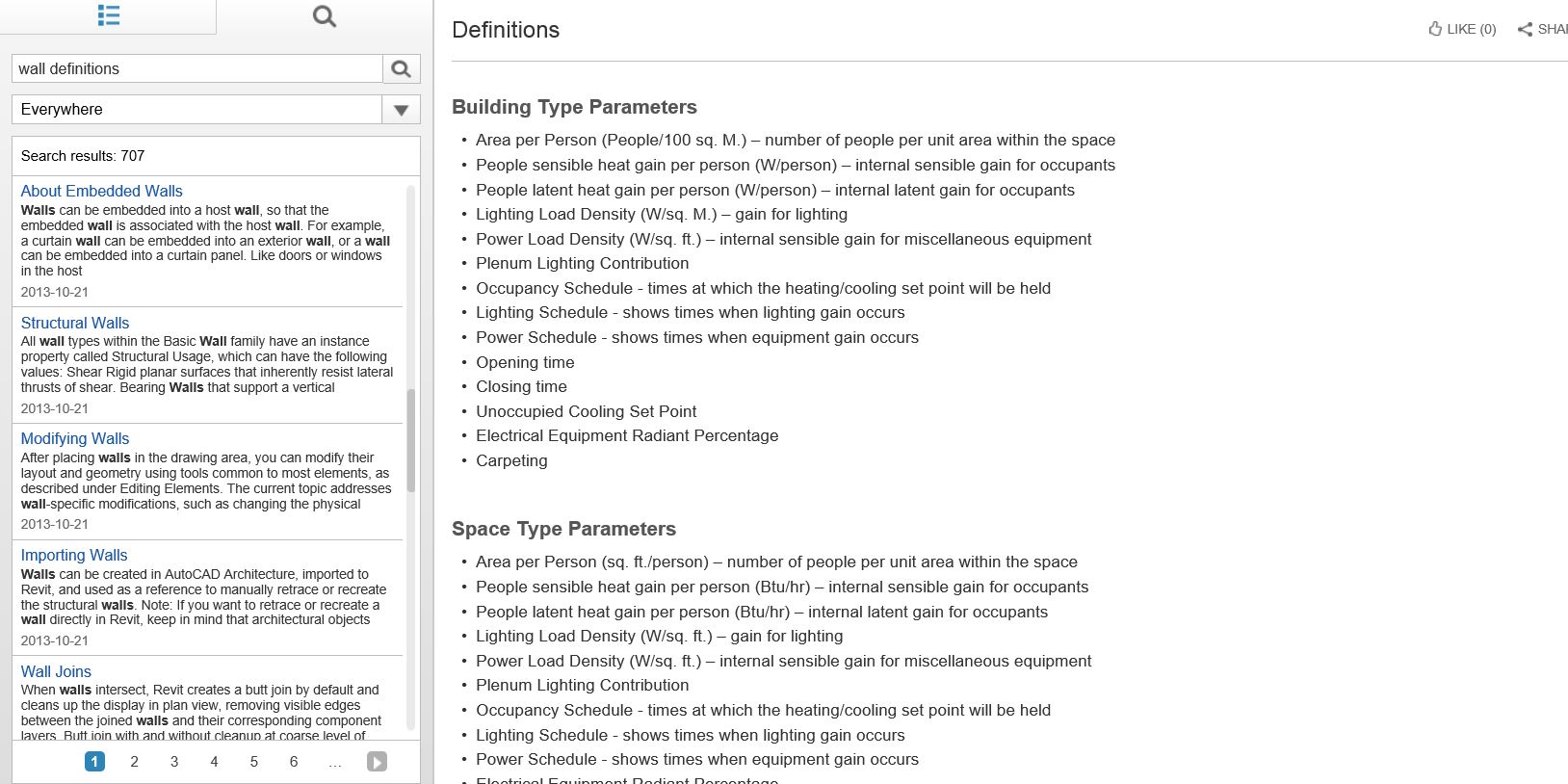
is it THIS wall definitions value i should read? i think i can't find what you tell me to find.
|
This user is offline |
|
|
|
site moderator|||
Joined: Tue, May 16, 2006
13079 Posts
|
No. Where you were then under:
-
About Compound Walls
Just as roofs, floors, and ceilings in Revit can consist of multiple horizontal layers, walls can consist of more than one vertical layer or region. The position, thickness, and material for each layer and region are defined through the type
2013-10-21
Then near the bottom goto modify tool for compound walls and you will see the following:
|
This user is offline |
|
|
|
Similar Threads |
|
Same material renders different colour on floor to wall |
Revit Building >> Technical Support
|
Wed, Apr 22, 2015 at 9:12:51 AM
|
2
|
|
Help of Hatch Tile in a Ceramic Material |
Revit Structure >> Technical Support
|
Fri, Aug 31, 2018 at 10:15:19 AM
|
3
|
|
Wall attached to floor |
Revit Building >> Technical Support
|
Tue, Jan 8, 2008 at 7:29:26 AM
|
7
|
|
Finish Floor |
Revit Building >> Technical Support
|
Tue, Jul 21, 2009 at 5:05:38 PM
|
6
|
|
Extending Wall finishes/Walls not joining |
Revit Building >> Technical Support
|
Wed, Dec 3, 2008 at 12:13:37 PM
|
3
|
|
|
Site Stats
Members: | 2161655 | Objects: | 23325 | Forum Posts: | 152479 | Job Listings: | 3 |
|
 Search