|
|
|
Home | Forums |
Downloads | Gallery |
News & Articles | Resources |
Jobs | FAQ |
| Join |
Welcome !
|
6 Users Online (4 Members):
Show Users Online
- Most ever was 626 - Mon, Jan 12, 2015 at 2:00:17 PM |
Forums
|
Forums >> Revit Building >> Technical Support >> Help! Decals go upside down and distored after render!
|
|
|
active
Joined: Fri, Apr 5, 2013
78 Posts
 |
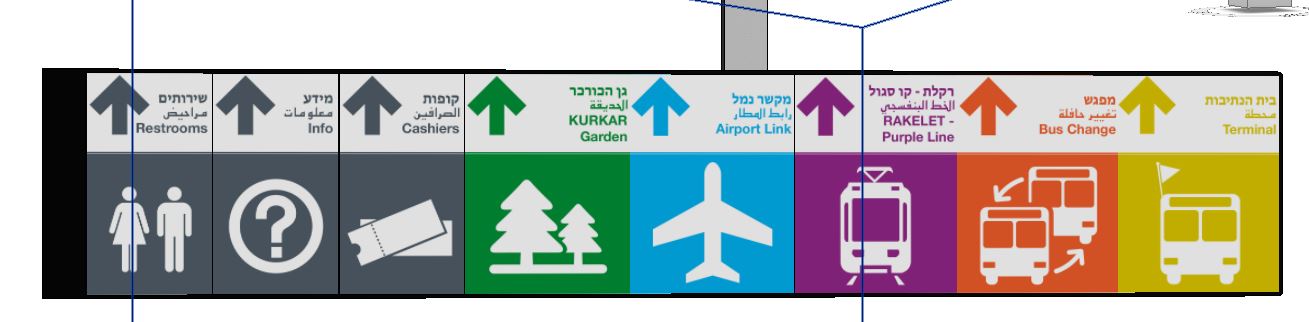
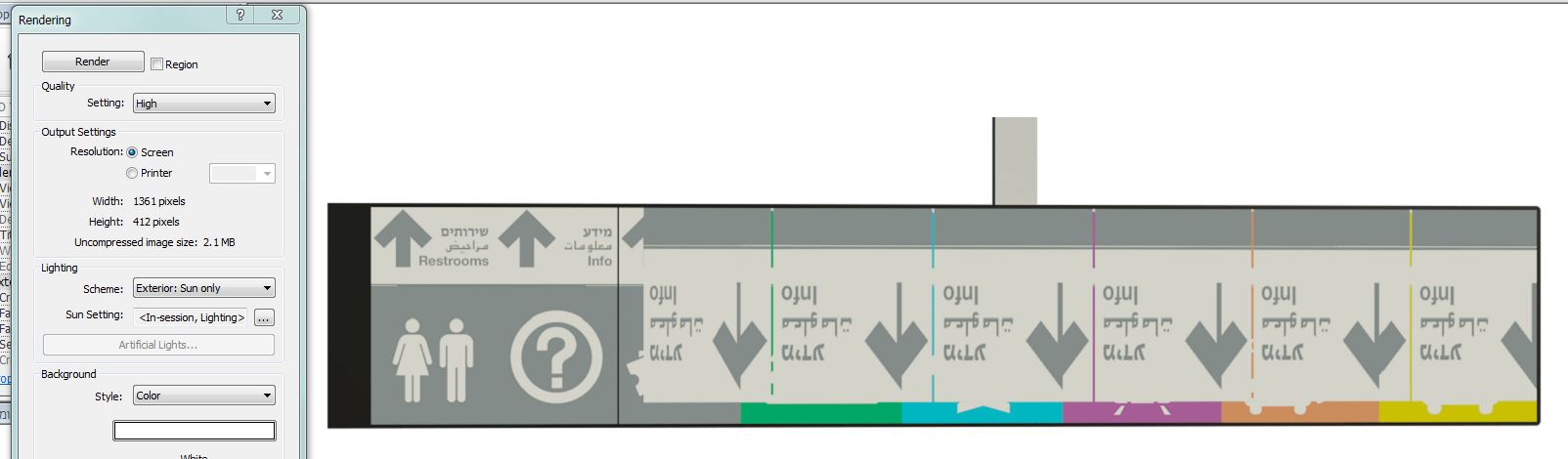
just look at the diffrense before and after the render!
why does it happen? the there left images are ok that maybe a clue
another decals in the project are also ok
|
This user is offline |
|
 | |
|
|
site moderator|||
Joined: Tue, May 16, 2006
13079 Posts
 |
Are you sure you don't have multiple decals in the same place? Delete one and check the render.
Your jpg's may also be corrupted.....
Edited on: Tue, Jun 18, 2013 at 12:30:31 PM
|
This user is offline |
|
|
|
active
Joined: Fri, Apr 5, 2013
78 Posts
|
hey and thank you again for answer.
the problem was in the sign component. there is part in the sign that if it get decals - the bus accurs.
i just changed to pplacement of the decals and now it's ok.
but the decals are still not greyish and not saturated (in comparison to "realistic" mode)
|
This user is offline |
|
|
|
Similar Threads |
|
problem rendering decals |
Revit Building >> Technical Support
|
Tue, Aug 3, 2010 at 8:18:16 AM
|
2
|
|
Decals not rendering |
Revit Building >> Technical Support
|
Wed, Aug 17, 2011 at 11:00:09 AM
|
8
|
|
Decals not Rendering in 2010/12 |
Revit Building >> Technical Support
|
Wed, Jul 20, 2011 at 1:34:53 PM
|
4
|
|
Rendering Decals |
Revit Building >> Technical Support
|
Fri, May 8, 2009 at 11:45:11 AM
|
4
|
|
Decals to 3ds max |
Community >> The Studio
|
Fri, Aug 28, 2009 at 9:19:06 AM
|
2
|
|
|
Site Stats
Members: | 2161655 | Objects: | 23325 | Forum Posts: | 152479 | Job Listings: | 3 |
|
 Search