Forums
|
Forums >> Revit Building >> Technical Support >> Wall not appearing in certain floorplan.
|
|
|
active

Joined: Fri, Apr 20, 2007
5 Posts
 |
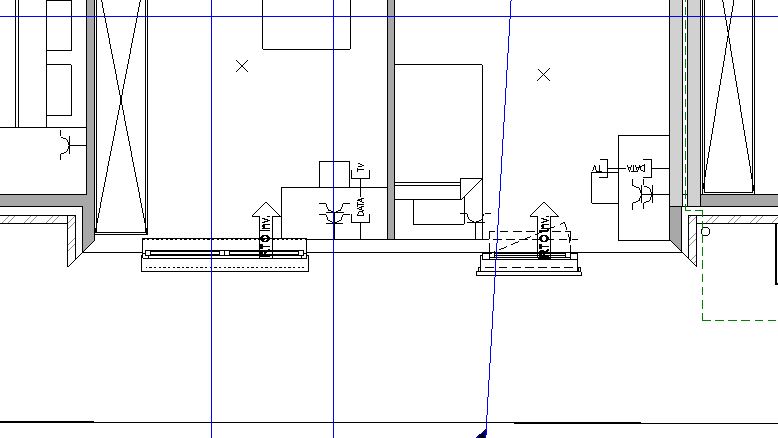
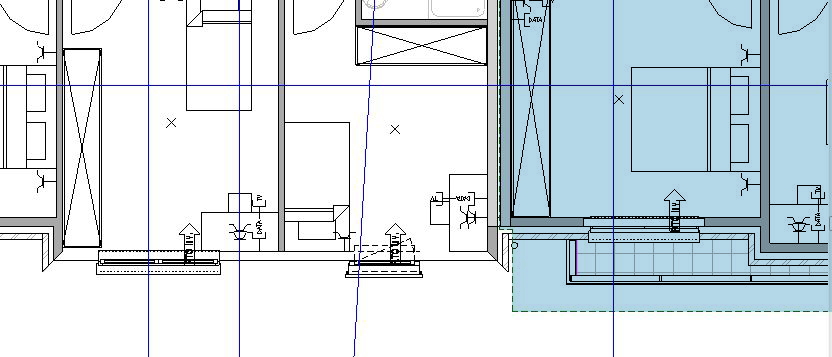
In a project for an appartement building, there is a wall which has suddenly dissappeared. It is however visible, in other floorplans, 3D view, sections, etc...
The properties of this wall (type, base and top) are the same as the 2 walls on either side of the "invisible" wall.
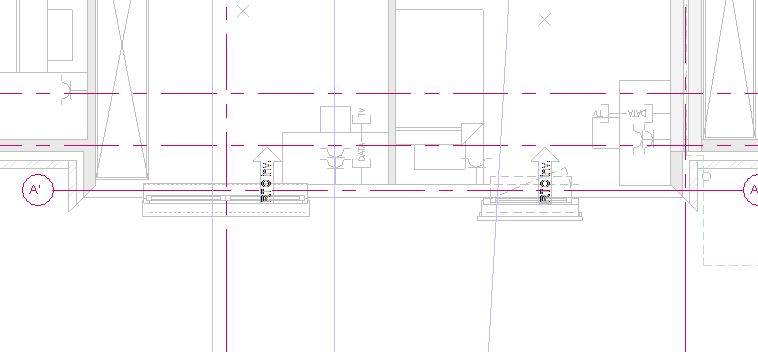
There are no filters, the wall is not hidden(see attached images). The windows placed in the wall are still visible.
If I copy the wall, in the section or other plan views, this copied wall does appear in the floorplan, but the original still doesn't.
|
This user is offline |
View Website
|
 | |
|
|
active
Joined: Fri, Apr 20, 2007
5 Posts
|
I've discovered the wall dissappeares due to a plan region nearby. However this plan region does not intersect with this wall. And like I mentioned in my first post, the adjecting walls have the same properties, yet they appear correctly. Deleting the plan region resolves the problem, but I need the plan region.
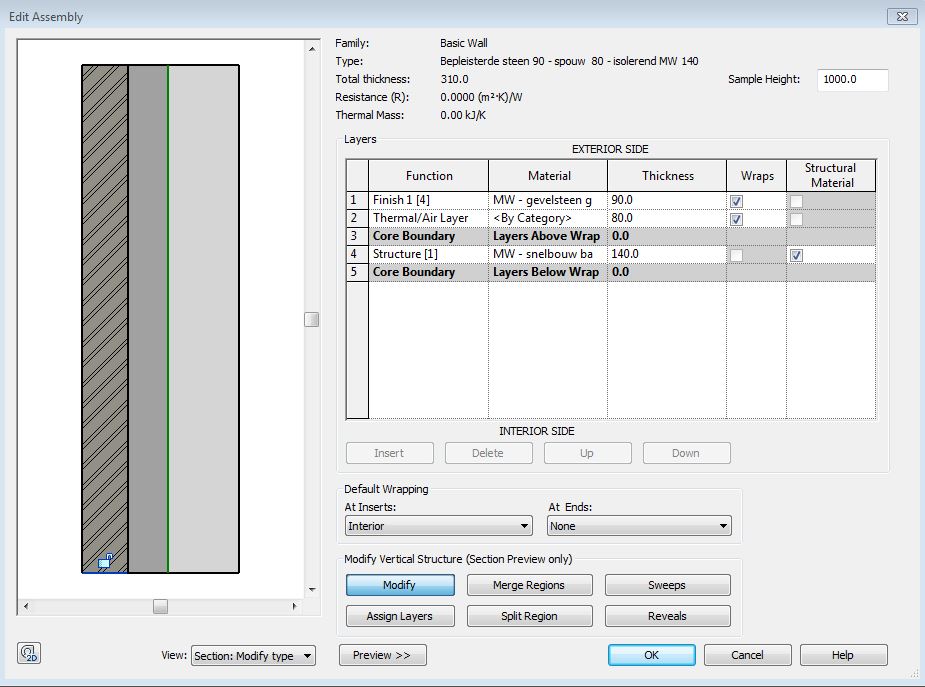
I have also noticed the wall only dissappears when I set a value for the base extention. Regardless of how small this extention is, the wall dissappears. But then again the adjecting walls also have a base extention.
Edited on: Mon, Apr 22, 2013 at 6:31:05 AM
|
This user is offline |
View Website
|
|
|
site moderator|||
Joined: Tue, May 16, 2006
13079 Posts
 |
Turn on the plan region so we can see where it is.
|
This user is offline |
|
|
|
active
Joined: Fri, Apr 20, 2007
5 Posts
|
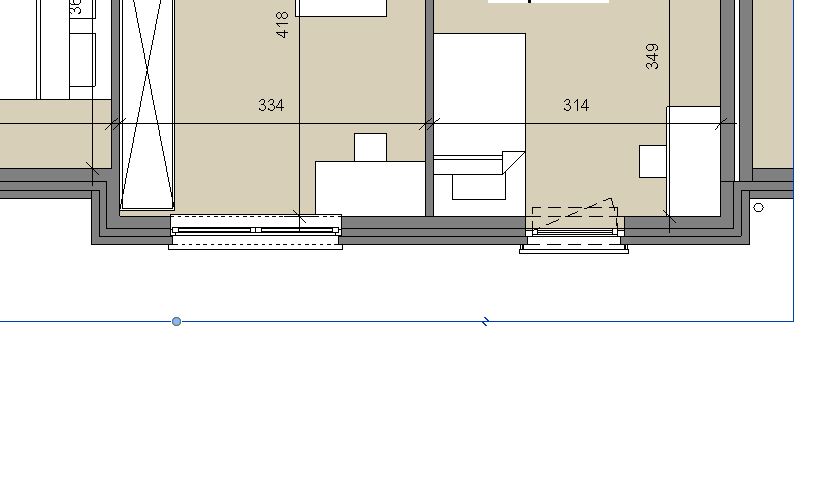
The plan region is on the right. Ive coloured in the area in the attached image. You can see the boundary in the first image as well.
|
This user is offline |
View Website
|
|
|
site moderator|||
Joined: Tue, May 16, 2006
13079 Posts
|
Delete the boundry and create a new one.
When you say "...I have also noticed the wall only dissappears when I set a value for the base extention..." what exactly do you mean?
|
This user is offline |
|
|
|
active
Joined: Fri, Apr 20, 2007
5 Posts
|
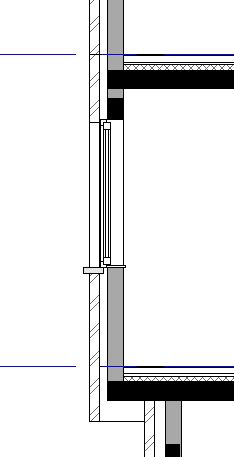
In the section view I attached in the first post, you can see the exterior layer of the wall is extended below the base. Within the wall-properties, the lower-boundary of the most exterior layer is unlocked.
The odd thing is: when I include the wall in the planregion (by dragging the shape handles), it becomes visible again. The standard cut plane for the floor is 150cm, the plan region cuts at 100cm. Yet like I said before, the adjecting exterior walls have the same parameters and these are visible.
|
This user is offline |
View Website
|
|
|
site moderator|||
Joined: Tue, May 16, 2006
13079 Posts
|
This is a strange problem I've not seen. It looks like you have found a bug and I suggest you send it to autodesk.
Sometimes elements get corrupted, that why I suggested a new plan region - maybe a new wall may have worked. You may just have to add a second plan region to get by the problem.
|
This user is offline |
|
|
|
active
Joined: Fri, Apr 20, 2007
5 Posts
|
Drawing a new plan regio did not work, making a nem wall did.
I guess the wall was corrupted. 'Cause I first tried copying the wall, then deleting the original and replacing it with the copy. But this wall dissapeared as well. Making a completely new wall, solves it.
|
This user is offline |
View Website
|
|
|
Similar Threads |
|
Make annotation on wall-mounted family show on floorplan |
Revit Building >> Technical Support
|
Wed, Nov 12, 2008 at 1:41:40 PM
|
1
|
|
scale floorplan |
Revit Building >> Technical Support
|
Tue, Mar 18, 2008 at 10:31:34 PM
|
2
|
|
Wrong level view of window familly in floorplan |
Revit Building >> Technical Support
|
Mon, Mar 12, 2012 at 4:45:10 AM
|
11
|
|
objects from 2nd level appearing in 3rd level why? |
Community >> The Studio
|
Mon, May 20, 2013 at 4:35:41 PM
|
9
|
|
view range for floorplan views |
Revit Building >> Technical Support
|
Tue, Sep 27, 2005 at 2:41:03 PM
|
5
|
|
|
Site Stats
Members: | 2161655 | Objects: | 23325 | Forum Posts: | 152479 | Job Listings: | 3 |
|

 Search