|
|
|
Home | Forums |
Downloads | Gallery |
News & Articles | Resources |
Jobs | FAQ |
| Join |
Welcome !
|
25 Users Online (23 Members):
Show Users Online
- Most ever was 626 - Mon, Jan 12, 2015 at 2:00:17 PM |
Forums
|
Forums >> Revit Building >> Technical Support >> extrude massing to specific level
|
|
|
active
Joined: Mon, May 19, 2008
2 Posts
No Rating |
Dear all
i would appreciate some help with the following.
(revit 2013)
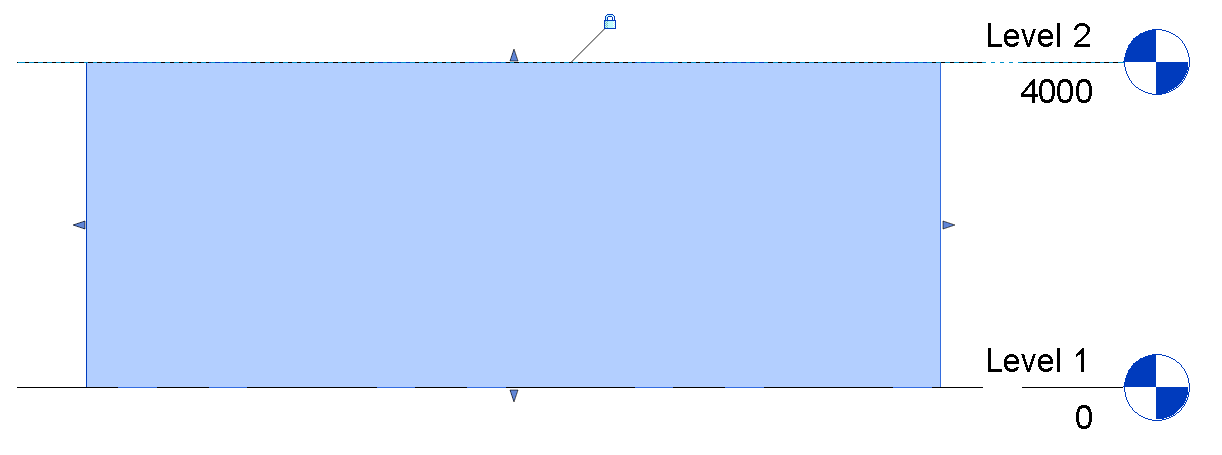
Is there a way to (either in a new inplace mass or modifying existing ones ) to modify the top surface of a simple extrusion and extrude or move it vertical using the level system rather than positive offset?
current workflow: create in place mass , draw outline of bld, create form, lock profile, manipulate positive offset accordingly.
desired workflow: same as above but while in edit model to get a level constrain for the positive and the negative ofssets of a face in the porperties of the massing.
Any help would be greatly appreciated.
Many thanks in advance.
Alkis
|
This user is offline |
|
 | |
|
|
active

Joined: Thu, Mar 17, 2005
1231 Posts
 |
Go to an Elevation or Section view and then us the 'Align' tool to align the top of the Mass to the Level and Lock it.
-----------------------------------
.
FULL 'DOWNLOAD ACCESS' to all 850+ CADclips videos for only $150
|
This user is offline |
View Website
|
|
|
active
Joined: Mon, May 19, 2008
2 Posts
No Rating |
thanks for the reply. i m aware of this though.
i was looking for a way to do it from the properties, through a drop down or a custom parameter.
if you need to update hundreds of buildings its quite complicated to do it in any other way.
Regards
|
This user is offline |
|
|
|
active
Joined: Thu, Mar 17, 2005
1231 Posts
|
No way I know of then.
-----------------------------------
.
FULL 'DOWNLOAD ACCESS' to all 850+ CADclips videos for only $150
|
This user is offline |
View Website
|
|
|
Similar Threads |
|
Is there a way to put specific objects you created on a differnet layer? |
Revit Building >> Technical Support
|
Thu, Oct 25, 2007 at 1:34:30 PM
|
4
|
|
View Specific Level Heads |
Revit Building >> Technical Support
|
Tue, Aug 21, 2007 at 6:40:14 PM
|
4
|
|
Railing on curved/sloped wall |
Revit Building >> Technical Support
|
Wed, Nov 14, 2018 at 8:18:43 AM
|
0
|
|
Reference planes Revit 2015 in massing environment |
Community >> Newbies
|
Thu, Jun 12, 2014 at 12:01:38 PM
|
0
|
|
extrude taper ellipse. |
Revit Building >> Technical Support
|
Thu, Jul 23, 2009 at 10:54:45 PM
|
6
|
|
|
Site Stats
Members: | 2161655 | Objects: | 23325 | Forum Posts: | 152479 | Job Listings: | 3 |
|
 Search