|
|
|
Home | Forums |
Downloads | Gallery |
News & Articles | Resources |
Jobs | FAQ |
| Join |
Welcome !
|
7 Users Online (5 Members):
Show Users Online
- Most ever was 626 - Mon, Jan 12, 2015 at 2:00:17 PM |
Forums
|
Forums >> Revit Building >> Technical Support >> Window fill color in plan view
|
|
|
active
Joined: Tue, May 24, 2005
5 Posts
No Rating |
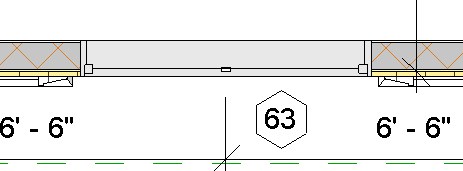
I am printing a floor plan in color. I have always had colored/hatched walls and white windows.
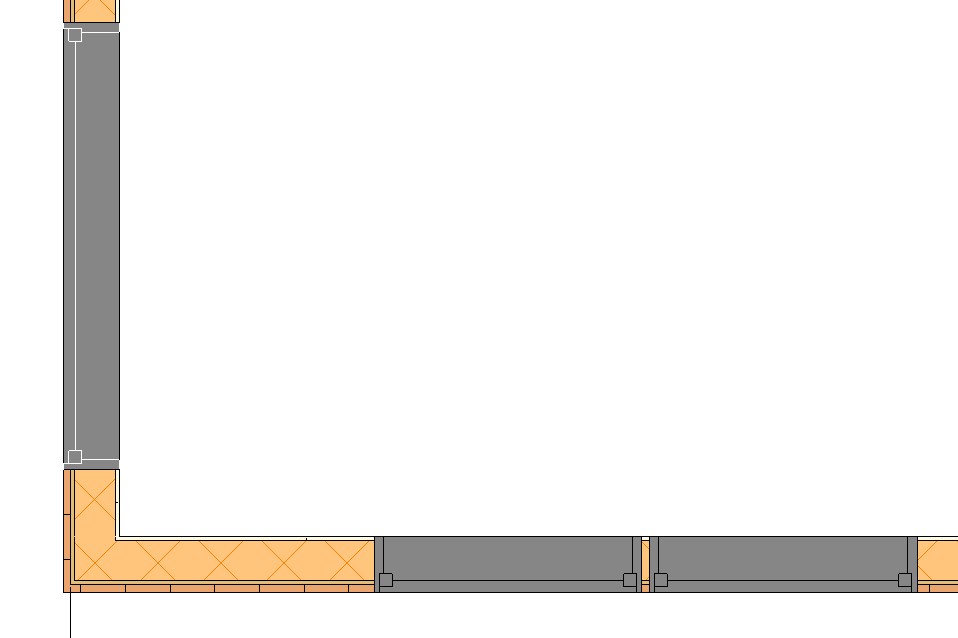
In my most recent plan, the window fill is showing up as gray instead of white. I copied the windows in from a plan with white cut windows to my current plan and it still shows up as gray.
Somehow, I managed to change my window cut lines to white by accident but the fill color is still gray and I can not figure out how to change the window cut lines back to black... a twist to this mess, Some windows still have the black cut lines, but only my archtop windows have white cut lines....
Any help is appreciated.
|
This user is offline |
View Website
|
 | |
|
|
active
Joined: Tue, May 24, 2005
5 Posts
No Rating |
|
This user is offline |
View Website
|
|
|
active
Joined: Tue, May 24, 2005
5 Posts
No Rating |
I fixed the white lines problem. I had selected white lines as visibility overide - cleared that one out.
|
This user is offline |
View Website
|
|
|
Similar Threads |
|
Color Fill in Building Sections |
Revit Building >> Technical Support
|
Mon, Jun 18, 2007 at 2:35:00 PM
|
1
|
|
Area Plans with Color Fill Through Walls |
Revit Building >> Technical Support
|
Thu, Oct 8, 2015 at 6:50:30 AM
|
6
|
|
WHITE ROOM COLOR FILL |
Revit Building >> Technical Support
|
Thu, Jan 16, 2014 at 2:52:28 AM
|
1
|
|
Fill colors in section |
Revit Building >> Technical Support
|
Wed, Jan 9, 2008 at 2:16:13 PM
|
1
|
|
Gradient color Fill |
Revit Building >> Technical Support
|
Sat, Feb 20, 2010 at 2:52:04 PM
|
2
|
|
|
Site Stats
Members: | 2161655 | Objects: | 23325 | Forum Posts: | 152479 | Job Listings: | 3 |
|
 Search