|
|
|
Home | Forums |
Downloads | Gallery |
News & Articles | Resources |
Jobs | FAQ |
| Join |
Welcome !
|
5 Users Online (3 Members):
Show Users Online
- Most ever was 626 - Mon, Jan 12, 2015 at 2:00:17 PM |
Forums
|
Forums >> Revit Building >> Technical Support >> View range in an elevation
|
|
|
active
Joined: Fri, Mar 16, 2012
1 Posts
No Rating |
Hello everybody,
I have problems with the elevations it shows like a section.
I've tried to fit that moving the "elevation marker" and changing the "far clip plane" but it doesn't work. The elevation views still seem to be inside the building.
How can I solve it?
|
This user is offline |
|
 | |
|
|
site moderator|||

Joined: Fri, Nov 12, 2010
1749 Posts
 |
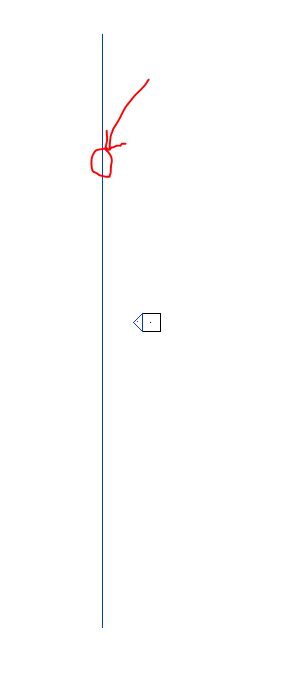
When you click on the tip of your elevation there should be a blue line. This line shows where the elevation is being shown from, if this line is inside your building then it will cut like a section. Move it outside your building.
|
This user is offline |
View Website
|
|
|
Similar Threads |
|
View Range for Revit Link |
Revit Structure >> Technical Support
|
Thu, Nov 12, 2015 at 7:10:18 AM
|
8
|
|
View Range |
Revit Building >> Technical Support
|
Thu, Oct 24, 2013 at 2:37:43 PM
|
4
|
|
component above view range not showing up in plan |
Revit Building >> Technical Support
|
Thu, Oct 30, 2008 at 4:27:11 PM
|
5
|
|
view range |
Community >> Newbies
|
Wed, Nov 16, 2011 at 1:59:56 PM
|
4
|
|
view range |
Revit Building >> Technical Support
|
Wed, Jan 4, 2012 at 12:54:53 PM
|
1
|
|
|
Site Stats
Members: | 2161655 | Objects: | 23325 | Forum Posts: | 152479 | Job Listings: | 3 |
|
 Search