|
|
|
Home | Forums |
Downloads | Gallery |
News & Articles | Resources |
Jobs | FAQ |
| Join |
Welcome !
|
6 Users Online (4 Members):
Show Users Online
- Most ever was 626 - Mon, Jan 12, 2015 at 2:00:17 PM |
Forums
|
Forums >> Workflow & Implementation >> Hardware >> Ghosting of transparent surfaces - Bug or feature?
|
|
|
active
Joined: Mon, Mar 5, 2012
8 Posts
No Rating |
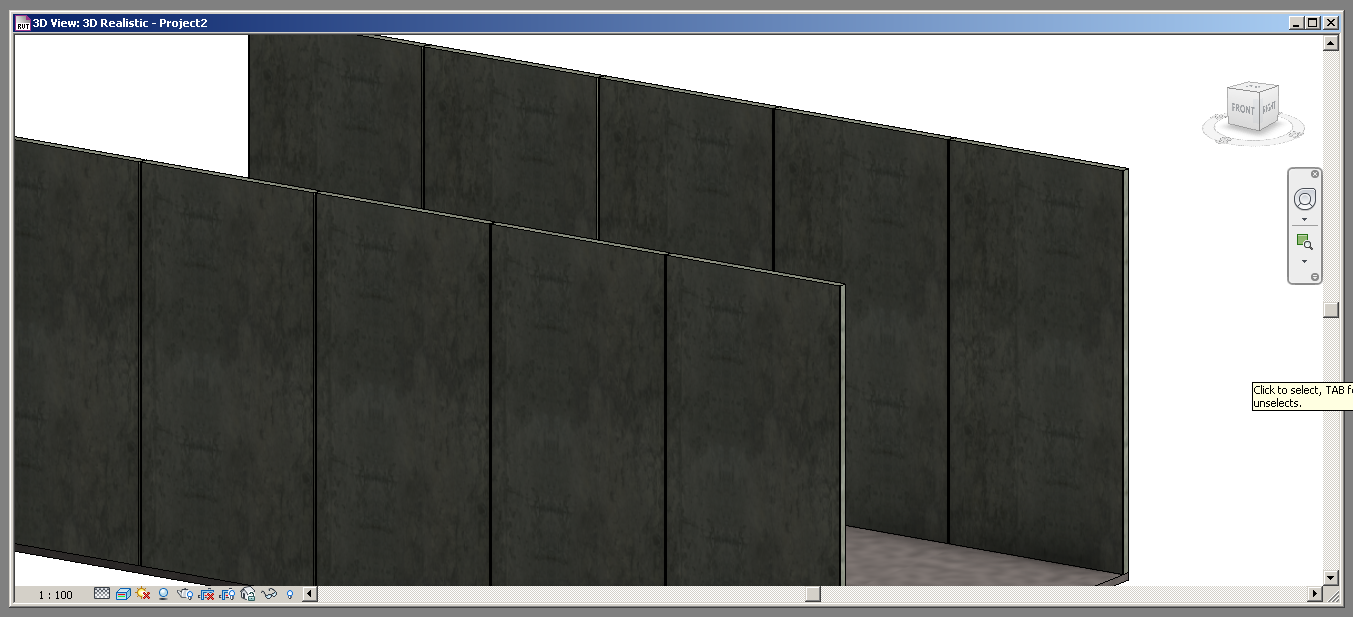
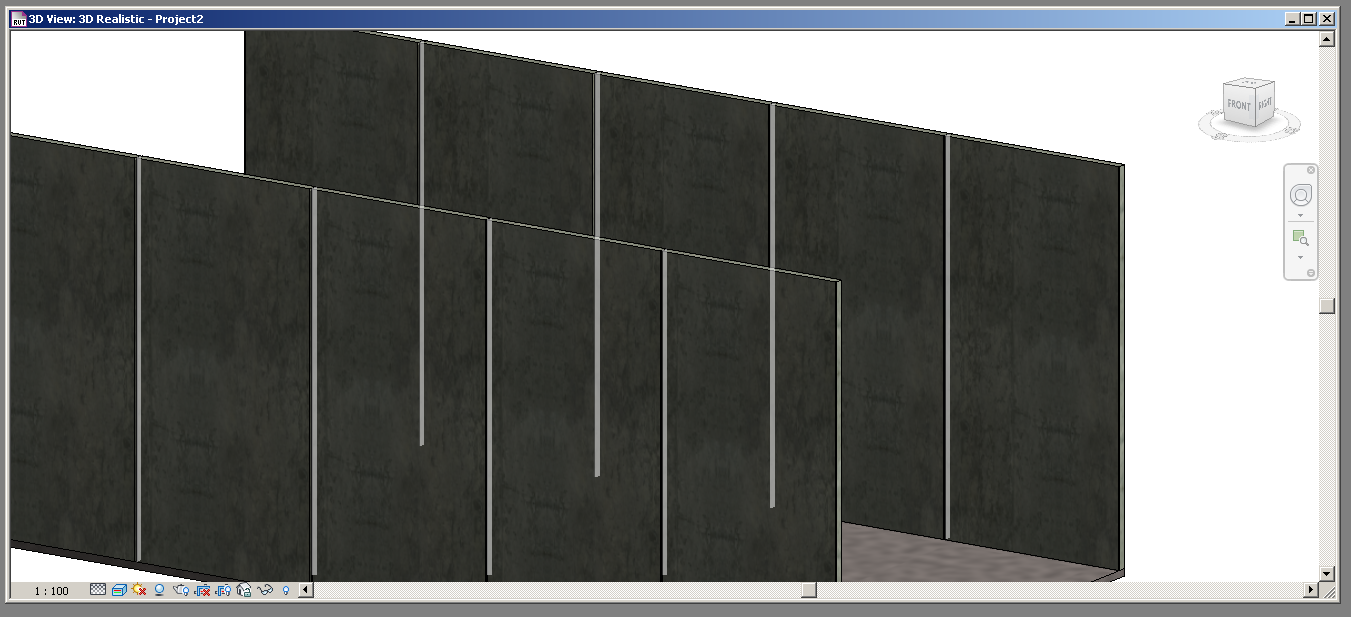
This has been driving me mental and I only just wrapped my head around it. Any transparent surface shows up through any surfaces in front of them UNLESS you have ambient shadows turned on. Not sure if it's because my graphics card isn't fully supported (GT440 Nvidia, Revit 2013 Student). I attached images to show the problem. One clean (with ambient), one with the BUG (no ambient). Is this hardware or does it go further?
|
This user is offline |
|
 | |
|
|
site moderator|||

Joined: Tue, May 22, 2007
5921 Posts
 |
"Graphic Card" issue, install the latest drivers, also, turn OFF "Hardware Acceleration" in your OPTIONS
-----------------------------------
I Hope and I Wish to LEARN more, and more, and more.... REVIT |
This user is offline |
|
|
|
Similar Threads |
|
Underlayer Leaves Ghosting in Poche |
Revit Systems >> Technical Support
|
Fri, Mar 13, 2015 at 7:49:29 PM
|
1
|
|
Angular surfaces |
Revit Structure >> Technical Support
|
Fri, Oct 16, 2009 at 2:23:30 PM
|
4
|
|
REVIT 2011 BUG OR NOT BUG? |
Revit Building >> Technical Support
|
Mon, Dec 6, 2010 at 6:28:30 PM
|
3
|
|
3D Transparent Viewing |
General Discussion >> Wishlist
|
Mon, Jun 9, 2008 at 5:45:00 PM
|
2
|
|
Walkthrough showing semi transparent lines and surfaces!?? |
Revit Building >> Technical Support
|
Thu, Aug 15, 2013 at 4:28:33 PM
|
8
|
|
|
Site Stats
Members: | 2161655 | Objects: | 23325 | Forum Posts: | 152479 | Job Listings: | 3 |
|
 Search