|
|
|
Home | Forums |
Downloads | Gallery |
News & Articles | Resources |
Jobs | FAQ |
| Join |
Welcome !
|
35 Users Online (33 Members):
Show Users Online
- Most ever was 626 - Mon, Jan 12, 2015 at 2:00:17 PM |
Forums
|
Forums >> Revit Building >> Technical Support >> rendering
|
|
|
active
Joined: Sun, Feb 5, 2012
2 Posts
No Rating |
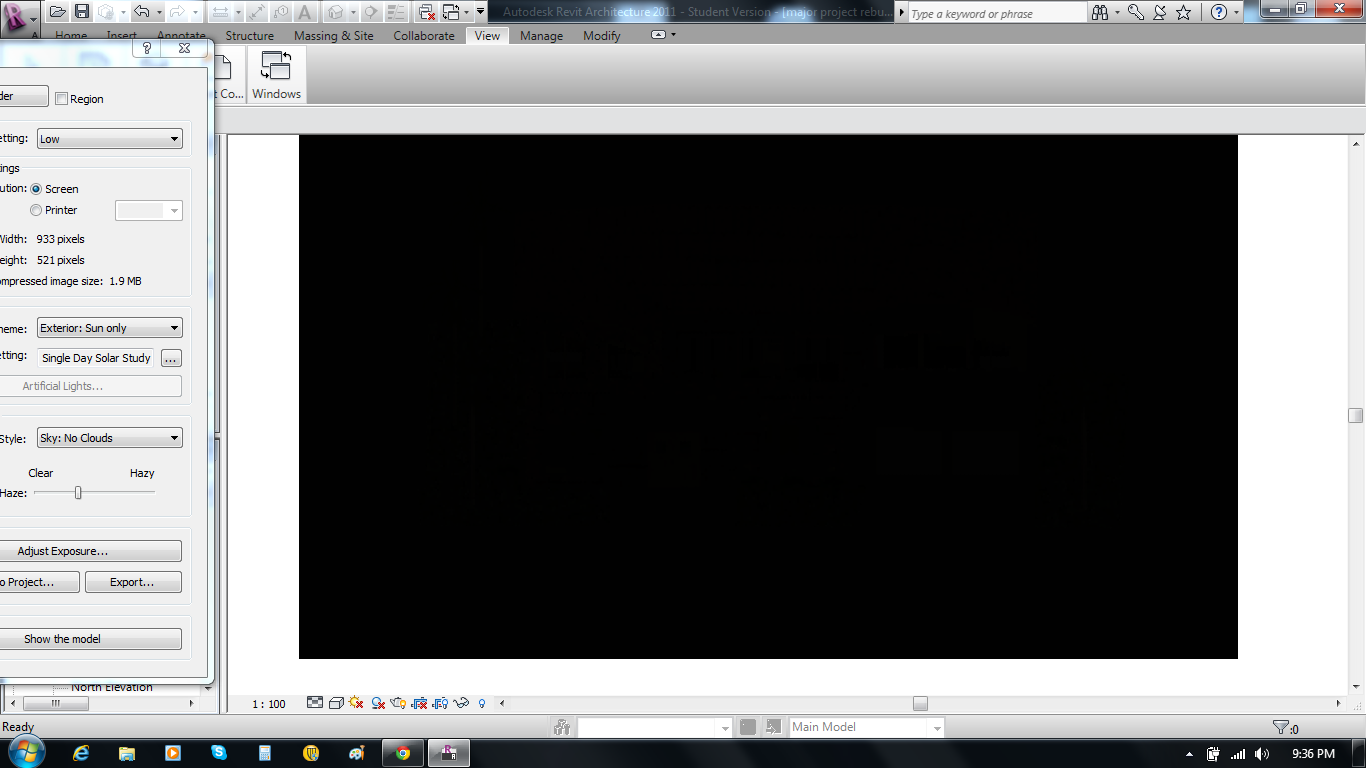
Hi i am new to autodesk revit and have a major problem. whenever i try to render my house the whole rendered image goes black, and i am left with a black rectangle. does anyone know how to fix this? please help
|
This user is offline |
|
 | |
|
|
site moderator|||

Joined: Tue, May 22, 2007
5921 Posts
 |
You have the "Adjust exposure" in your render dialog box, "play" with these values and see if that solve the problem.
-----------------------------------
I Hope and I Wish to LEARN more, and more, and more.... REVIT |
This user is offline |
|
|
|
active
Joined: Sun, Feb 5, 2012
2 Posts
No Rating |
Thank you so much, this is for my hsc major project and its been troubling me for ages.
thanks again
|
This user is offline |
|
|
|
Similar Threads |
|
Realistic Rendering [ 1 2 ] |
Revit Building >> Technical Support
|
Thu, Aug 4, 2011 at 2:30:37 PM
|
25
|
|
2 Days Rendering...38% Complete 2009 Slow Rendering [ 1 2 ] |
Revit Building >> Technical Support
|
Wed, May 13, 2009 at 7:36:39 AM
|
22
|
|
09' Rendering Issue |
Revit Building >> Technical Support
|
Wed, Jun 3, 2009 at 4:22:51 PM
|
11
|
|
Going from Rendering in RA 2008 to Rendering in RA 2009 |
Revit Building >> Technical Support
|
Mon, May 11, 2009 at 4:32:50 PM
|
6
|
|
help with rendering! |
Revit Building >> Technical Support
|
Wed, Aug 10, 2016 at 10:47:17 PM
|
2
|
|
|
Site Stats
Members: | 2161655 | Objects: | 23325 | Forum Posts: | 152479 | Job Listings: | 3 |
|
 Search