Forums
|
Forums >> Revit Building >> Technical Support >> Rendering Thin / Single Layer Material?
|
|
|
active
Joined: Mon, Apr 23, 2012
4 Posts
No Rating |
Hey friends,
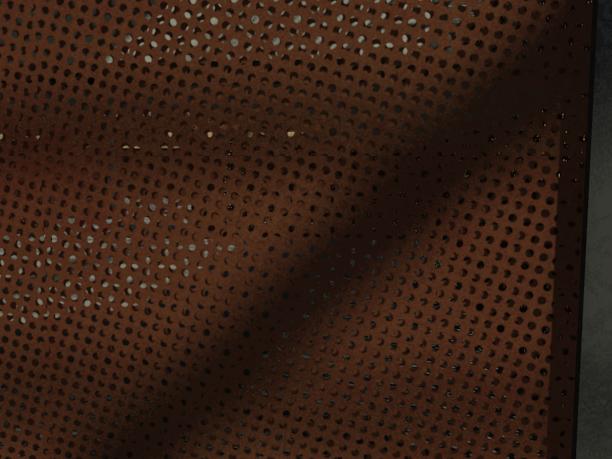
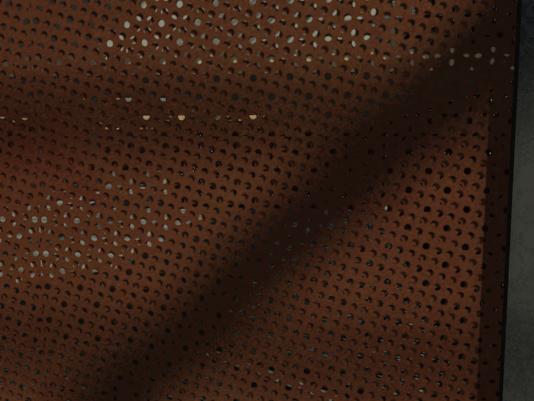
Going to use my first post here to seek some help. I'm trying to create a perforated steel material that will have a specific appearance which I am failing to achieve. I've successfully created the material itself, including the cutouts, but when I apply this material to a curtain wall panel, for example (any object with thickness) I'm seeing the opposite face through the cutouts, and the pattern is misaligned, resulting in the appearance you see in the attached file.
Just curious if there's a way to either disable the 'back face' from rendering, or to create an object that has no thickness... instead of the appearance of a hollow steel cage or whatever that you see here.
Thanks!
|
This user is offline |
|
 | |
|
|
site moderator|||
Joined: Tue, May 16, 2006
13079 Posts
 |
I think the only way to do this is as you have done. The material is on both faces and there will be a thickness offset. As there is in the real world!
|
This user is offline |
|
|
|
active
Joined: Mon, Apr 23, 2012
4 Posts
No Rating |
In the real world I could have a single sheet of steel, perforated. That's the look I'm going for, just to clarify, and I'm not sure how to achieve it... In the jpg I've attached here, I've lowered the panel thickness to 1/8", but the cut pattern on the front and back faces aren't aligned, so I'm still getting the look of a 'hollow steel cage' instead of just a single thickness of steel.
Does that kinda clear up what I meant? This seems like something there'd no doubt be a solution for 
|
This user is offline |
|
|
|
site moderator|||
Joined: Tue, May 16, 2006
13079 Posts
|
1/8" will have an offset and the holes will not be aligned. 0" will have no offset.
Do you have two layers of this stuff?
Try this...your perforated panel on one face and absolutly clear glass (no color - 100% transparent) on the other face.
|
This user is offline |
|
|
|
active
Joined: Mon, Apr 23, 2012
4 Posts
No Rating |
I have 2 layers in the sense that it's a curtain panel with thickness, a rectangular prism. It won't allow me to set the thickness to 0", but I'm gathering from your post that there is some way to make a perfectly flat object, like just a plane?
|
This user is offline |
|
|
|
site moderator|||
Joined: Tue, May 16, 2006
13079 Posts
|
Your image is not of a flat surface.
If your curtain panel is one layer, set the material to your material, then in an elevation on the other side, paint the surface with the clear glass.
|
This user is offline |
|
|
|
active
Joined: Mon, Apr 23, 2012
4 Posts
No Rating |
Did the trick. Thanks, WWHub!
|
This user is offline |
|
|
|
Similar Threads |
|
Sketchup to Revit - Layer/Material Problems [ 1 2 ] |
Revit Building >> Technical Support
|
Thu, Jun 10, 2010 at 11:04:46 AM
|
23
|
|
How to control a single-layer wall? |
Revit Building >> Technical Support
|
Wed, Apr 28, 2010 at 2:39:50 AM
|
3
|
|
Baluster rendering |
Revit Building >> Technical Support
|
Tue, Jul 6, 2010 at 4:10:35 PM
|
14
|
|
Rendering Problem. |
Revit Building >> Technical Support
|
Wed, Apr 9, 2008 at 5:10:57 PM
|
3
|
|
How to filter by wall layer material |
Revit Building >> Technical Support
|
Tue, Feb 20, 2018 at 6:54:27 PM
|
1
|
|
|
Site Stats
Members: | 2161655 | Objects: | 23325 | Forum Posts: | 152479 | Job Listings: | 3 |
|

 Search