|
|
|
Home | Forums |
Downloads | Gallery |
News & Articles | Resources |
Jobs | FAQ |
| Join |
Welcome !
|
18 Users Online (16 Members):
Show Users Online
- Most ever was 626 - Mon, Jan 12, 2015 at 2:00:17 PM |
Forums
|
Forums >> Revit Building >> Technical Support >> Tags
|
|
|
active
Joined: Tue, Nov 15, 2011
4 Posts
No Rating |
I am new to revit and i need help with tagging my project, specifically walls,windows,doors, and floor. It is confusing when i tag the wall it gives me a "?". I am new so any great advice would be awesome. Thank You.
|
This user is offline |
|
 | |
|
|
active
Joined: Tue, Nov 15, 2011
4 Posts
No Rating |
This is for revit architecture 2012 btw.
|
This user is offline |
|
|
|
active
Joined: Tue, Nov 15, 2011
4 Posts
No Rating |
Anybody?
|
This user is offline |
|
|
|
site moderator|||
Joined: Tue, May 16, 2006
13079 Posts
 |
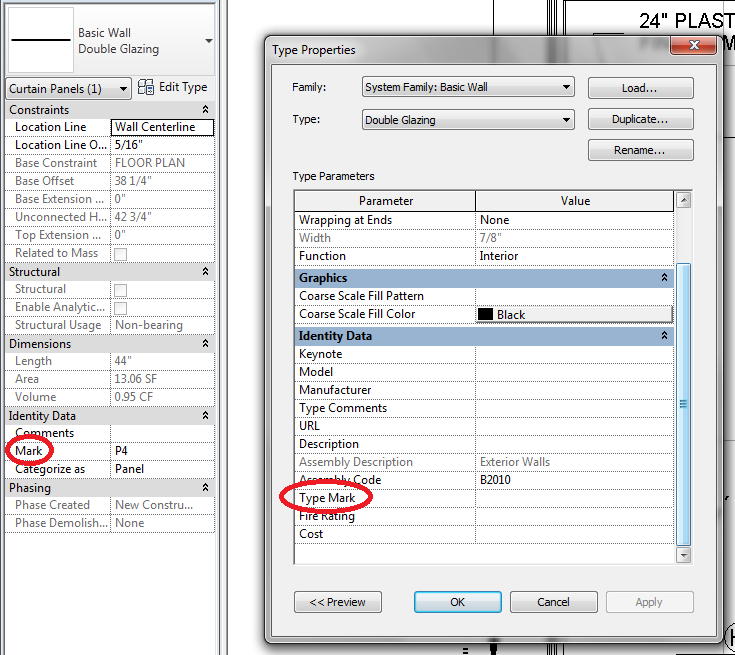
If it gives you a "?", then you have not assigned a value to the parameter your tag is reading. Most wall tags read the wall mark number but you can create a tag to read any shared parameter in an object. Edit your wall type and add a mark number and see if your tag changes.
The same answer for doors and windows.
|
This user is offline |
|
|
|
active

Joined: Fri, Jun 17, 2011
220 Posts
 |
just to expand of what Hub said...
Select your wall and review the list of properties that are available. These are instance parameters all apply only to individual instances of the element. Now hit, edit type and review the list of properties that appear in that dialogue box, these are type parameters and apply to all instances of that type of wall.
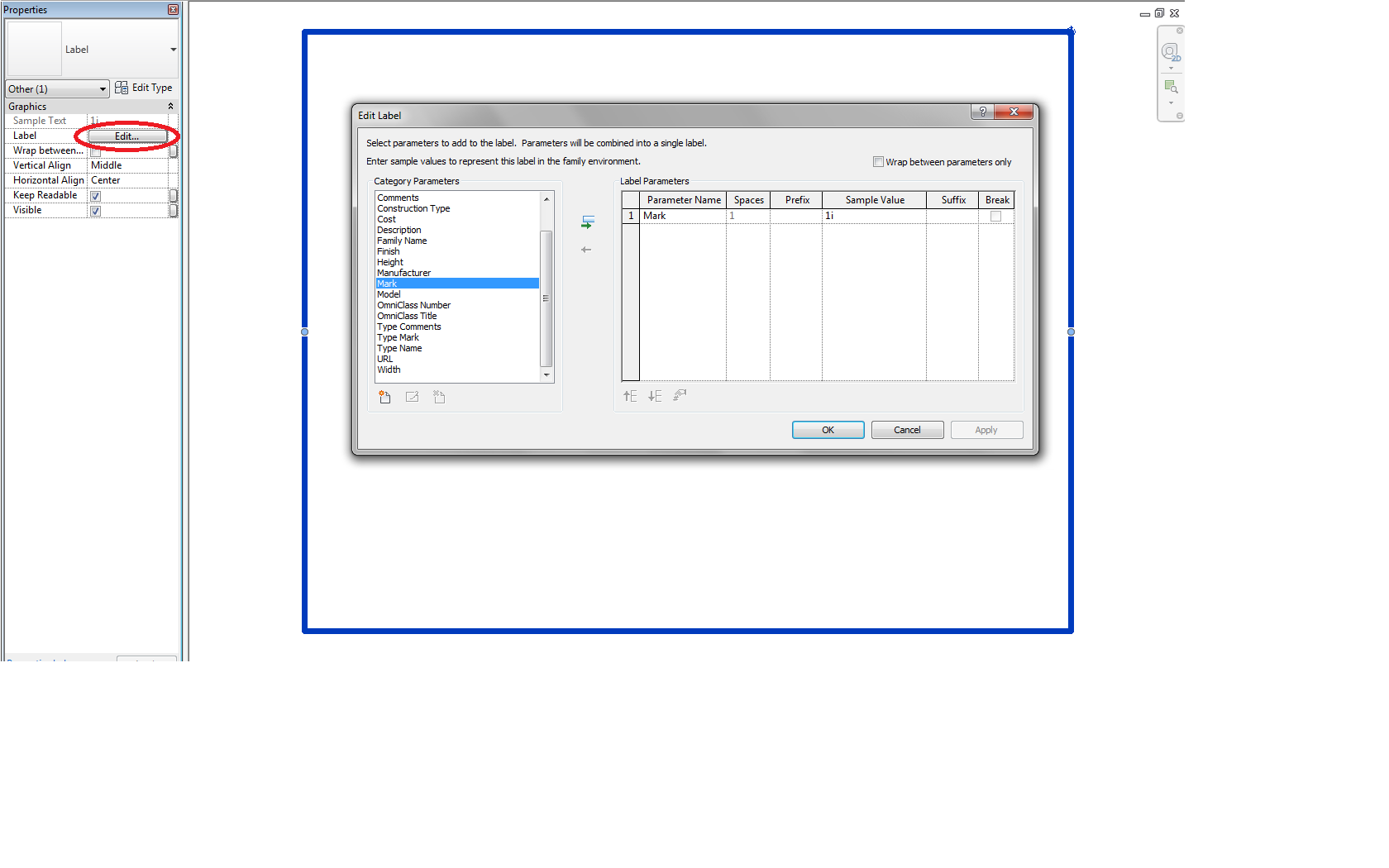
Now select your wall tag, hit 'edit family'. Now click on the tag, then in the properties dialouge, beside 'label' click "edit...." You'll notice a list of parameters come up similar to what you saw in your project. Select the appropriate parameter you are looking for and reload it into your project.
Your getting the "?" because the tag is probably associate with "mark" which is probably empty. I'd recommend switches your tag to read 'type mark' instead and then give this paramater a value (W1) in your wall type properties.
|
This user is offline |
|
|
|
site moderator|||
Joined: Tue, May 16, 2006
13079 Posts
|
I think what absolute wrote is good but I want to add some advice.
Think hard about how you want to tag objects. Some things should always be type tags but others want to be instance. We only want type marks for walls / floors / ceilings but we never want type marks for doors or curtain walls. If you do type marks for doors, you need a different type for every mark number even if the door is the same <<< BAD.
|
This user is offline |
|
|
|
active
Joined: Tue, Nov 15, 2011
4 Posts
No Rating |
Ok great. Thanks a lot guys. Much appreciated
|
This user is offline |
|
|
|
Similar Threads |
|
tags tags tags |
Community >> Newbies
|
Tue, Mar 20, 2012 at 12:10:23 PM
|
6
|
|
Tags linked in more than one view |
Revit Structure >> Technical Support
|
Fri, Feb 27, 2009 at 6:21:47 AM
|
5
|
|
ROOM TAGS |
Revit Building >> Technical Support
|
Fri, Jul 29, 2011 at 8:25:58 AM
|
2
|
|
MISSING elevation tags |
Revit Building >> Technical Support
|
Mon, Sep 17, 2018 at 10:55:17 AM
|
9
|
|
room tags |
Community >> Newbies
|
Thu, Aug 13, 2009 at 3:54:34 PM
|
8
|
|
|
Site Stats
Members: | 2161655 | Objects: | 23325 | Forum Posts: | 152479 | Job Listings: | 3 |
|
 Search