|
|
|
Home | Forums |
Downloads | Gallery |
News & Articles | Resources |
Jobs | FAQ |
| Join |
Welcome !
|
7 Users Online (5 Members):
Show Users Online
- Most ever was 626 - Mon, Jan 12, 2015 at 2:00:17 PM |
Forums
|
Forums >> Revit Building >> Technical Support >> issue about the underlay
|
|
|
active
Joined: Tue, Dec 7, 2010
5 Posts
No Rating |
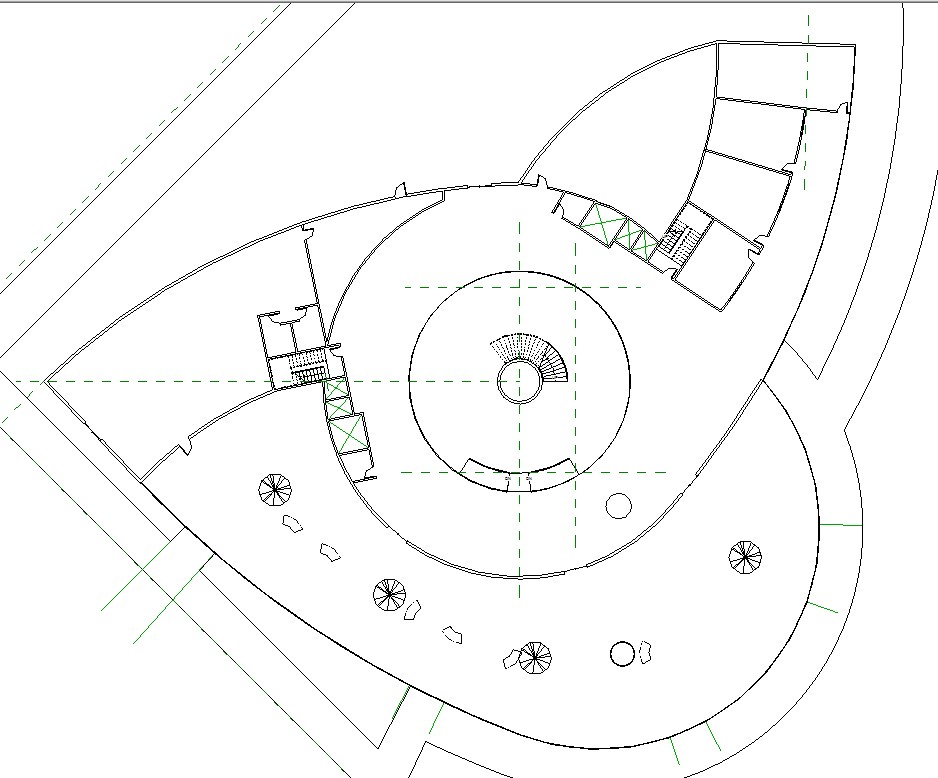
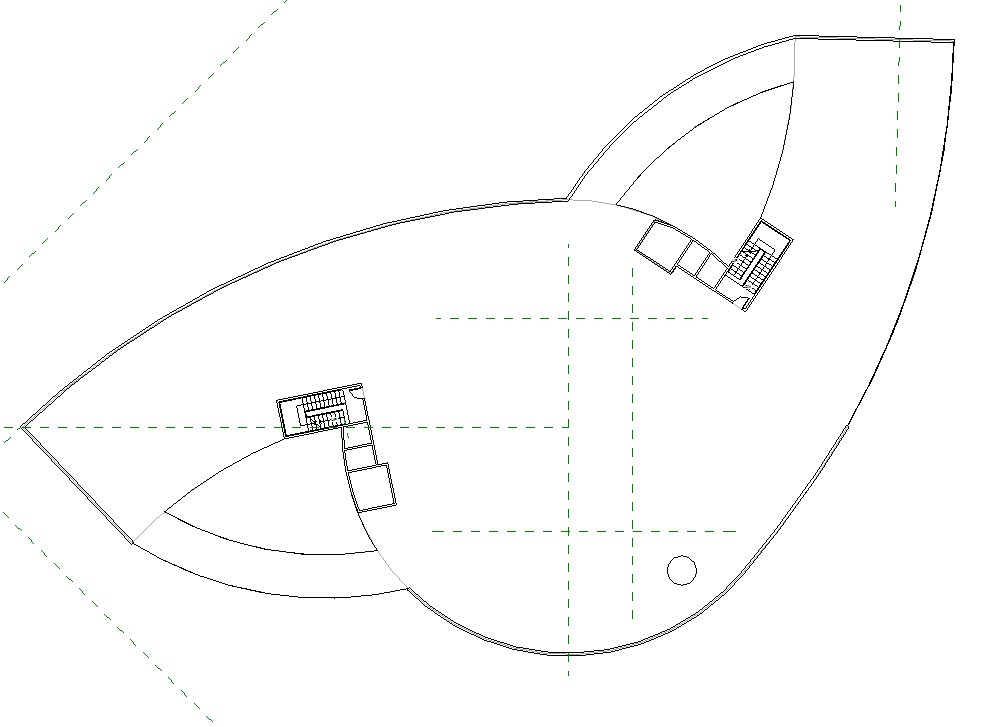
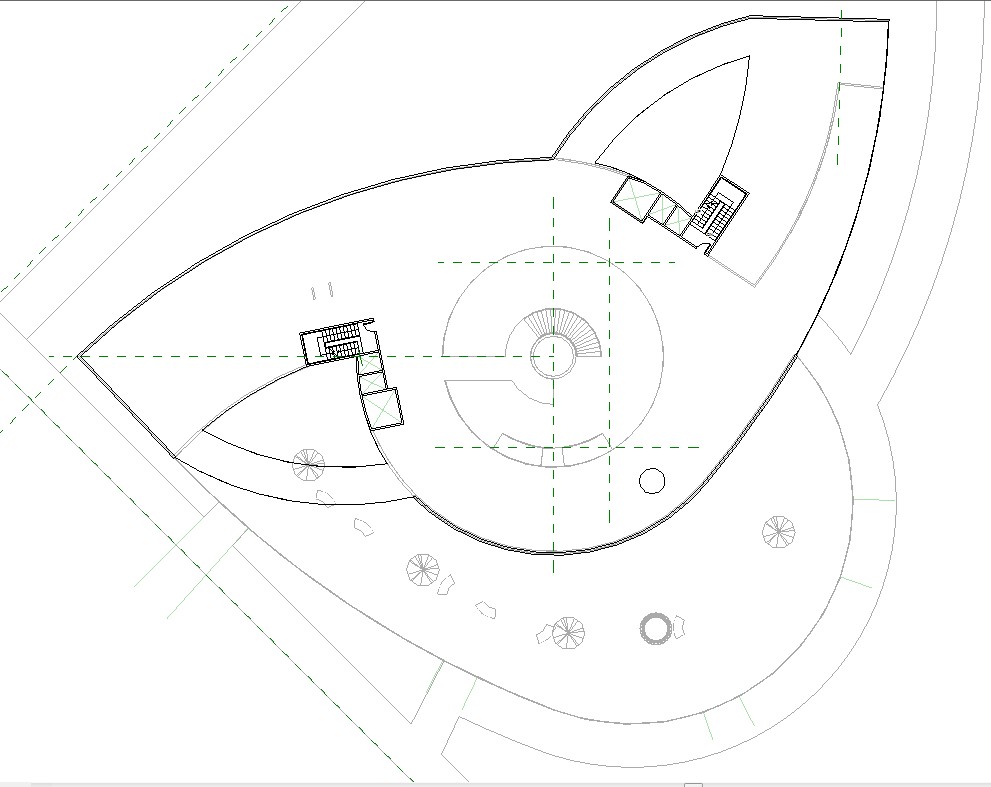
currently I am working on the level 5. I set the underlay to level 1. but it only show part of the level 1, not the whole level one. the walls seems like break in the middle and lose portion . can anyone help me with it?
|
This user is offline |
|
 | |
|
|
site moderator|||

Joined: Tue, May 22, 2007
5921 Posts
 |
Wierd... I don't have any problem with that, can you post some screenshots with the properties of that view like i posted?
-----------------------------------
I Hope and I Wish to LEARN more, and more, and more.... REVIT |
This user is offline |
|
|
|
active
Joined: Tue, Dec 7, 2010
5 Posts
No Rating |
|
This user is offline |
|
|
|
active
Joined: Tue, Dec 7, 2010
5 Posts
No Rating |
first image is level 1, second is level 10, and the last is the level 10 with the level underlay
thanks
|
This user is offline |
|
|
|
active
Joined: Tue, Dec 7, 2010
5 Posts
No Rating |
third image is level 10 with level 1 underlay
|
This user is offline |
|
|
|
site moderator|||
Joined: Tue, May 22, 2007
5921 Posts
|
I can't see but are you in "Hidden Lines" view mode? change to "Wireframe" and check please...
-----------------------------------
I Hope and I Wish to LEARN more, and more, and more.... REVIT |
This user is offline |
|
|
|
active
Joined: Tue, Dec 7, 2010
5 Posts
No Rating |
i change to the wire frame and it does show the underlay. thank you. is the underlay only shows in the wireframe mode? is there anyway to show the doors, too?
|
This user is offline |
|
|
|
Similar Threads |
|
misguided underlay |
Revit Building >> Technical Support
|
Tue, Feb 19, 2013 at 8:14:29 AM
|
7
|
|
Underlay Issue |
Revit Structure >> Technical Support
|
Fri, Oct 4, 2013 at 11:30:03 AM
|
2
|
|
Underlay |
Revit Building >> Technical Support
|
Thu, Oct 11, 2012 at 8:15:33 AM
|
3
|
|
Underlay is not working |
Revit Building >> Technical Support
|
Mon, Apr 28, 2014 at 5:29:50 PM
|
1
|
|
Phantom Casework |
Revit Building >> Technical Support
|
Thu, Mar 30, 2006 at 11:40:39 AM
|
1
|
|
|
Site Stats
Members: | 2161655 | Objects: | 23325 | Forum Posts: | 152479 | Job Listings: | 3 |
|
 Search