|
Forums >> Revit Building >> Technical Support >> Render
|
|
|
active
Joined: Wed, Oct 27, 2010
7 Posts
No Rating |
I am trying to render my 3D view in my project. Every time I do this, my background is completelly black even after applying color, image or adjusting.... I do not know what the issue is.. If you can help it would be very appreciated. Thanks Revit Architecture 2011
|
This user is offline |
|
 |
|
|
|
site moderator|||

Joined: Mon, Jan 12, 2004
2889 Posts
 |
Are you rendering with Artificial Lights Only and don't have any light sources? Screenshot would help.
-----------------------------------
Regards,
Chris.
Co-Founder | BIM Consultant | Software Designer  B. Arch) B. Arch)
Xrev Revit API Addins | Revit Rants |
This user is offline |
View Website
|
|
|
active
Joined: Wed, Oct 27, 2010
7 Posts
No Rating |
I am rendering with exterior sun and a background image, but the background is blacked out, I have changed my image several times
|
This user is offline |
|
|
|
active
Joined: Wed, Oct 27, 2010
7 Posts
No Rating |
Can anyone help me on this issue?
|
This user is offline |
|
|
|
site moderator|||

Joined: Tue, May 22, 2007
5921 Posts
 |
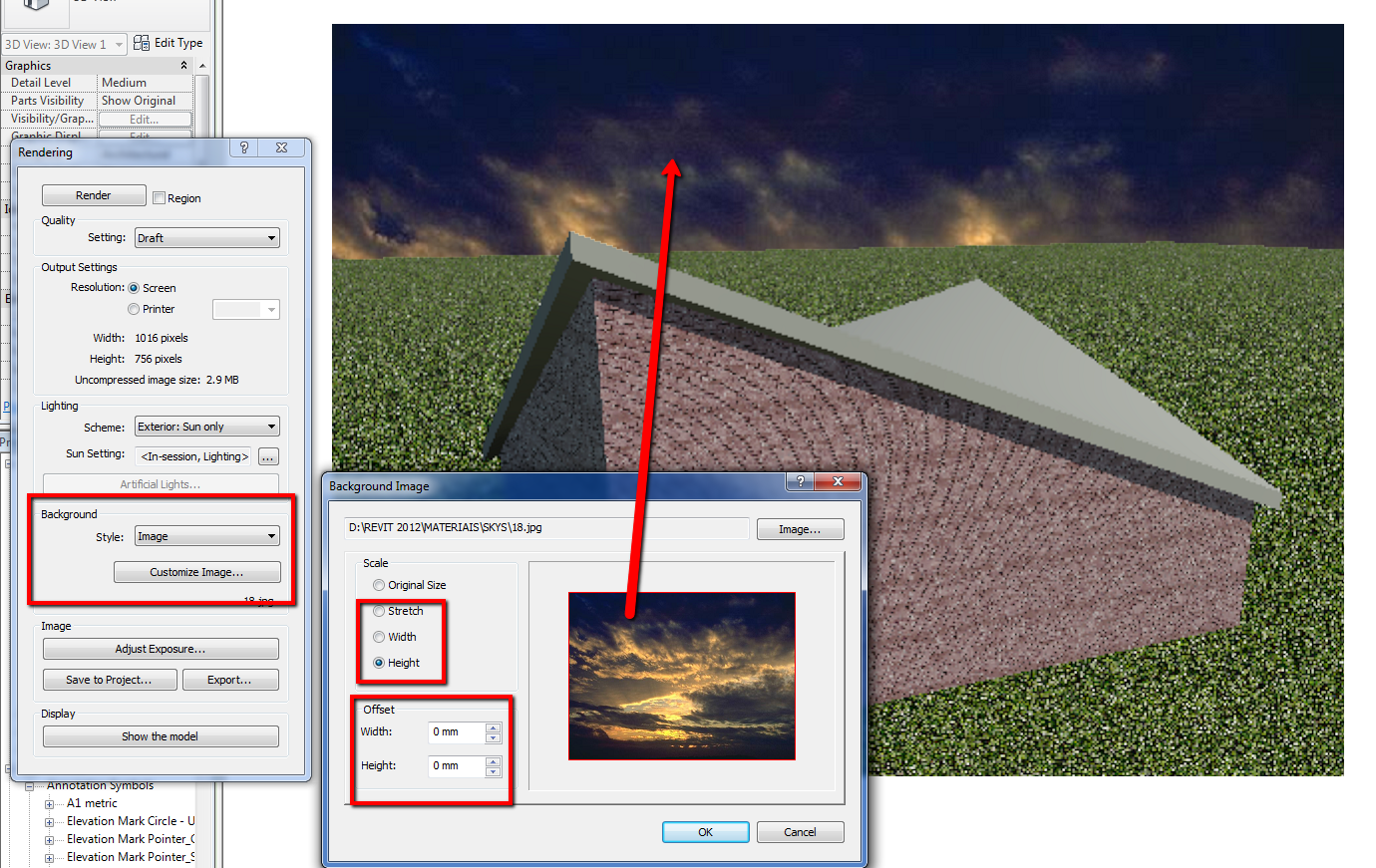
You need to "Customize image", change the "Width" and "Height" and your background will appear.
-----------------------------------
I Hope and I Wish to LEARN more, and more, and more.... REVIT |
This user is offline |
|
|
|
active
Joined: Wed, Oct 27, 2010
7 Posts
No Rating |
tried that Typhoon... even tried to resave it as a template and reopen it as a new project still just a black background after I render
|
This user is offline |
|
|
|
site moderator|||
Joined: Tue, May 22, 2007
5921 Posts
|
Are you using a "Background" file like I post in my image OR are you using a "DECAL"?
Can you post some sceenshots like I post before so we can figure what's going on?
-----------------------------------
I Hope and I Wish to LEARN more, and more, and more.... REVIT |
This user is offline |
|
|
|
active
Joined: Wed, Oct 27, 2010
7 Posts
No Rating |
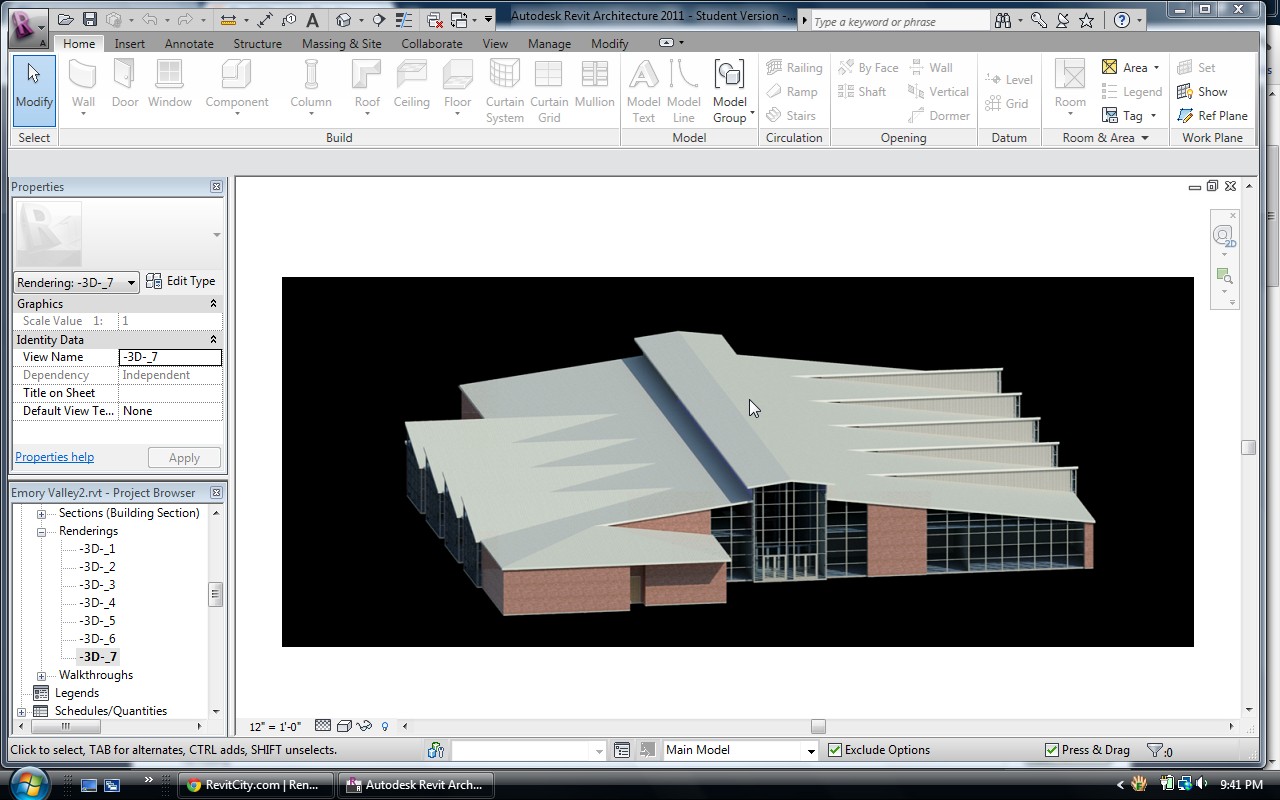
here is what it looks like rendered. I am not sure how to copy and save the screen shot to a jpeg
|
This user is offline |
|
|
|
site moderator|||
Joined: Tue, May 22, 2007
5921 Posts
|
Use "Sceenhunter" or "Jing" to capture your screenshots, is FREE
-----------------------------------
I Hope and I Wish to LEARN more, and more, and more.... REVIT |
This user is offline |
|
|
|
active

Joined: Fri, Jun 17, 2011
220 Posts
|
or just hit 'Print Screen', open of paint and click the 'paste' button.
|
This user is offline |
|
|
|
|
|
active
Joined: Wed, Oct 27, 2010
7 Posts
No Rating |
what do I need to do..
|
This user is offline |
|
|
|
site moderator|||
Joined: Tue, May 22, 2007
5921 Posts
|
Right now I can't test that but try this:
- Create a "CAMERA view" (not a 3D view like that) and render with that background.
Then post again a screenshot with the result.
-----------------------------------
I Hope and I Wish to LEARN more, and more, and more.... REVIT |
This user is offline |
|
|
|
site moderator|||
Joined: Mon, Jan 12, 2004
2889 Posts
|
Also, ensure the image folder location is mapped in your "Additional Render Appearance Paths"
-----------------------------------
Regards,
Chris.
Co-Founder | BIM Consultant | Software Designer B. Arch)
Xrev Revit API Addins | Revit Rants |
This user is offline |
View Website
|
|
|
active
Joined: Sat, Dec 29, 2007
286 Posts
 |
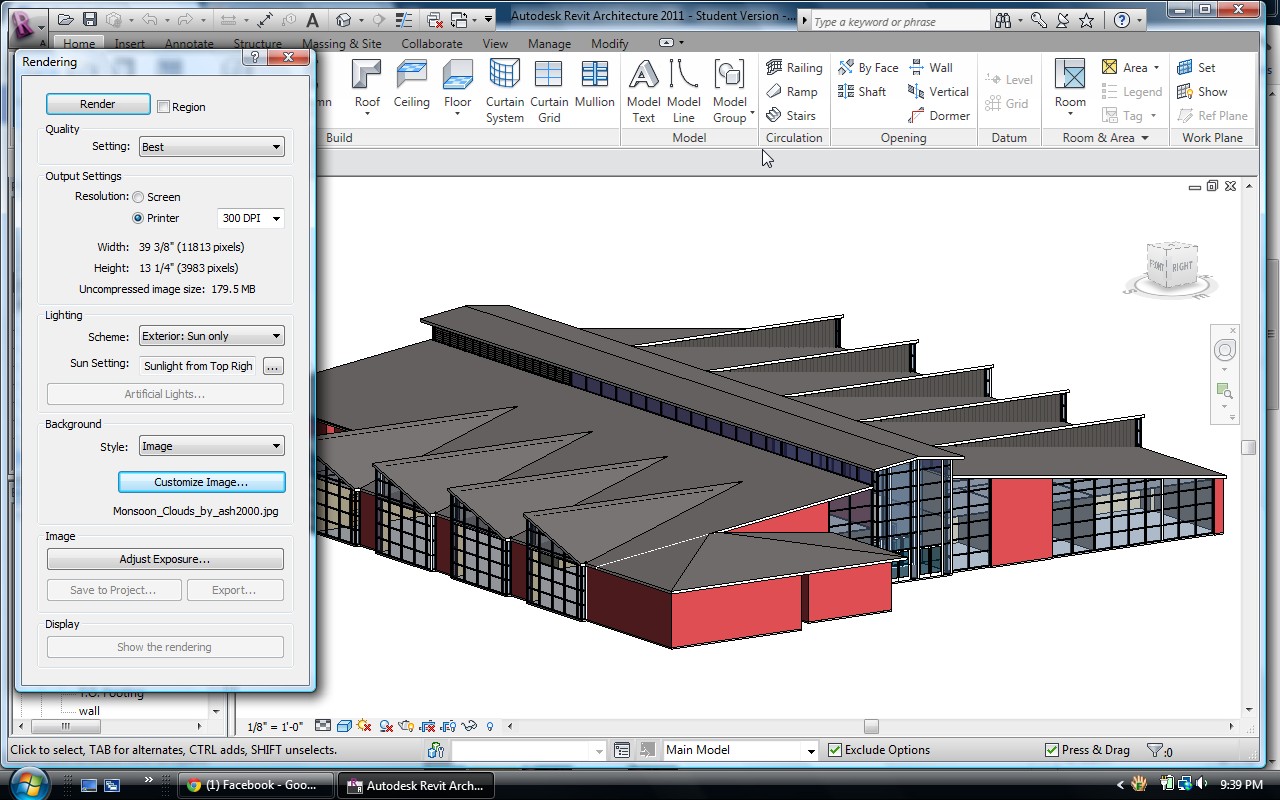
your render is 12000px / 4000px
i suspect that your background image is much smaller and is just in the center of your render but behind your model,
Kind regards,
D
Edited on: Fri, Nov 18, 2011 at 3:00:27 AM
-----------------------------------
"There is no path to peace,
peace is the path."
Mahatma Gandhi.
|
This user is offline |
|
|
|

 Search