|
|
|
Home | Forums |
Downloads | Gallery |
News & Articles | Resources |
Jobs | FAQ |
| Join |
Welcome !
|
40 Users Online (38 Members):
Show Users Online
- Most ever was 626 - Mon, Jan 12, 2015 at 2:00:17 PM |
Forums
|
Forums >> Revit Building >> Technical Support >> Conceptual Mass Will Not Rotote
|
|
|
active
Joined: Thu, Dec 2, 2010
4 Posts
No Rating |
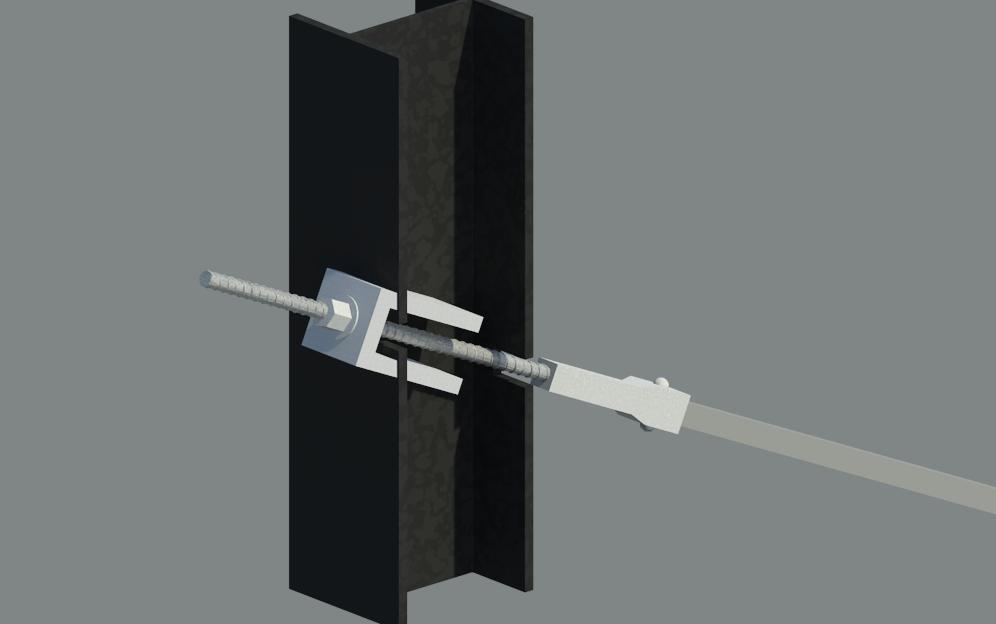
Hi, i'm relatively new to building masses. I am pretty good at it but there are little things that i still do not know. I am creating products for my company and i am creating a tiback system. Kind of looks like this (http://bit.ly/oTRgWH) I have created everything, but as shown in the picture, the tirback sytem is on an angle through the soldier pile. When i attempt to rotate this in my model it says it cannot.
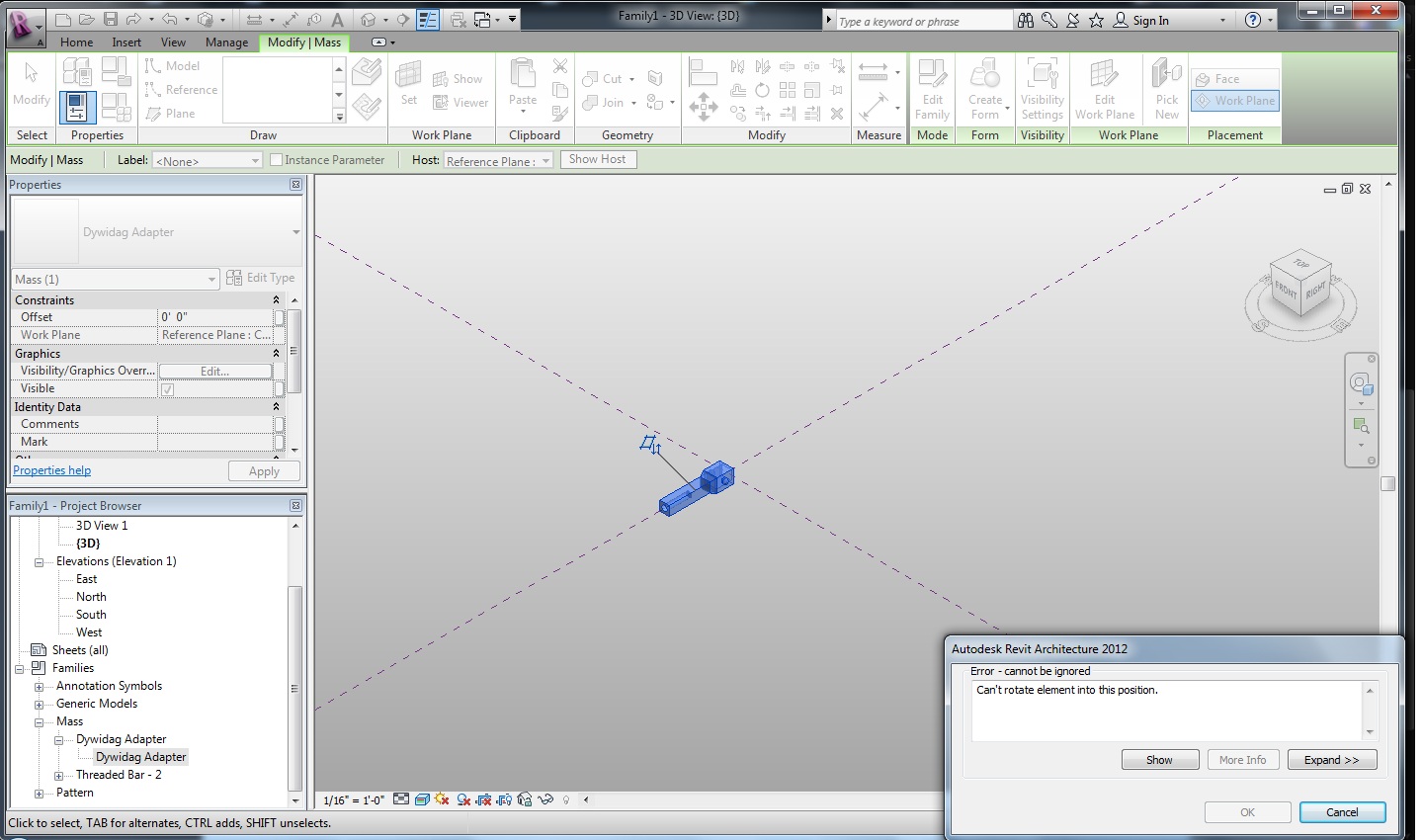
I also tried to rotate the tieback itself in its own mass file. (i drew the tieback separate from the soldier pile and loaded into the soldier pile project) when i do it that way it doesn't give me an error and it shows the little dotted box rotating but then just doesn't rotate. I'm stumped. i've looked all over google and revit city and cant find a solution, seems like it should be someone a fundamental operation to do this. I also DID uncheck the "Always Vertical" button. That didn't work either.
Any help would be apprciated. Thanks!!
|
This user is offline |
|
 | |
|
|
site moderator|||
Joined: Tue, May 16, 2006
13079 Posts
 |
Not sure even what you are doing. Are you working in a project or a family?
BTW - A mas is a mass. Great for conceptual studies but elements are in categories. You should be creating family elements that are placed in the proper category - not mass.
If you created a family and want to use it where it will be rotated, turn off "always vertical" in the family - category & parameters.
BTW - Download the famlies guide from the autodesk website ..... It will be a very big help.
Edited on: Wed, Aug 31, 2011 at 3:41:13 PM
|
This user is offline |
|
|
|
active
Joined: Thu, Dec 2, 2010
4 Posts
No Rating |
i'm drew it as a mass. File -> New -> conceptual mass. I've done this before and it was fine. I'm just trying to rotate the opbject i drew. Always Vertical is unchecked. Here is a screen shot of what i'm doing. Just trying to rotate that up.
|
This user is offline |
|
|
|
active
Joined: Thu, Dec 2, 2010
4 Posts
No Rating |
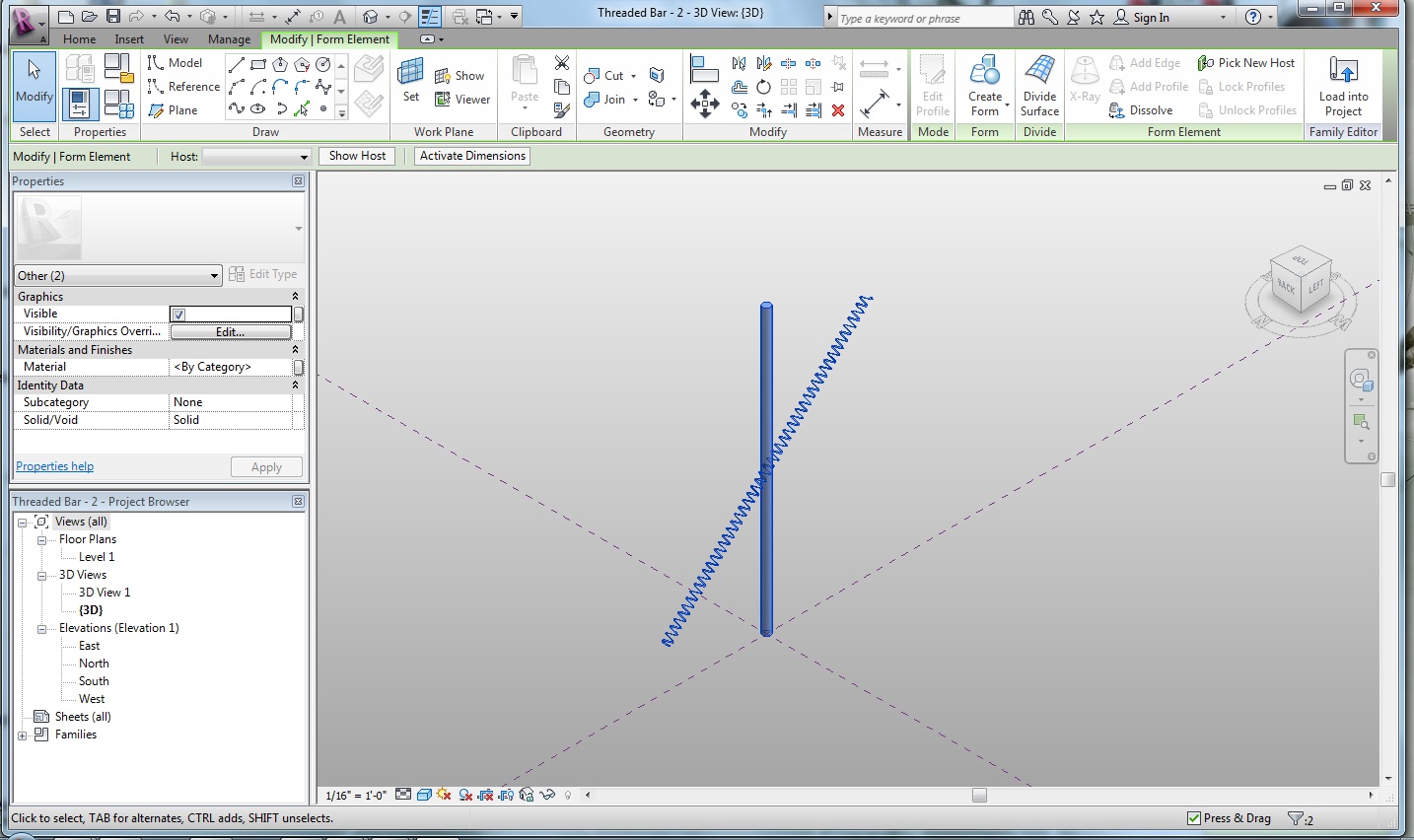
Heres another example that may help explain. I selected everything in this drawing and rotated it. Only the coil moved. why isn't the shaft moving? This is what is happenening in the Adapter drawing as well. I feel like its becauase the main plane is hosting it. is there a way to just unhost the cylindar from the plane?
|
This user is offline |
|
|
|
site moderator|||

Joined: Tue, May 22, 2007
5921 Posts
 |
Try to change the "Host" to "Not associated" then rotate the object.
-----------------------------------
I Hope and I Wish to LEARN more, and more, and more.... REVIT |
This user is offline |
|
|
|
active
Joined: Thu, Dec 2, 2010
4 Posts
No Rating |
Host is Greyed out.
But i actually copy and pasted to a new plane offset just a tad off of the base plan and they actually where able to rotate. So i was able to get it to work...i'm so excited i could probably scream. So aside from a few material properties that need to be fixed I got it. Thank you for the help.
If there is a way to get thing to rotate that would still be great to know! 
|
This user is offline |
|
|
|
site moderator|||
Joined: Tue, May 16, 2006
13079 Posts
|
Nested families built in the correct category work great.
|
This user is offline |
|
|
|
Similar Threads |
|
conceptual mass problem |
Revit Structure >> Technical Support
|
Fri, Jan 13, 2012 at 4:02:05 PM
|
2
|
|
conceptual mass -newbie to that |
Revit Building >> Technical Support
|
Mon, Feb 21, 2011 at 9:21:36 AM
|
2
|
|
Scaling Conceptual Mass |
Revit Building >> Technical Support
|
Mon, Oct 11, 2010 at 7:34:51 AM
|
2
|
|
Update Structural Framing with Updated Conceptual Mass? |
Revit Building >> Technical Support
|
Thu, Mar 12, 2015 at 6:54:55 PM
|
1
|
|
Conceptual Mass: Revit Architecture 2012 (Trial V.) |
Revit Building >> Technical Support
|
Mon, Jun 30, 2014 at 7:20:05 AM
|
7
|
|
|
Site Stats
Members: | 2161655 | Objects: | 23325 | Forum Posts: | 152479 | Job Listings: | 3 |
|
 Search