|
|
|
Home | Forums |
Downloads | Gallery |
News & Articles | Resources |
Jobs | FAQ |
| Join |
Welcome !
|
10 Users Online (8 Members):
Show Users Online
- Most ever was 626 - Mon, Jan 12, 2015 at 2:00:17 PM |
Forums
|
Forums >> Revit Building >> Technical Support >> How do you model a complex curved handrail in Revit 2011?
|
|
|
active
Joined: Fri, Jun 17, 2011
25 Posts
No Rating |
Currently tasked with creating the stairs for an interior condo renovation. The inner handrail that runs from the ground floor up to the 4th floor is continuous. At each landing, the railling curves in plan and in elevation. This complex curvature has been difficult to repeat since it is curving in 3d. To execute the handrail, i have created a profile to be used as in place component.
Problem one is trying to draw a model line (sweep trajectory) that can curve as stated.
Problem two has been sweeping the profile along the curve without the profile changing its orientation.
Can someone provide me with a starting point for achieving the curvature?
|
This user is offline |
|
 | |
|
|
active
Joined: Fri, Jun 17, 2011
25 Posts
No Rating |
|
This user is offline |
|
|
|
active

Joined: Thu, May 28, 2009
829 Posts
 |
A sweep. I don't think the railing tool is going to get you all the way on this one.
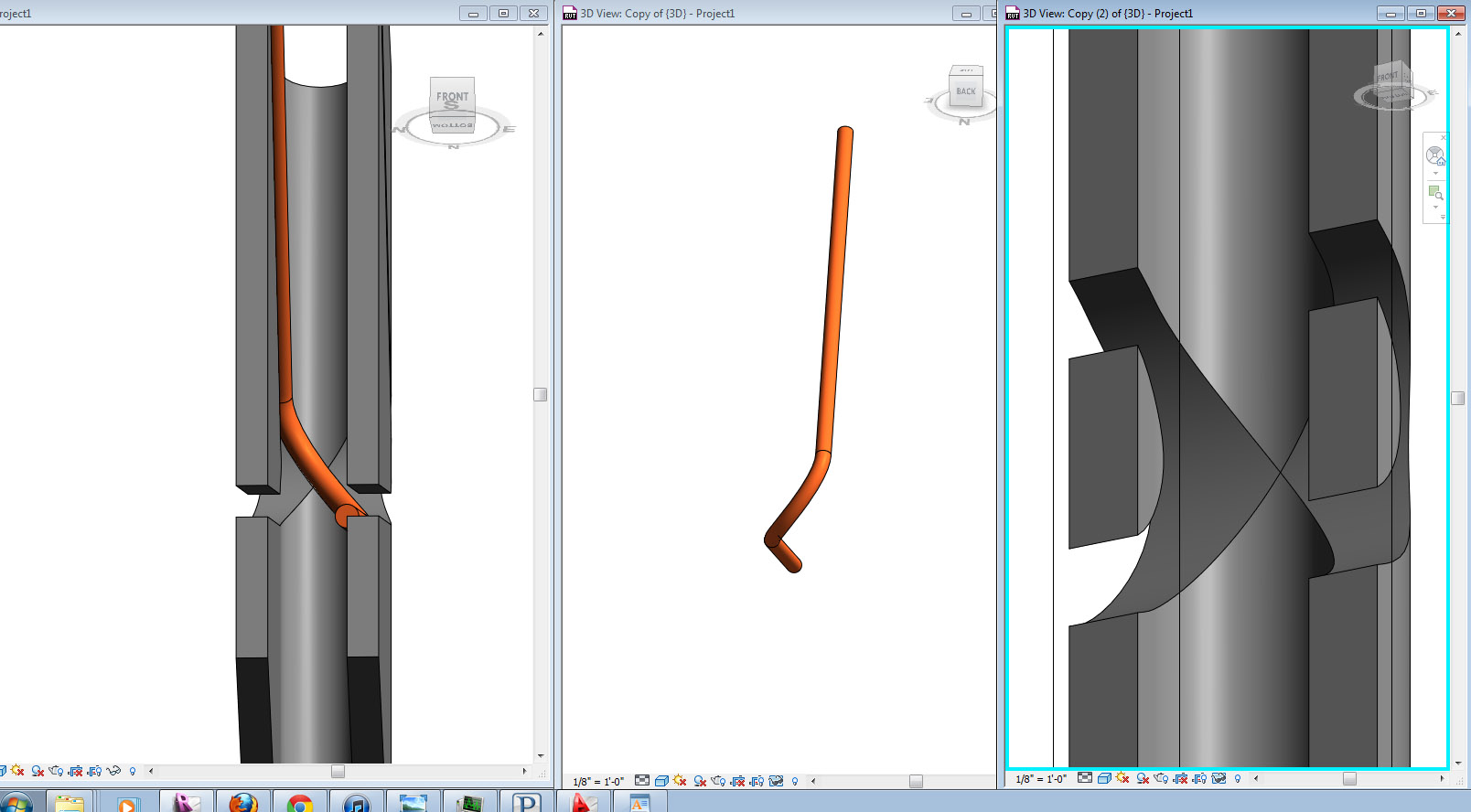
So a sweep, with a picked 3D edge for your path. You'll have to model your 3D edge, and my attached pic is my suggestion for how to get the continuous rise around the corner.
So, that's a U-shaped extrusion, and then a V-shaped void sweep that cuts through it, with the exterior edge of the void sweep hitting the exact interior edge of the U extrusion, so that you get an X of cut lines you can use as a pick path.
Edited on: Mon, Aug 8, 2011 at 4:33:13 PM
|
This user is offline |
|
|
|
active

Joined: Fri, Sep 22, 2006
759 Posts
|
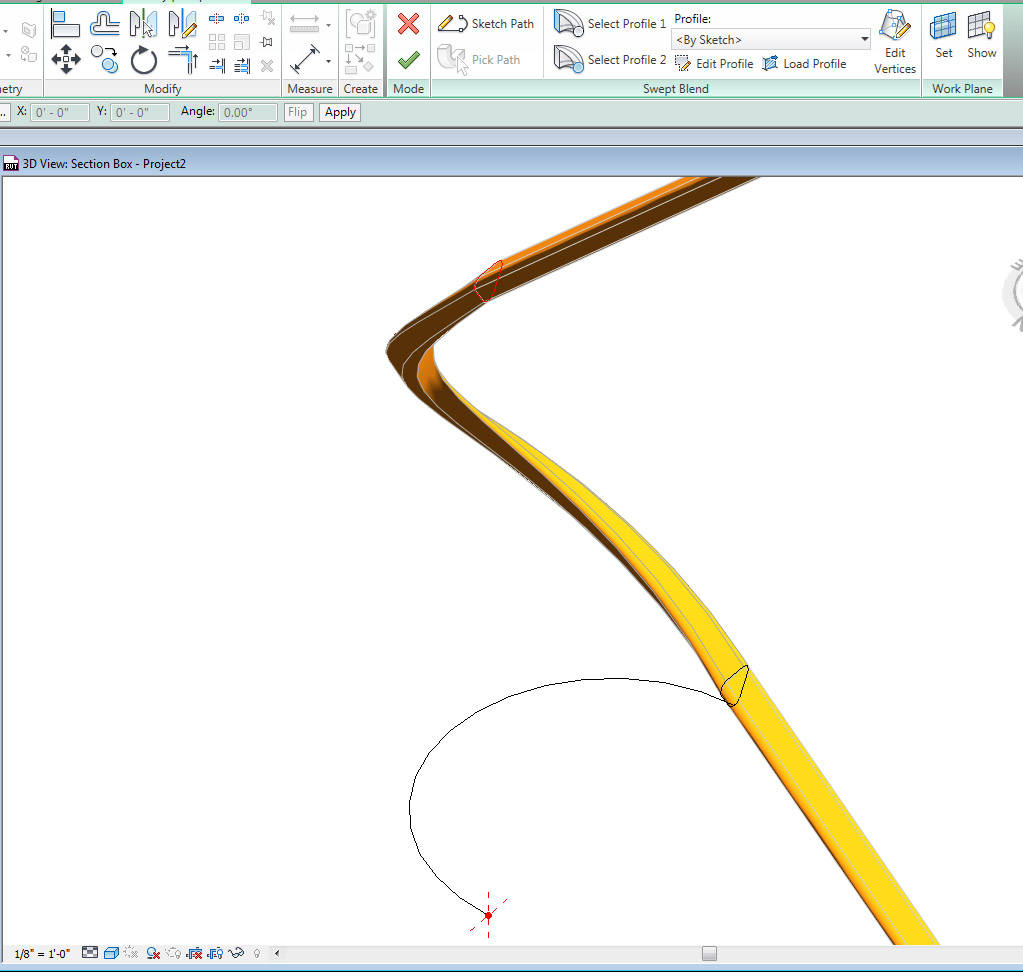
This is a similar problem to this roadwork. If you use a sweep blend it should curve in plan and rise to the correct position, as well as make that change of articulation as it rotates around the path.
|
This user is offline |
|
|
|
active
Joined: Thu, May 28, 2009
829 Posts
|
you know what, I had a brain fart. The method I used above was really dumb. and unnecessary.
All you have to do is use a single swept blend, for the corner. with a semicircular path, and one profile jacked up off of plane. like such:
Pretty much like Mbsteve said.
Edited on: Tue, Aug 9, 2011 at 5:21:58 PM
|
This user is offline |
|
|
|
active
Joined: Fri, Jun 17, 2011
25 Posts
No Rating |
Thank you very much for the suggestions. I will give it a try.
|
This user is offline |
|
|
|
Similar Threads |
|
Complex Curved Walls - please help |
Revit Building >> Technical Support
|
Wed, Mar 25, 2009 at 5:26:10 PM
|
6
|
|
complex curved roof structure |
Revit Structure >> Technical Support
|
Thu, Mar 12, 2009 at 1:11:49 PM
|
3
|
|
Circular handrail on curved stair |
Revit Building >> Technical Support
|
Mon, Jan 7, 2013 at 8:23:25 AM
|
3
|
|
Handrail Lighting LED Strip |
Revit Building >> Technical Support
|
Thu, Jan 11, 2018 at 6:31:21 AM
|
2
|
|
complex curve |
Revit Building >> Technical Support
|
Fri, Jul 6, 2007 at 9:57:28 AM
|
2
|
|
|
Site Stats
Members: | 2161655 | Objects: | 23325 | Forum Posts: | 152479 | Job Listings: | 3 |
|
 Search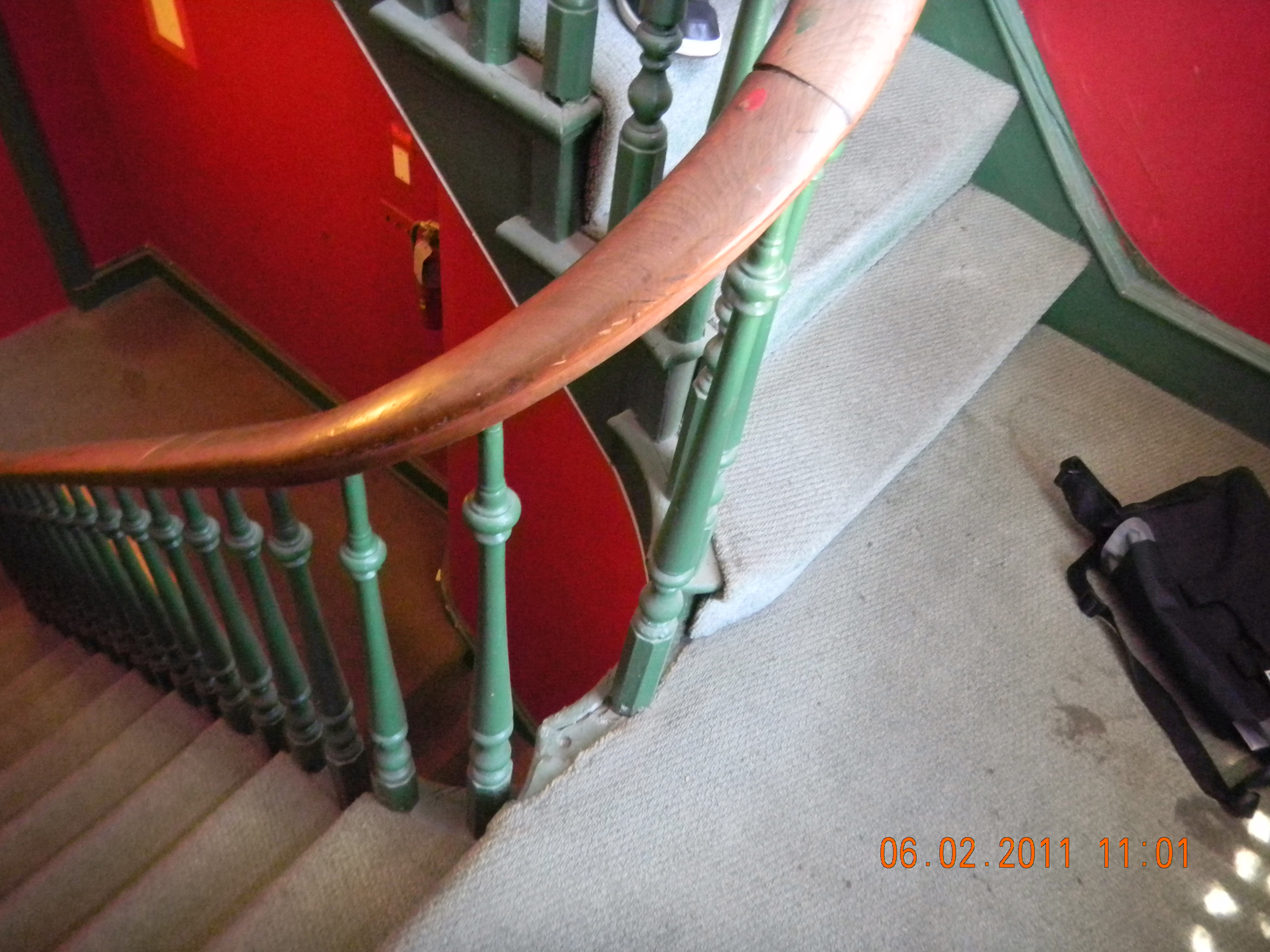
 95914_Revit_Street_Work.pdf