|
|
|
Home | Forums |
Downloads | Gallery |
News & Articles | Resources |
Jobs | FAQ |
| Join |
Welcome !
|
7 Users Online (5 Members):
Show Users Online
- Most ever was 626 - Mon, Jan 12, 2015 at 2:00:17 PM |
Forums
|
Forums >> Revit Building >> Technical Support >> Walls Wont Show Up In View After Upgrading From 2010 To 2011
|
|
|
active
Joined: Sun, Apr 13, 2008
2 Posts
No Rating |
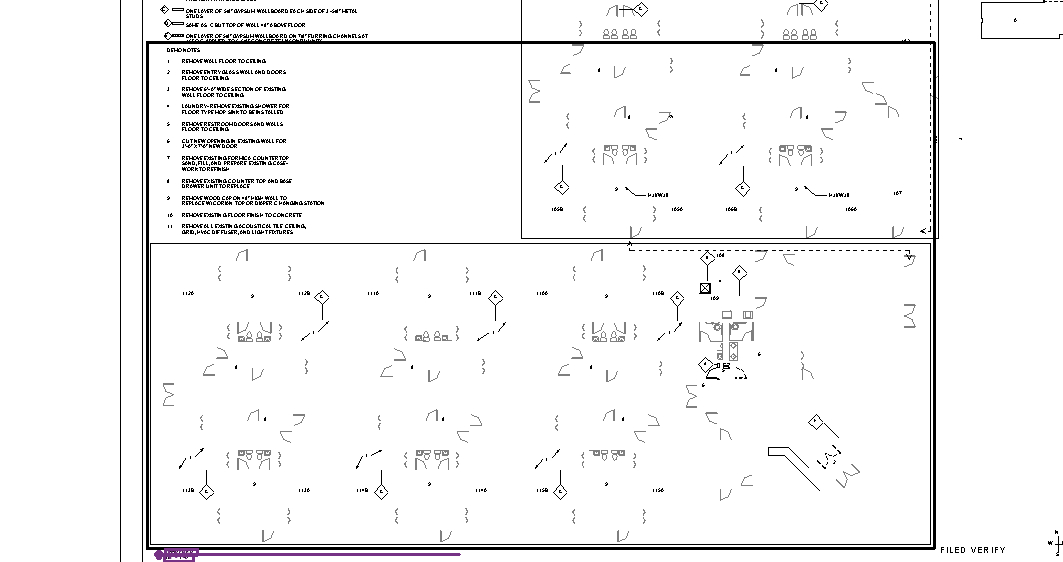
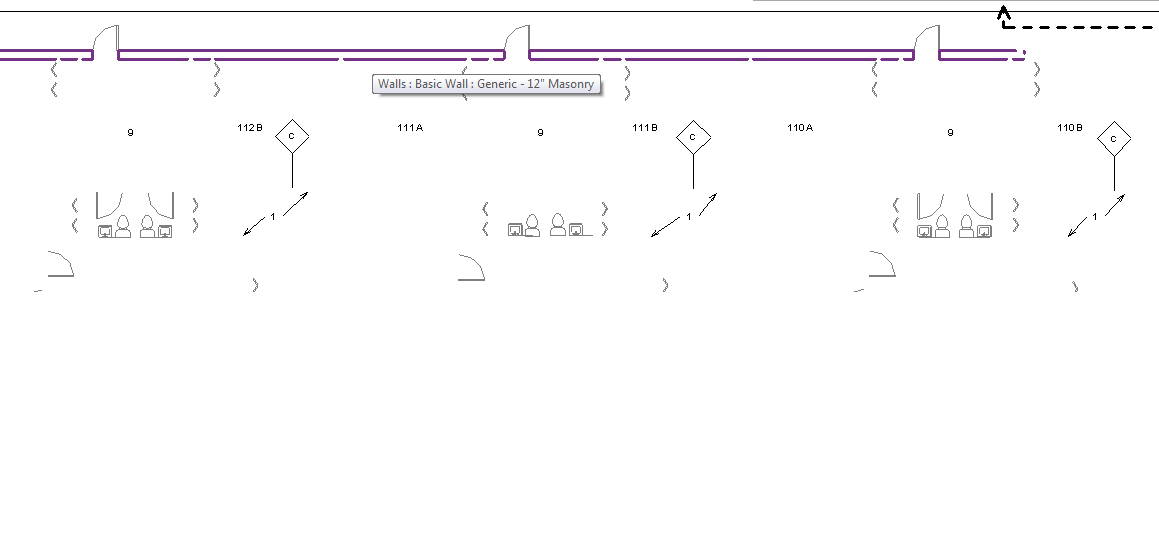
So we upgrade to Revit 2011 several months ago, and I opened a project that was orginially done in Revit 2009, but was modify in Revit 2010. When I opened the project up, there is one sheet were the walls wont show up. They did before in 2010 and 2009 when done. Ive checked to make sure walls are turned on, Ive not changed the phasing on it, but checked it an it seems ok. When i print or pdf the walls will show up, but its kinda difficult to work on the drawings with the walls dissappearing. Didnt know if anyone else was having this kinda issue or know of a fix.
|
This user is offline |
|
 | |
|
|
active

Joined: Thu, Mar 17, 2005
1231 Posts
 |
Yikes ! Upgrading REVIT projects from one release to another is never recommended but some times it's inevitable. 2009 to 2010 to 2011 . . . . might be inviting trouble. Personally, rather than spend the time to fix this (potentially unfixable) problem I'd just finish this project in the version of REVIT that works and get on with my day. As a fix I would try a copy / paste the objects to a new empty project with a 2011 template. BTW . . . . that's a pretty old project . . . . finish it already : )
-----------------------------------
.
FULL 'DOWNLOAD ACCESS' to all 850+ CADclips videos for only $150
|
This user is offline |
View Website
|
|
|
site moderator|||
Joined: Tue, May 16, 2006
13079 Posts
|
I have upgraded multiple releases without any significant changes. Never seen your problem but here is the fix. Make a new view - same type. Copy paste all annotative elements between the old view and new one, then swap it out on the sheet. Then delete the old views. I would also audit the file afterwards.
|
This user is offline |
|
|
|
site moderator|||
Joined: Tue, May 16, 2006
13079 Posts
|
trojans, What are you doing? You keep reposting your last post, which I then have to delete. Are you using your back or a refresh?
|
This user is offline |
|
|
|
active
Joined: Sun, Apr 13, 2008
2 Posts
No Rating |
" trojans, What are you doing? You keep reposting your last post, which I then have to delete. Are you using your back or a refresh? "
|
This user is offline |
|
|
|
Similar Threads |
|
walls wont hatch in plan...? |
Revit Building >> Technical Support
|
Wed, Mar 27, 2013 at 3:22:00 PM
|
10
|
|
Window families and revit 2011 |
Revit Building >> Technical Support
|
Tue, Jan 10, 2012 at 11:08:25 AM
|
9
|
|
Show brickwork only |
Revit Building >> Technical Support
|
Tue, Aug 31, 2010 at 6:10:29 AM
|
2
|
|
Revit Libraries fro 2010 to 2011 |
Revit Building >> Technical Support
|
Wed, Mar 2, 2011 at 3:09:49 PM
|
5
|
|
underlay wont show |
Revit Building >> Technical Support
|
Mon, Dec 16, 2013 at 8:19:53 PM
|
2
|
|
|
Site Stats
Members: | 2161655 | Objects: | 23325 | Forum Posts: | 152479 | Job Listings: | 3 |
|
 Search