|
|
|
Home | Forums |
Downloads | Gallery |
News & Articles | Resources |
Jobs | FAQ |
| Join |
Welcome !
|
8 Users Online (6 Members):
Show Users Online
- Most ever was 626 - Mon, Jan 12, 2015 at 2:00:17 PM |
Forums
|
Forums >> Revit Building >> Technical Support >> Help - Sketch Up Models are hidden!?
|
|
|
active
Joined: Wed, Dec 17, 2008
25 Posts
No Rating |
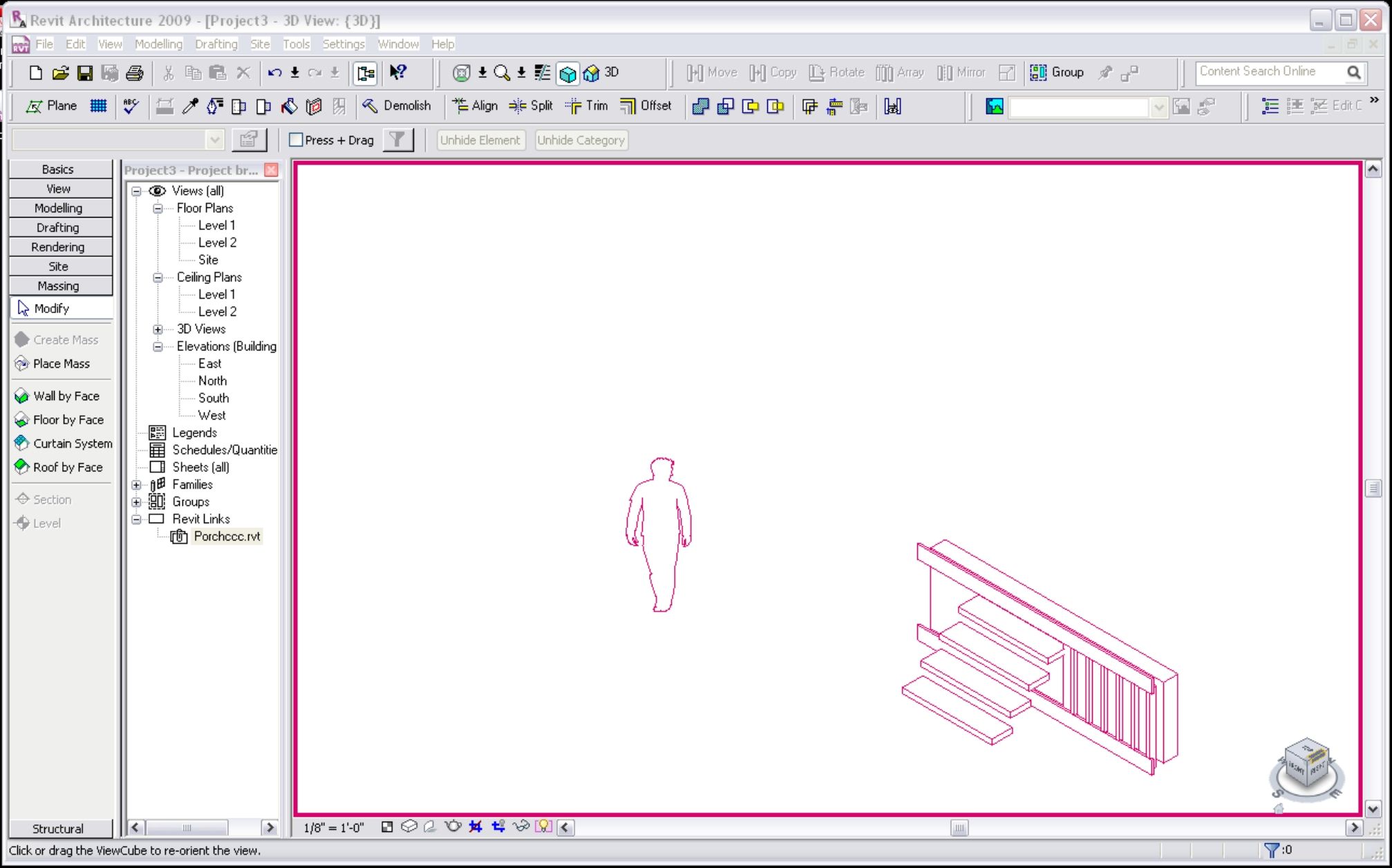
I've created a Revit model with Sketch-up Models IMPORTED. Not linked. Looks good, usable and save that file. I then link that new Revit file into my working Revit model (as i do not want imported sketch up content in my file). When I do this, it links the file but ALL of the Sketch-up content is hidden! It will not let me unhide. The correct worksets, links, and everything appear to be on. Any experience with this and how can I fix? Thanks!
|
This user is offline |
|
 | |
|
|
active
Joined: Wed, Dec 17, 2008
25 Posts
No Rating |
Sorry - I'm using 2009 and Sketch Up Pro 6
|
This user is offline |
|
|
|
active

Joined: Fri, Sep 22, 2006
759 Posts
 |
have you checked all tabs in the VG, make sure all is turned on
|
This user is offline |
|
|
|
Similar Threads |
|
importing sketch up models |
Revit Building >> Technical Support
|
Thu, Aug 16, 2007 at 3:08:23 PM
|
9
|
|
Revit into Sketch-up? |
Community >> The Studio
|
Wed, Feb 17, 2010 at 1:08:26 PM
|
1
|
|
Hidden elements in linked models (R2023) |
Revit Building >> Technical Support
|
Fri, Mar 7, 2025 at 4:49:07 PM
|
0
|
|
importing sketch up files |
Community >> Newbies
|
Wed, Apr 6, 2011 at 6:59:31 PM
|
3
|
|
Sketch up |
Revit Building >> Technical Support
|
Thu, Mar 15, 2007 at 6:46:50 PM
|
8
|
|
|
Site Stats
Members: | 2161655 | Objects: | 23325 | Forum Posts: | 152479 | Job Listings: | 3 |
|
 Search