|
|
|
Home | Forums |
Downloads | Gallery |
News & Articles | Resources |
Jobs | FAQ |
| Join |
Welcome !
|
6 Users Online (4 Members):
Show Users Online
- Most ever was 626 - Mon, Jan 12, 2015 at 2:00:17 PM |
Forums
|
Forums >> Revit Structure >> Technical Support >> new user - copying grids to other levels
|
|
|
active
Joined: Wed, Dec 1, 2010
2 Posts
No Rating |
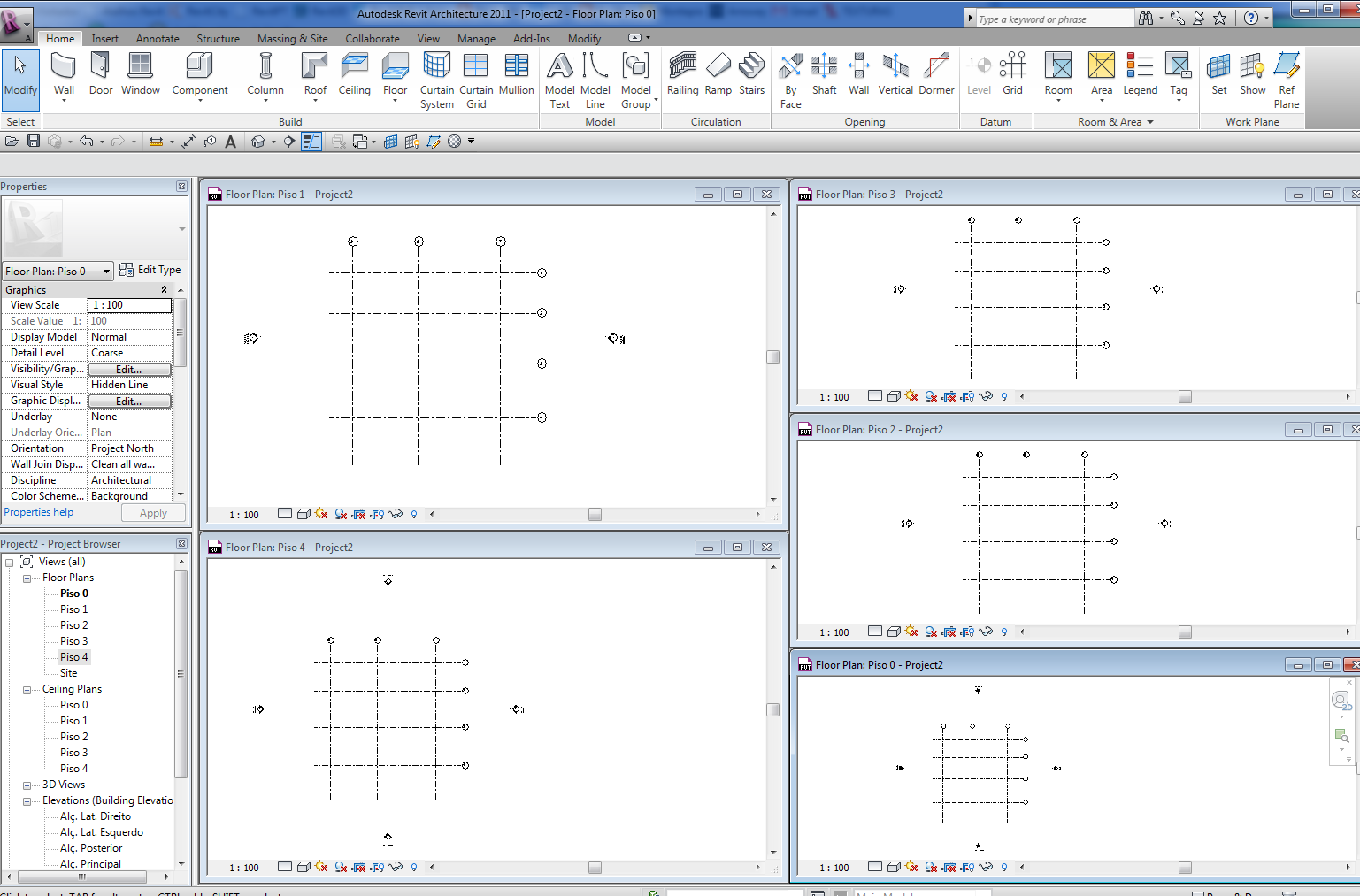
im A NEW USER AND PUT GRIDS AT LEVEL 2 AND SOME GRIDS HAVE COPIED TO OTHER LEVELS BUT SOME GRIDS HAVNT COPIED, DO I NEED TO REDO GRIDS AT EACH LEVEL........
|
This user is offline |
|
 | |
|
|
site moderator|||

Joined: Tue, May 22, 2007
5921 Posts
 |
You don't need to "Copy" grids to other levels, when you create grids in level 0 you will see those grids in all levels, just select the grid and in yhe option bar you will see a "Propagate Extents" button, click on that and select the parallel levels you want.
-----------------------------------
I Hope and I Wish to LEARN more, and more, and more.... REVIT |
This user is offline |
|
|
|
active
Joined: Sun, Sep 24, 2006
34 Posts
 |
The propagate extents tool will only apply the 2d datum modifications to other parallel views that intersect the grid's current 3d extents. (It will not adjust the 3d extents of the grids) Select your grids, right click and select "maximize 3d extents". The best method to avoid this is to always create your levels first. That way your grids will default to the maximum extents. To maintain control over grid groupings, you can constrain them to scope boxes.
|
This user is offline |
|
|
|
Similar Threads |
|
Can't Get Copy Monitor to Work for Grids and Levels |
Revit Structure >> Technical Support
|
Fri, Feb 21, 2014 at 4:55:28 PM
|
4
|
|
Applying changes in grid to all views |
Revit Building >> Technical Support
|
Wed, Dec 26, 2012 at 9:22:57 AM
|
2
|
|
Grids, Levels, and View Templates |
Revit Structure >> Technical Support
|
Fri, Nov 1, 2013 at 4:40:53 PM
|
1
|
|
copy/paste components at different levels without loosing the lock with grids |
Revit Systems >> Technical Support
|
Wed, Feb 16, 2011 at 3:50:00 AM
|
0
|
|
Turn off level lines in a linked model |
Revit Building >> Technical Support
|
Thu, Aug 28, 2014 at 10:04:01 AM
|
2
|
|
|
Site Stats
Members: | 2161655 | Objects: | 23325 | Forum Posts: | 152479 | Job Listings: | 3 |
|
 Search