|
|
|
Home | Forums |
Downloads | Gallery |
News & Articles | Resources |
Jobs | FAQ |
| Join |
Welcome !
|
6 Users Online (4 Members):
Show Users Online
- Most ever was 626 - Mon, Jan 12, 2015 at 2:00:17 PM |
Forums
|
Forums >> Revit Building >> Technical Support >> Errors using Membrane Layer: zero / non-zero thickness
|
|
|
active

Joined: Tue, Nov 17, 2009
148 Posts
No Rating |
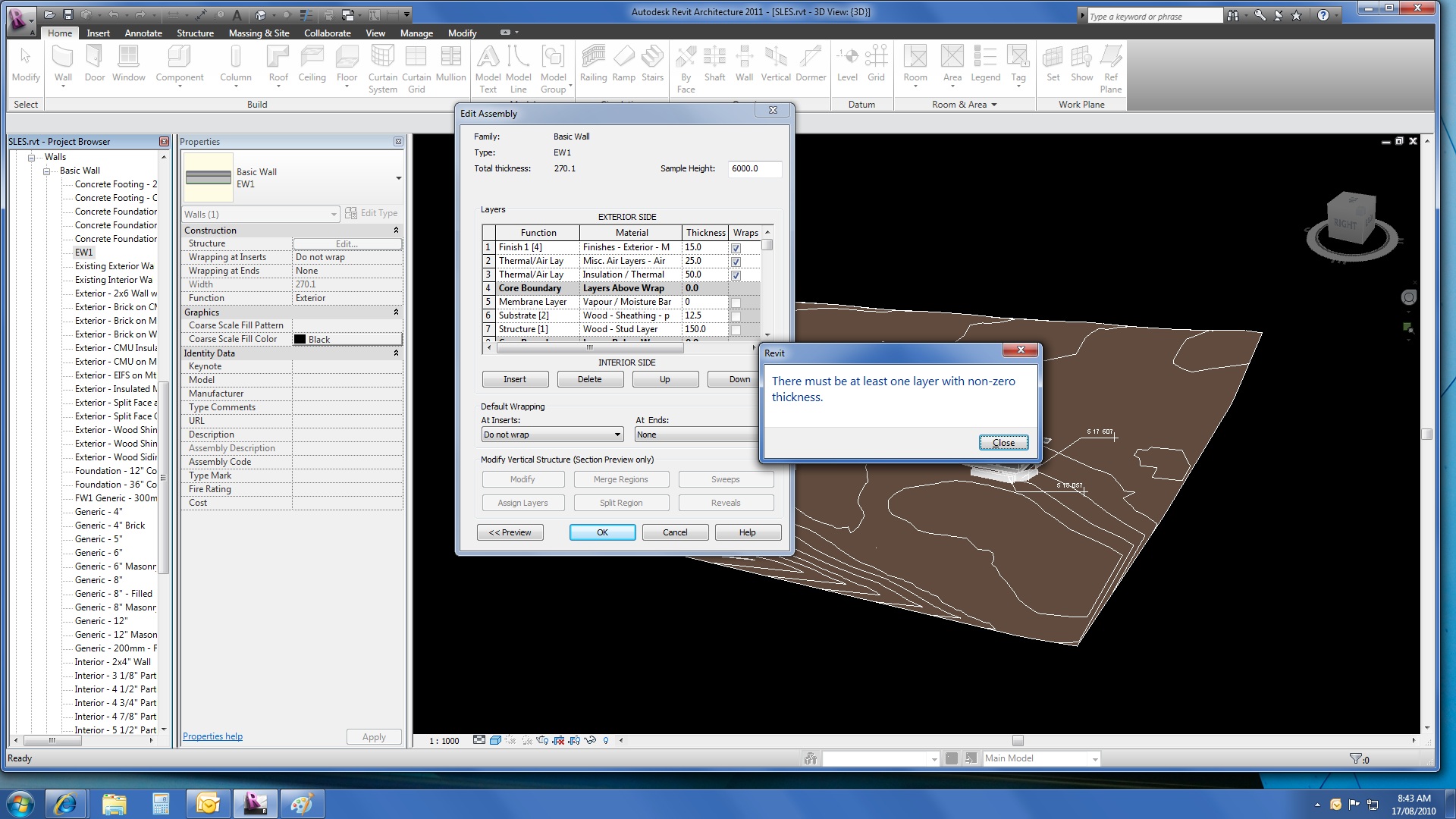
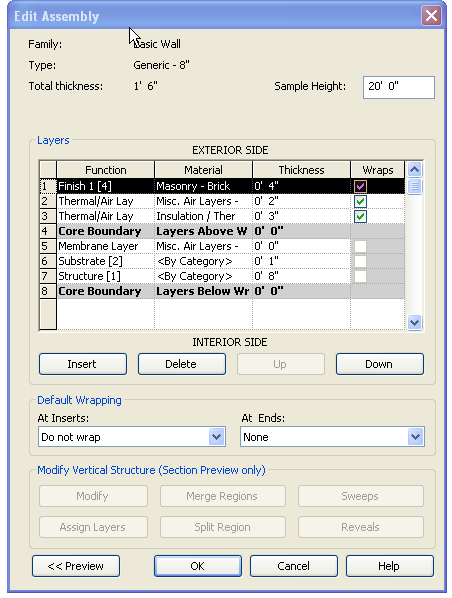
I am a problem using the Membrane Layer function in a wall assembly. If I set the Vapour Barrier = membrane layer = 0 thickness==> "There myst be at least one layer with non-zero thickness"??? curious response since the thickness is set to 0 If I set the Vapour Barrier = membrane layer = 1.6mm thickness==> "Error" Row _: 'membrane layer' function requires zero thickness"??? frustrating, but it won't allow me to set is to 0 (or 'zero') The only thing I have found that I can do is not use the Membrane Layer function and call my vapour barrier a Thermal/Air and give it a minimal width of 1.6mm. How do I address this glitch? Is it me or the software? Ian
-----------------------------------
Ian Shafer
Principal Consultant
True North S&F Consultants |
This user is offline |
View Website
|
 | |
|
|
site moderator|||
Joined: Tue, May 16, 2006
13079 Posts
 |
You must have a layer in the core that is not 0 thickness FIRST. Then you can add a membrane layer.
|
This user is offline |
|
|
|
active
Joined: Tue, Nov 17, 2009
148 Posts
No Rating |
WW Thank you for your suggestion. Perhaps I am not understanding ... I have attached a screen shot showing the assembly I want and the error I get. I tried what you suggested, moving my membrane layer into the core, but this has the same results. What am I not getting ... ? thanks, againIan
-----------------------------------
Ian Shafer
Principal Consultant
True North S&F Consultants |
This user is offline |
View Website
|
|
|
site moderator|||
Joined: Tue, May 16, 2006
13079 Posts
|
I do not have that problem. Delete the layer and try creating a new one.... and you really don't care if it is in the core or not if it is 0 thickness.
|
This user is offline |
|
|
|
active
Joined: Tue, Nov 17, 2009
148 Posts
No Rating |
thanks WW. I don't understand why this didn't work previously ... but it works now. I appreciate the assistance. Ian
-----------------------------------
Ian Shafer
Principal Consultant
True North S&F Consultants |
This user is offline |
View Website
|
|
|
active
Joined: Mon, Apr 1, 2013
9 Posts
No Rating |
Its a glitch in Revit.
It seems you can only ever insert a new membrane layer. Revit will not allow you to change a layer from a previous function with a thickness to a membrane function.
|
This user is offline |
|
|
|
Similar Threads |
|
Kenoting a Membrane Layer (0" thickness) |
Revit Building >> Technical Support
|
Sat, Feb 12, 2011 at 12:23:27 PM
|
0
|
|
Zero thickness wall layer |
Revit Structure >> Technical Support
|
Mon, Mar 30, 2009 at 7:22:16 AM
|
3
|
|
What's the Point of the Membrane Layer |
Revit Building >> Technical Support
|
Mon, Nov 11, 2013 at 5:11:55 PM
|
5
|
|
How to control a single-layer wall? |
Revit Building >> Technical Support
|
Wed, Apr 28, 2010 at 2:39:50 AM
|
3
|
|
show Vapor Barrier below the foundation slab |
Revit Building >> Technical Support
|
Fri, Mar 15, 2013 at 11:12:17 AM
|
1
|
|
|
Site Stats
Members: | 2161655 | Objects: | 23325 | Forum Posts: | 152479 | Job Listings: | 3 |
|
 Search