|
|
|
Home | Forums |
Downloads | Gallery |
News & Articles | Resources |
Jobs | FAQ |
| Join |
Welcome !
|
4 Users Online (2 Members):
Show Users Online
- Most ever was 626 - Mon, Jan 12, 2015 at 2:00:17 PM |
Forums
|
Forums >> Revit Building >> Technical Support >> TAGGING CAMERA VIEWS
|
|
|
active
Joined: Tue, Jun 16, 2009
27 Posts
No Rating |
I am wondering if there is a way to place a tag on a floor plan that references a camera view. I know I can just place a tag there but I would like something that would update if the tag is moved on the sheet. I was thinking of using a section and tag and selecting reference other view but the camera views are not listed there.
|
This user is offline |
|
 | |
|
|
site moderator|||

Joined: Tue, May 22, 2007
5921 Posts
 |
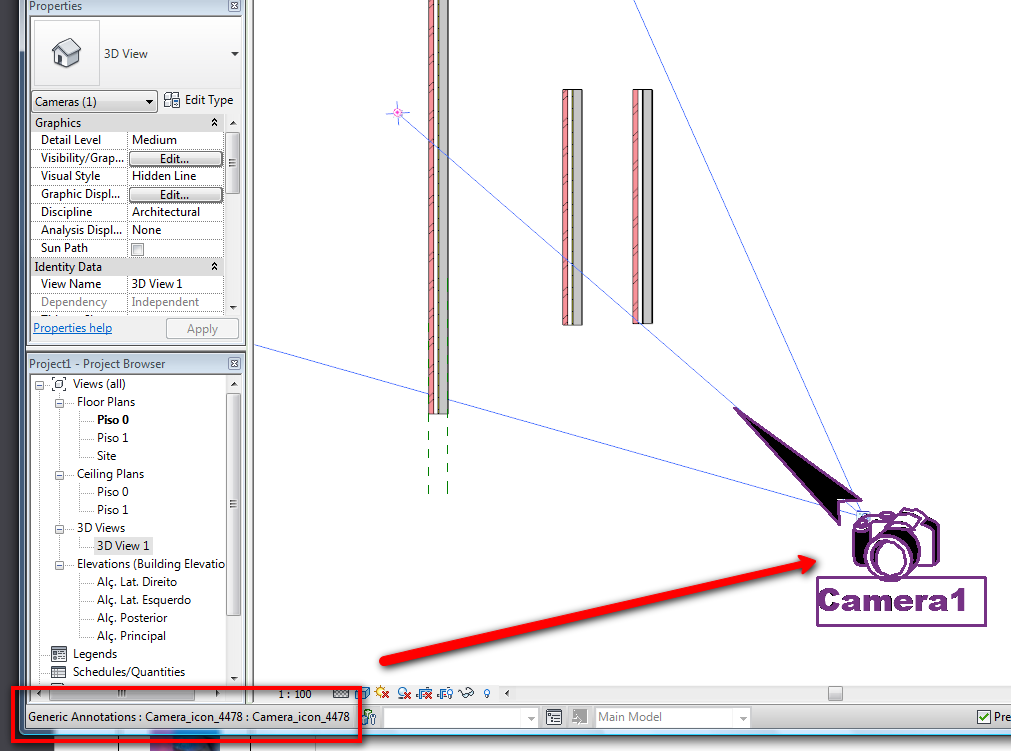
Humm nothing like that, use a generic tag where you can adjust the angle of the Camera "Tag"
-----------------------------------
I Hope and I Wish to LEARN more, and more, and more.... REVIT |
This user is offline |
|
|
|
site moderator|||
Joined: Tue, May 16, 2006
13079 Posts
 |
This question was just asked on AUGI as well. A work around could be an elevation marker. Then place the elevation on your sheet - turn off everything in the view and place your 3D view on the sheet above the view title.
|
This user is offline |
|
|
|
Similar Threads |
|
Camera views export blank images |
Revit Building >> Technical Support
|
Mon, Dec 9, 2013 at 2:13:16 PM
|
4
|
|
Printing Camera Views Light |
Revit Building >> Technical Support
|
Tue, Nov 1, 2011 at 8:16:08 AM
|
2
|
|
Camera Views In Plan (TARGET ADJUSTMENT) |
Revit Building >> Technical Support
|
Sat, Oct 30, 2010 at 8:16:47 AM
|
6
|
|
Exporting Revit Model with Specific Camera Views |
Revit Building >> Technical Support
|
Tue, Jun 4, 2013 at 1:51:54 PM
|
3
|
|
Adding dimensions in camera views? 2015 |
Revit Building >> Technical Support
|
Wed, Feb 11, 2015 at 10:21:52 AM
|
2
|
|
|
Site Stats
Members: | 2161655 | Objects: | 23325 | Forum Posts: | 152479 | Job Listings: | 3 |
|
 Search