|
|
|
Home | Forums |
Downloads | Gallery |
News & Articles | Resources |
Jobs | FAQ |
| Join |
Welcome !
|
11 Users Online (9 Members):
Show Users Online
- Most ever was 626 - Mon, Jan 12, 2015 at 2:00:17 PM |
Forums
|
Forums >> Revit Building >> Technical Support >> Revit 10 Model to FBX to 3Ds Studio Max Design lighting problem
|
|
|
active
Joined: Wed, Jun 7, 2006
14 Posts
No Rating |
Guys, Just started using Max. Revit model comes nicely through FBX to Max. All finishes there. All environment set up in max. Compass, sun etc. Lighting does not shine neither in the dayligh nor at night. Night rendering looks white background and black building or white/white. Tried create new lighting in max or bring from Revit. No effect. What am I doing wrong? Need help ASAP. Presentation in 2 weeks. Revit does not render night views - huge hi-rise. Thanks.
|
This user is offline |
|
 | |
|
|
active

Joined: Fri, Sep 7, 2007
738 Posts
 |
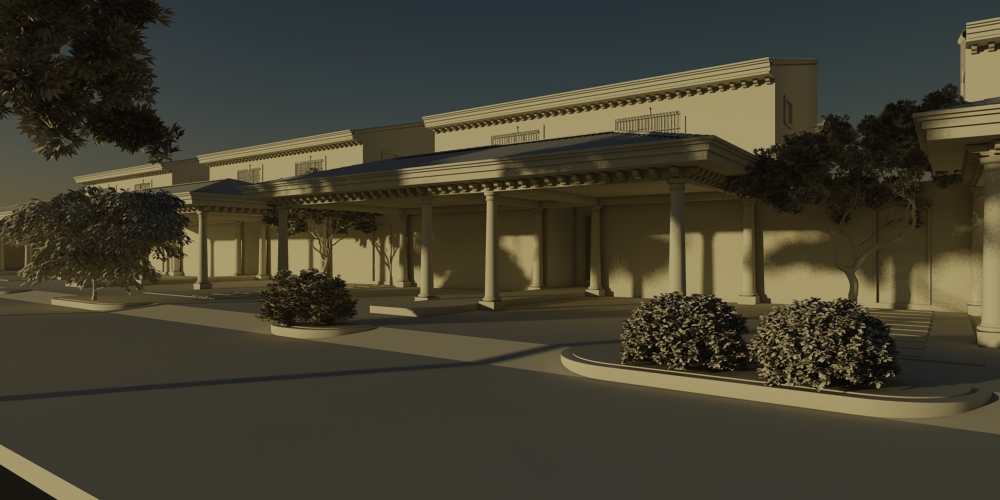
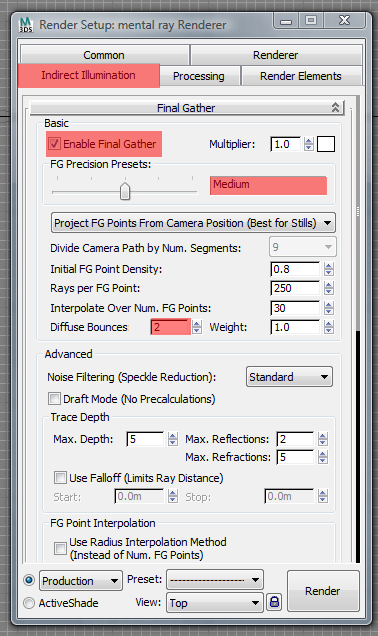
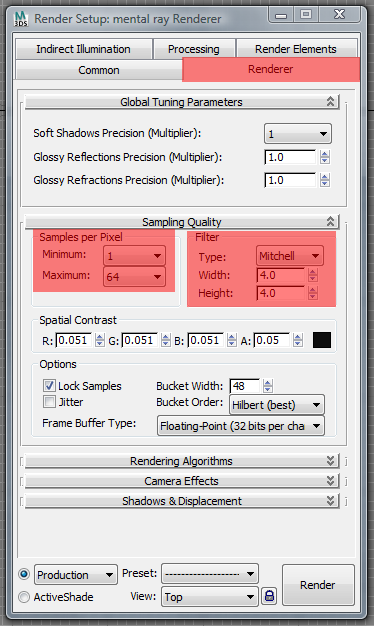
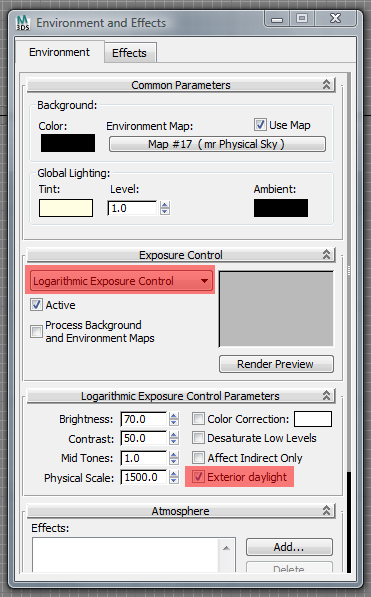
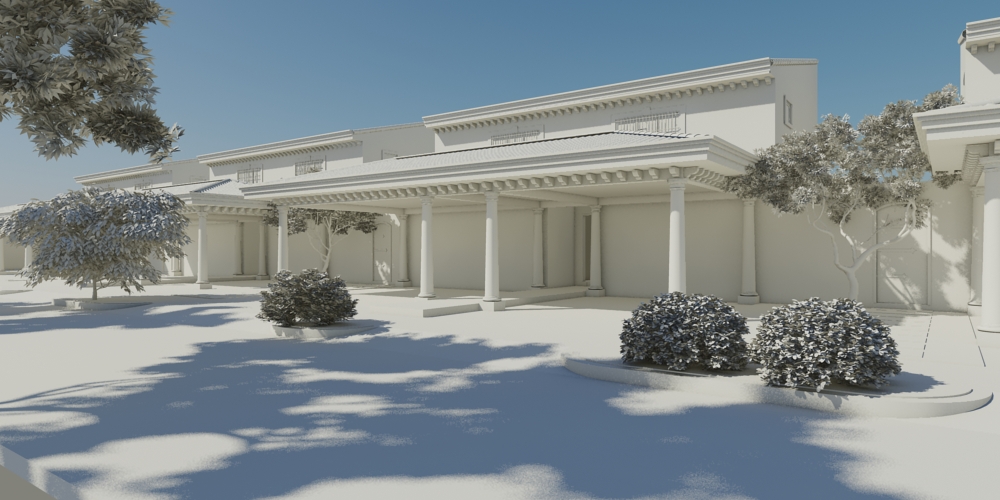
Hi Agatha, try with these settings. Note: The materials of this model were set to be rendered in white but it's an .fbx (imported file). 3ds Max Design 2011.
Edited on: Thu, Apr 29, 2010 at 9:32:35 PM
-----------------------------------
“Learning never exhausts the mind.” — Leonardo Da Vinci
|
This user is offline |
|
|
|
active
Joined: Wed, Jun 7, 2006
14 Posts
No Rating |
Hi, Thanks a lot! Now I can get evening and control the sun. But my lighting is not on. I need lighting for evening views. Night still black/white. If I could send my file to you and you can figure it out what i am doing wrong. Thanks anyway! You are the best!!!!  ) )
|
This user is offline |
|
|
|
active

Joined: Tue, Jan 16, 2007
1009 Posts
 |
Ernesto, I am just curious why you use Logarithmic Exposure Control rather than the Mental Ray Photographic?
|
This user is offline |
View Website
|
|
|
active
Joined: Wed, Jun 7, 2006
14 Posts
No Rating |
Guys, talk teach me rather then talking to each other. My light is not on. Still. Was fighting whole day today. Used MR control too. Please help!
|
This user is offline |
|
|
|
active
Joined: Fri, Sep 7, 2007
738 Posts
|
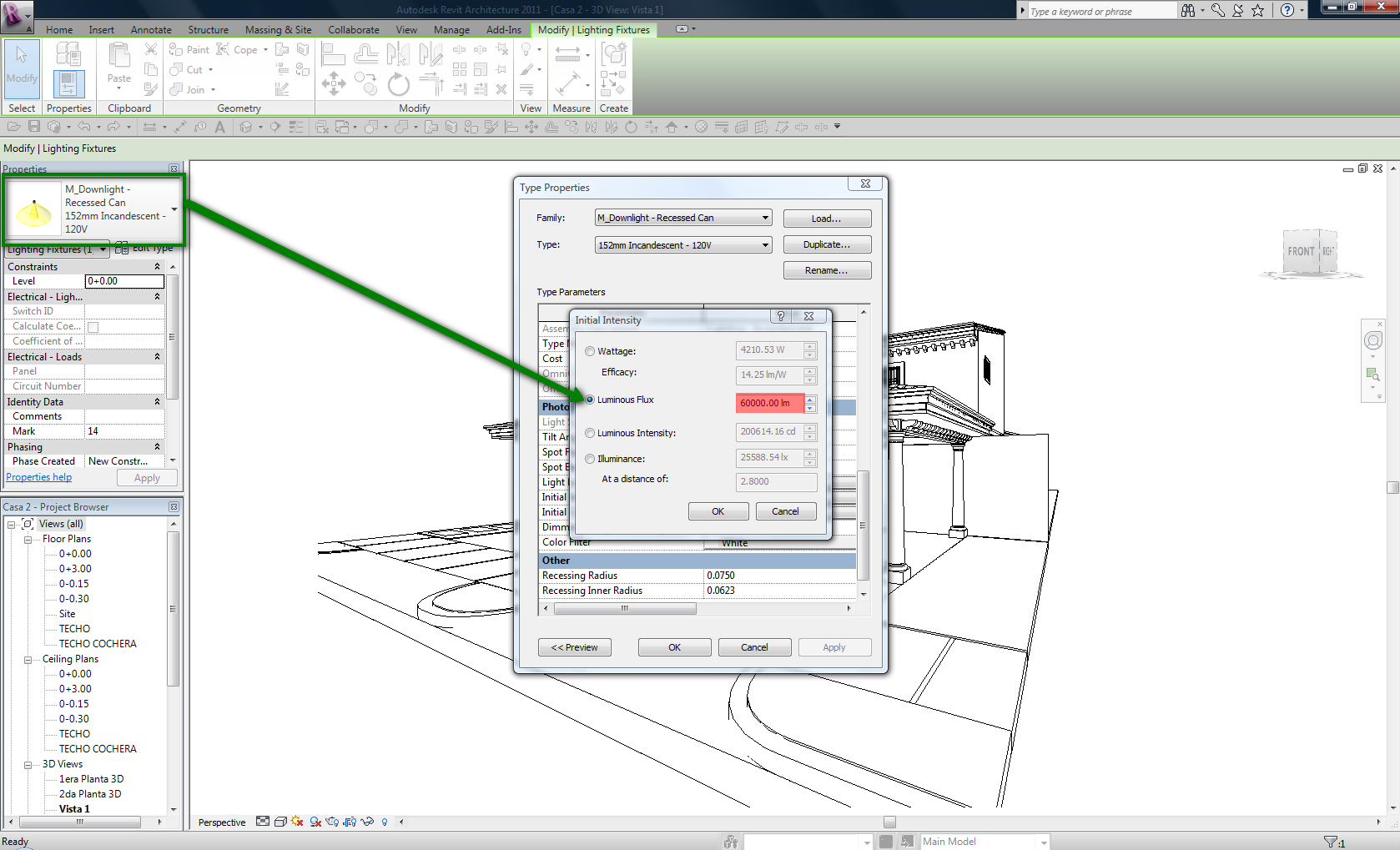
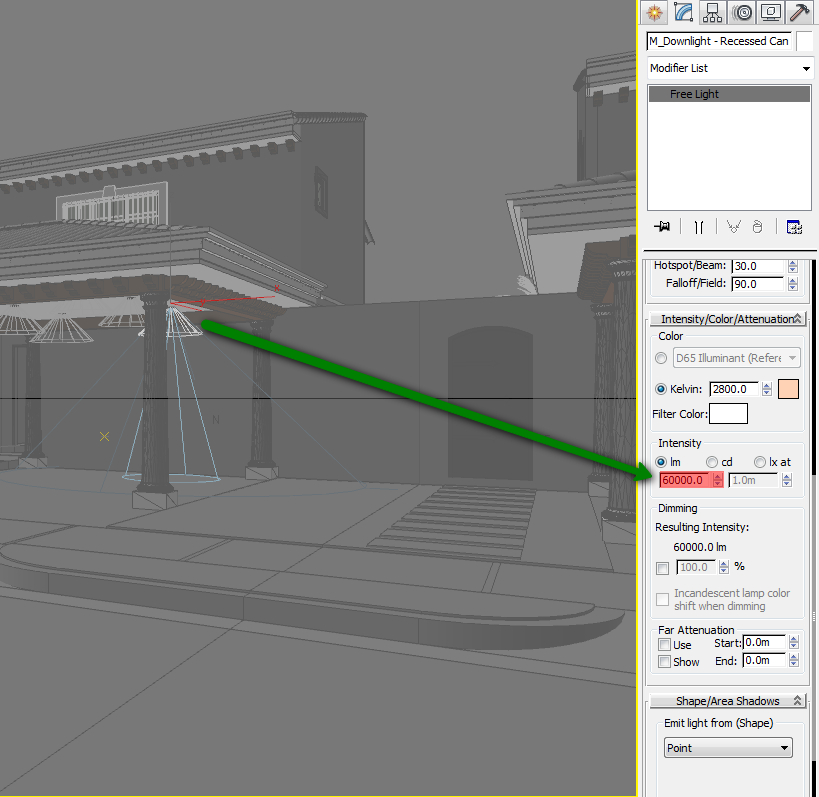
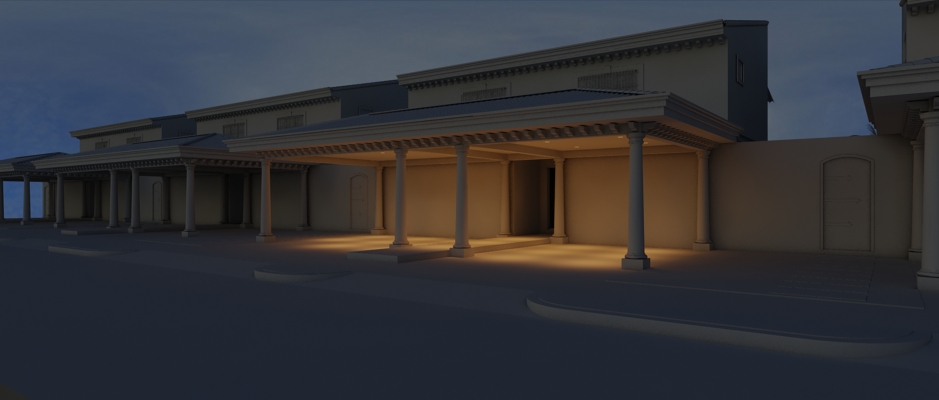
Agatha, before you export your model to 3ds Max via .fbx, change the initial intensity of your lightning fixtures (luminous flux - Revit works with Watts, Max with Lumens).....see the images....
-----------------------------------
“Learning never exhausts the mind.” — Leonardo Da Vinci
|
This user is offline |
|
|
|
active
Joined: Fri, Sep 7, 2007
738 Posts
|
" Ernesto, I am just curious why you use Logarithmic Exposure Control rather than the Mental Ray Photographic? "
-----------------------------------
“Learning never exhausts the mind.” — Leonardo Da Vinci
|
This user is offline |
|
|
|
Similar Threads |
|
Revit 2009 in 3D Studio Max Design lighting issues |
Revit Building >> Technical Support
|
Mon, May 5, 2008 at 6:03:59 AM
|
1
|
|
Revit to 3DS Max and creating FBX files |
Workflow & Implementation >> API & Third Party Apps
|
Fri, Apr 26, 2024 at 4:30:41 AM
|
2
|
|
Exporting FBX file from Revit to 3Ds Max |
Community >> Newbies
|
Wed, Sep 30, 2020 at 1:36:49 PM
|
5
|
|
problems with Revit 2013 in 3ds Max! |
Revit Building >> Technical Support
|
Fri, Dec 14, 2012 at 4:25:44 PM
|
13
|
|
Revit FBX causes 3DS Max to crash |
General Discussion >> Revit Project Management
|
Wed, Aug 10, 2016 at 6:02:27 PM
|
1
|
|
|
Site Stats
Members: | 2161655 | Objects: | 23325 | Forum Posts: | 152479 | Job Listings: | 3 |
|
 Search