|
|
|
Home | Forums |
Downloads | Gallery |
News & Articles | Resources |
Jobs | FAQ |
| Join |
Welcome !
|
52 Users Online (50 Members):
Show Users Online
- Most ever was 626 - Mon, Jan 12, 2015 at 2:00:17 PM |
Forums
|
Forums >> Revit Building >> Technical Support >> how do you create patterns in your renders?
|
|
|
active
Joined: Mon, Oct 5, 2009
1 Posts
No Rating |
Hey guys, Was wondering how do you create patterns in your renders? my building has wooden cladding, i can render the outer surface so that it is wooden, was wondering is ther a way to put lines across the wood so that id makes it look like there is wooden panels? Many Thanks, Aaron
|
This user is offline |
|
 | |
|
|
site moderator|||

Joined: Fri, Feb 10, 2006
1874 Posts
 |
the simplest and easy method would be to replace the associated material raster file with one that has has the characteristics you want.
-----------------------------------
best regards, coreed,aia bmpArchitects,Inc. "Revit has to be implemented, Not installed." Long Live Revit |
This user is offline |
|
|
|
active

Joined: Thu, Aug 24, 2006
86 Posts
 |
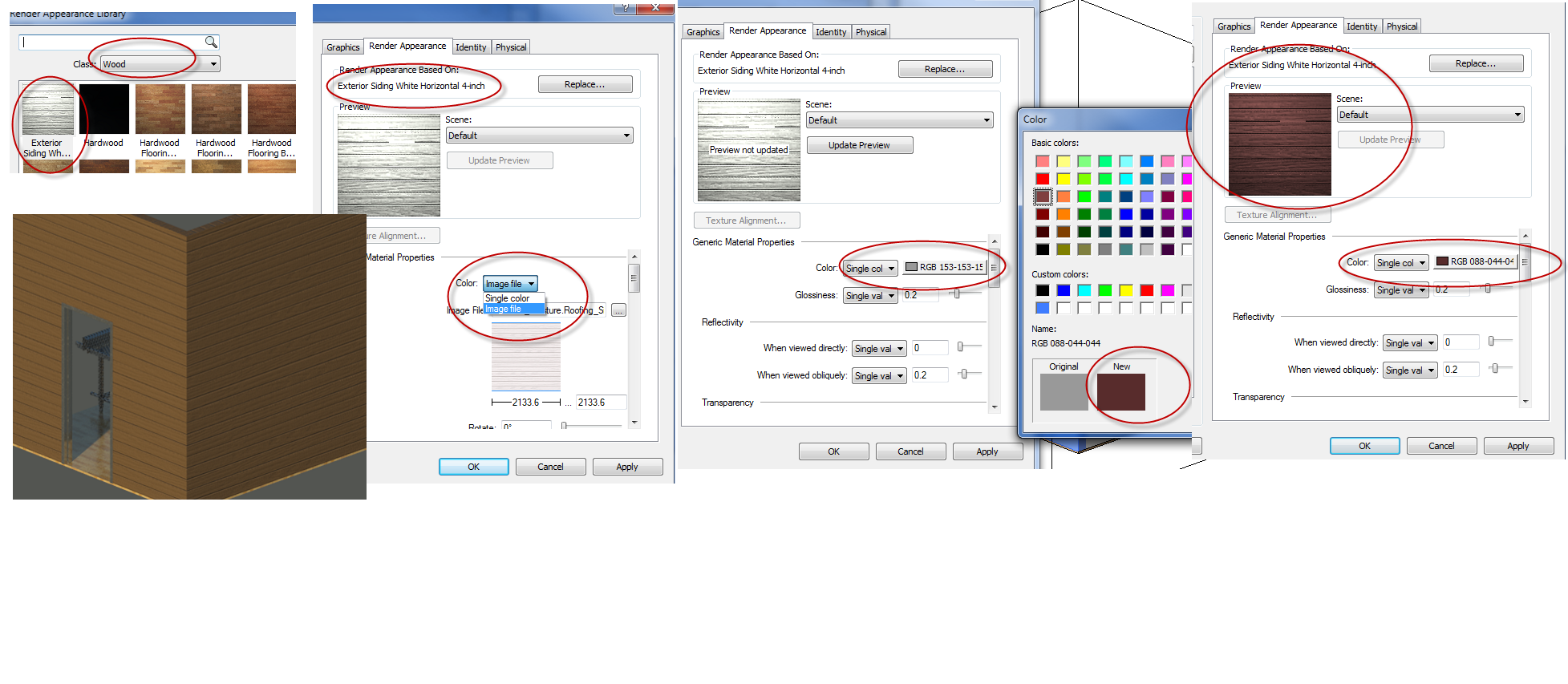
Here's one way Add colour to an existing taxture
|
This user is offline |
View Website
|
|
|
Similar Threads |
|
Renders - Revit 2010 |
Revit Building >> Technical Support
|
Tue, Jul 20, 2010 at 5:17:02 AM
|
1
|
|
create/ convert hatch patterns (.pat) to revit fill patterns |
Revit Building >> Tips & Tricks
|
Tue, Jun 2, 2015 at 11:29:00 AM
|
4
|
|
surface patterns and rendering |
Revit Building >> Technical Support
|
Sun, Jun 27, 2004 at 7:37:47 AM
|
1
|
|
Multiply Renders |
Revit Building >> Technical Support
|
Mon, Aug 15, 2005 at 5:42:39 PM
|
1
|
|
Where do model patterns go? |
Revit Building >> Technical Support
|
Thu, Sep 24, 2015 at 9:37:41 PM
|
8
|
|
|
Site Stats
Members: | 2161655 | Objects: | 23325 | Forum Posts: | 152479 | Job Listings: | 3 |
|
 Search