|
|
|
Home | Forums |
Downloads | Gallery |
News & Articles | Resources |
Jobs | FAQ |
| Join |
Welcome !
|
55 Users Online (54 Members):
Show Users Online
- Most ever was 626 - Mon, Jan 12, 2015 at 2:00:17 PM |
Forums
|
Forums >> Revit Building >> Technical Support >> There's a revolution coming.. or not.
|
|
|
active
Joined: Sun, Mar 14, 2010
2 Posts
No Rating |
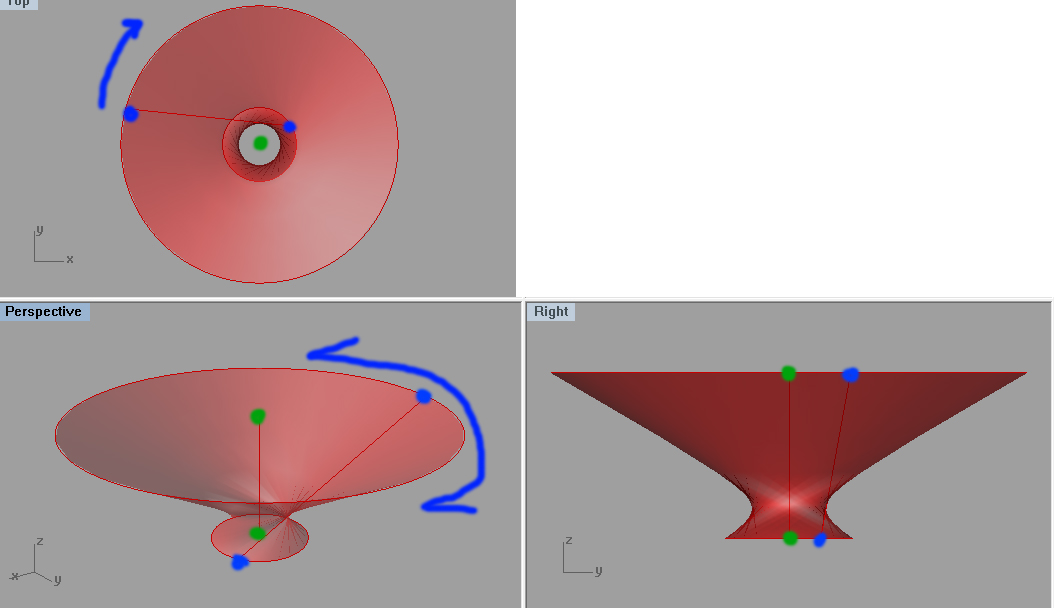
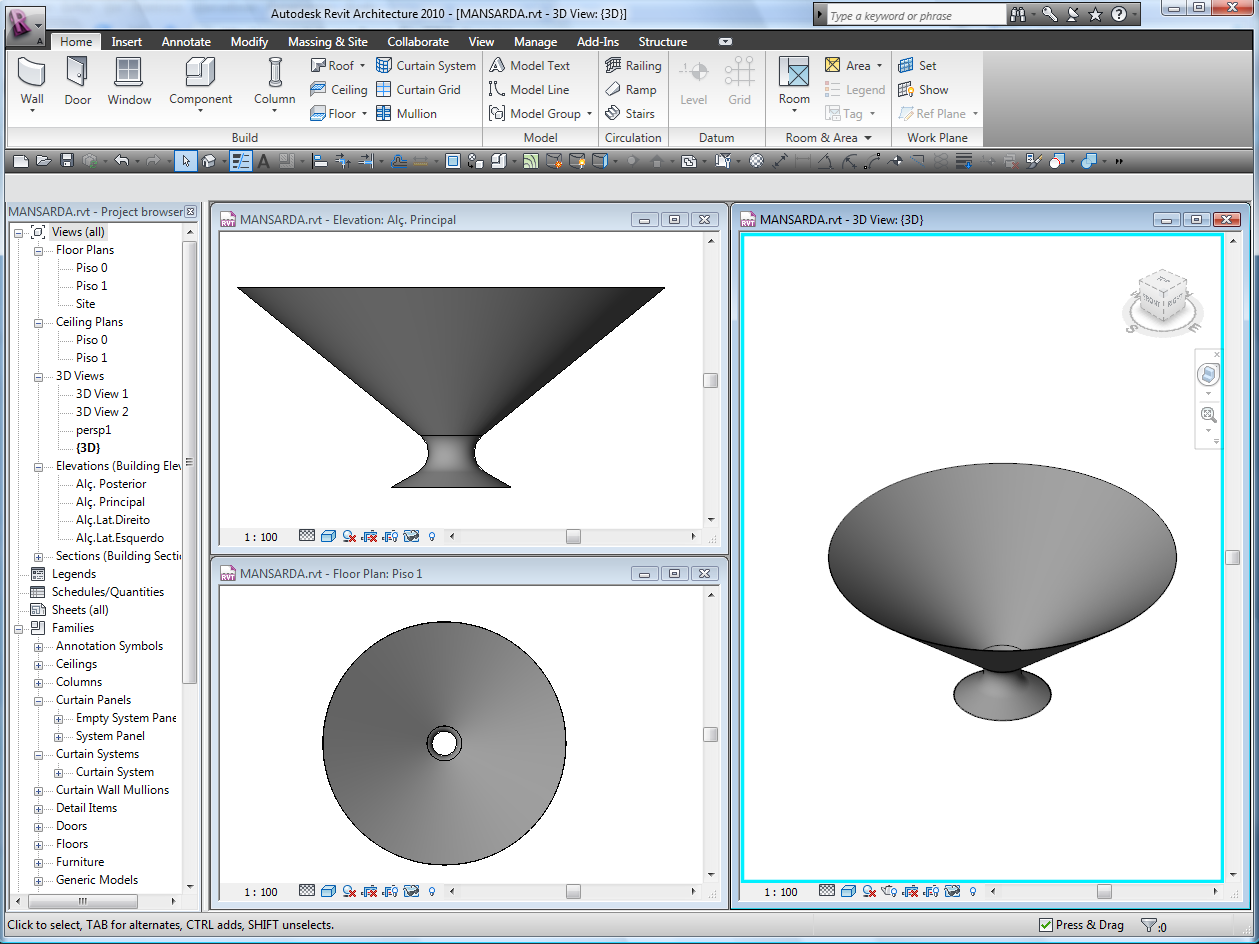
Iv'e been trying to get this revolving shape going in Revit for ages, but I can't seem to get it done. The easiest way of creating the for would be to either: 1. Revoling the slanted line indicated with blue dots around the axis indicated by green dots. 2. Extruding a form between the upper and lower circle rim, but keeping the start/end point of the circles as different angles around the axis and this causing the "twist". (1) fails because Revit refuse to revolve any section that isn't planar by itself. (2) works up until 179 degree twist, after that Revit automatically switch circle segments as to match the lower with the closest upper - since it treats a circle like two circular arcs. I want a 180 deg + twist as you can see, suggestions anyone?
|
This user is offline |
|
 | |
|
|
site moderator|||

Joined: Tue, May 22, 2007
5921 Posts
 |
If you want more complicate shapes, use Rhino (like you are now) then import to a "Mass" family.
-----------------------------------
I Hope and I Wish to LEARN more, and more, and more.... REVIT |
This user is offline |
|
|
|
active
Joined: Sun, Mar 14, 2010
2 Posts
No Rating |
Yeahm problem is that you end up with these horrible imports that you really can use for very much - no divide surface for an example.
|
This user is offline |
|
|
|
Similar Threads |
|
Logitech Revolution Mouse |
Revit Building >> Technical Support
|
Fri, Feb 2, 2007 at 12:24:16 PM
|
2
|
|
Rendering is coming out black |
Revit Building >> Technical Support
|
Fri, Aug 1, 2014 at 9:06:25 AM
|
3
|
|
Rendering coming out gray |
Revit Building >> Technical Support
|
Wed, Jul 19, 2006 at 5:49:21 PM
|
1
|
|
How To continue a wall sweep around the edge of a wall |
Revit Building >> Technical Support
|
Thu, Aug 3, 2006 at 3:26:47 PM
|
0
|
|
revoled families |
Revit Building >> Technical Support
|
Tue, Dec 23, 2003 at 8:06:32 AM
|
0
|
|
|
Site Stats
Members: | 2161655 | Objects: | 23325 | Forum Posts: | 152479 | Job Listings: | 3 |
|
 Search