|
Forums >> Revit Building >> Technical Support >> MOVING DIMENSION TEXT
|
|
|
active
Joined: Tue, Aug 23, 2005
7 Posts
No Rating |
WHEN I MOVE TEXT FROM A DIMENSION, IT IS TRAILED BY AN ARC. IS THERE ANY WAY TO MAKE IT A STRAIGHT LINE?
|
This user is offline |
|
 |
|
|
|
site moderator|||

Joined: Mon, Jan 12, 2004
2889 Posts
 |
Not that i know of... its either curved leader or none at all...
|
This user is offline |
View Website
|
|
|
active
Joined: Tue, Jul 11, 2006
8 Posts
No Rating |
If you keep dragging the dimension out and down the line will become horizontal as it lines up with the main dimension line. This is about the best visual affect you can achieve.
|
This user is offline |
|
|
|
active
Joined: Sun, Mar 26, 2006
83 Posts
No Rating |
Hi Is there a way to have it turned off by default? Dave F.
|
This user is offline |
|
|
|
active

Joined: Sun, Mar 27, 2005
208 Posts
 |
like most things in good ole revit,there is usually a way to do such things. if you select the dimension, an option pops up in the options bar, to select/deselect leader. i have learnt over time to really watch that bar, and the explanation bar along the bottom.
|
This user is offline |
View Website
|
|
|
active
Joined: Sun, Mar 26, 2006
83 Posts
No Rating |
Yes, I'm aware of the option to turn it off after the individual dim is drawn, but I was enquiring if there was a way to have all dimensions default to no line before they're drawn.
|
This user is offline |
|
|
|
active
Joined: Sun, Mar 27, 2005
208 Posts
|
hi dave sorry but it appears it is a post-operation option only. might be a wishlist thing. i do not find it too onerous i must admit, as the dimensioning in revit is fairly intelligent overall, peter
|
This user is offline |
View Website
|
|
|
site moderator|||
Joined: Mon, Jan 12, 2004
2889 Posts
|
As a general rule (as i hate that leader as well). I leave the leaders on until i finish dimensioning and then do a select all instances of a particular dimension type and deselect leader to turn them all off at once. It would be nice to be able to have them be off by default.
-----------------------------------
Regards,
Chris.
Co-Founder | BIM Consultant | Software Designer  B. Arch) B. Arch)
Xrev Revit API Addins | Revit Rants |
This user is offline |
View Website
|
|
|
active
Joined: Sun, Mar 26, 2006
83 Posts
No Rating |
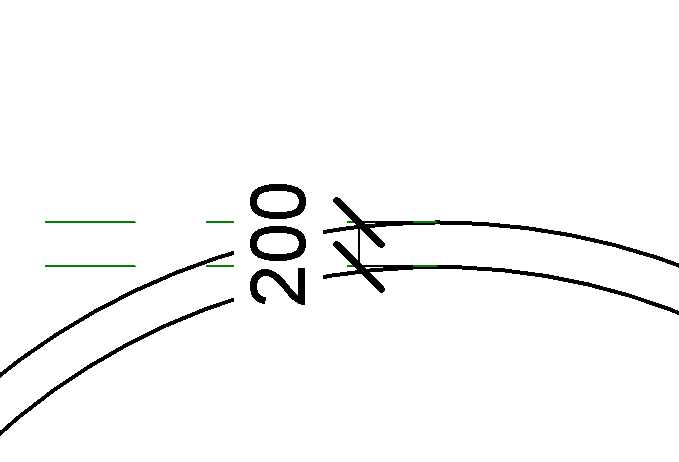
Thanks to both for replying. >as the dimensioning in revit is fairly intelligent overall, The one bit of dimensioning that still seems to be missing is for curved wall widths (thickness). At the moment I'm having to add temp reference plans (see attached). Iis there abetter way? Cheers Dave F.
|
This user is offline |
|
|
|
Similar Threads |
|
Dimension Text [ 1 2 ] |
Revit Building >> Technical Support
|
Tue, Jul 8, 2008 at 9:15:07 AM
|
18
|
|
Overwriting Dimension with Text |
Revit Building >> Technical Support
|
Thu, Jan 11, 2007 at 11:13:56 AM
|
4
|
|
Multiline text below dimension |
Revit Building >> Technical Support
|
Tue, May 10, 2011 at 9:32:42 AM
|
2
|
|
Dimension Text Problem |
Revit Building >> Technical Support
|
Fri, Nov 14, 2008 at 9:41:55 PM
|
1
|
|
Inserting text under dimension in string dimension |
Revit Building >> Technical Support
|
Thu, Apr 2, 2009 at 9:47:51 AM
|
10
|
|

 Search