|
|
|
Home | Forums |
Downloads | Gallery |
News & Articles | Resources |
Jobs | FAQ |
| Join |
Welcome !
|
32 Users Online (30 Members):
Show Users Online
- Most ever was 626 - Mon, Jan 12, 2015 at 2:00:17 PM |
Forums
|
Forums >> Revit Building >> Technical Support >> custom color setting do not display
|
|
|
active
Joined: Sun, Jul 19, 2009
1 Posts
No Rating |
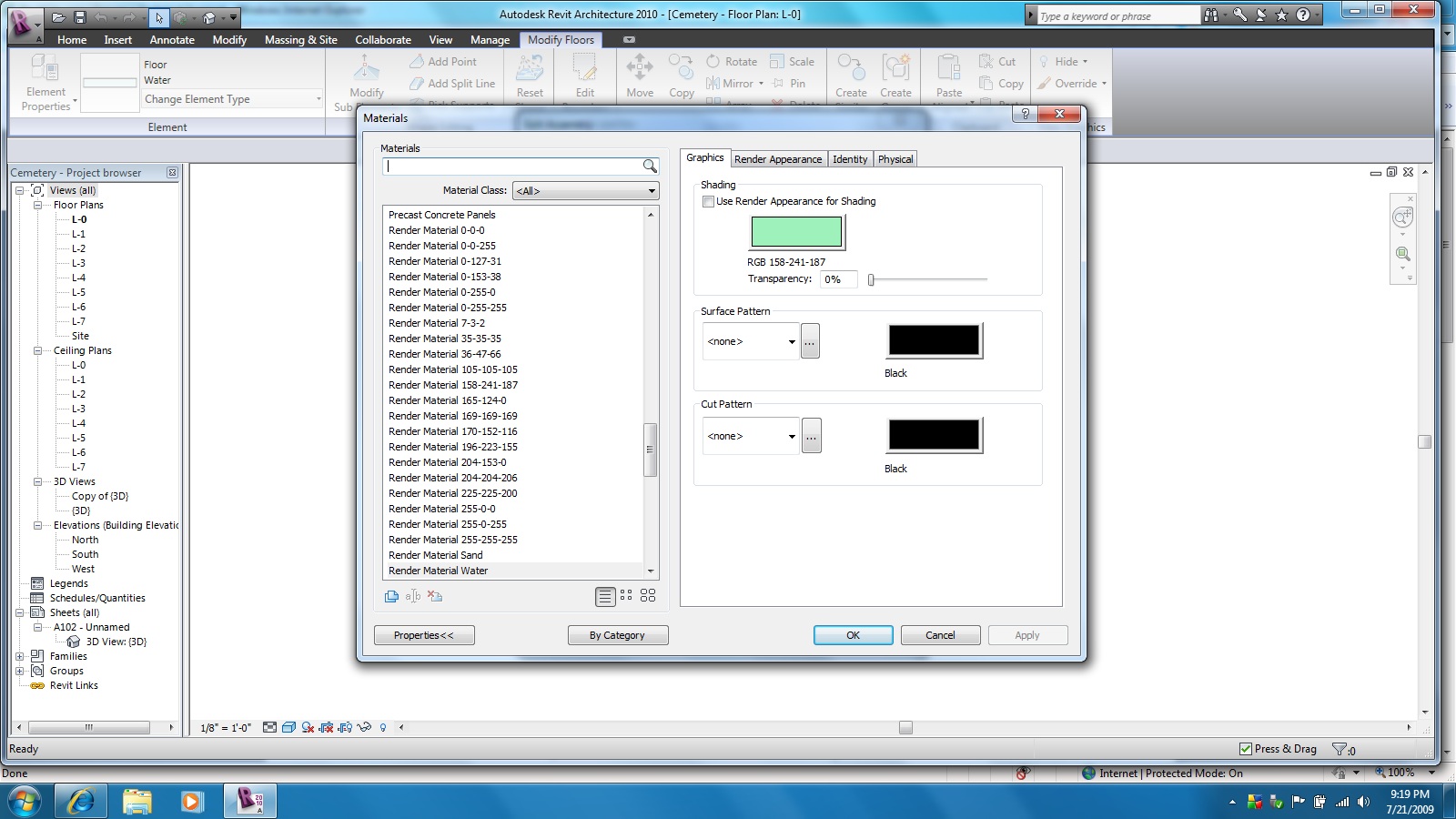
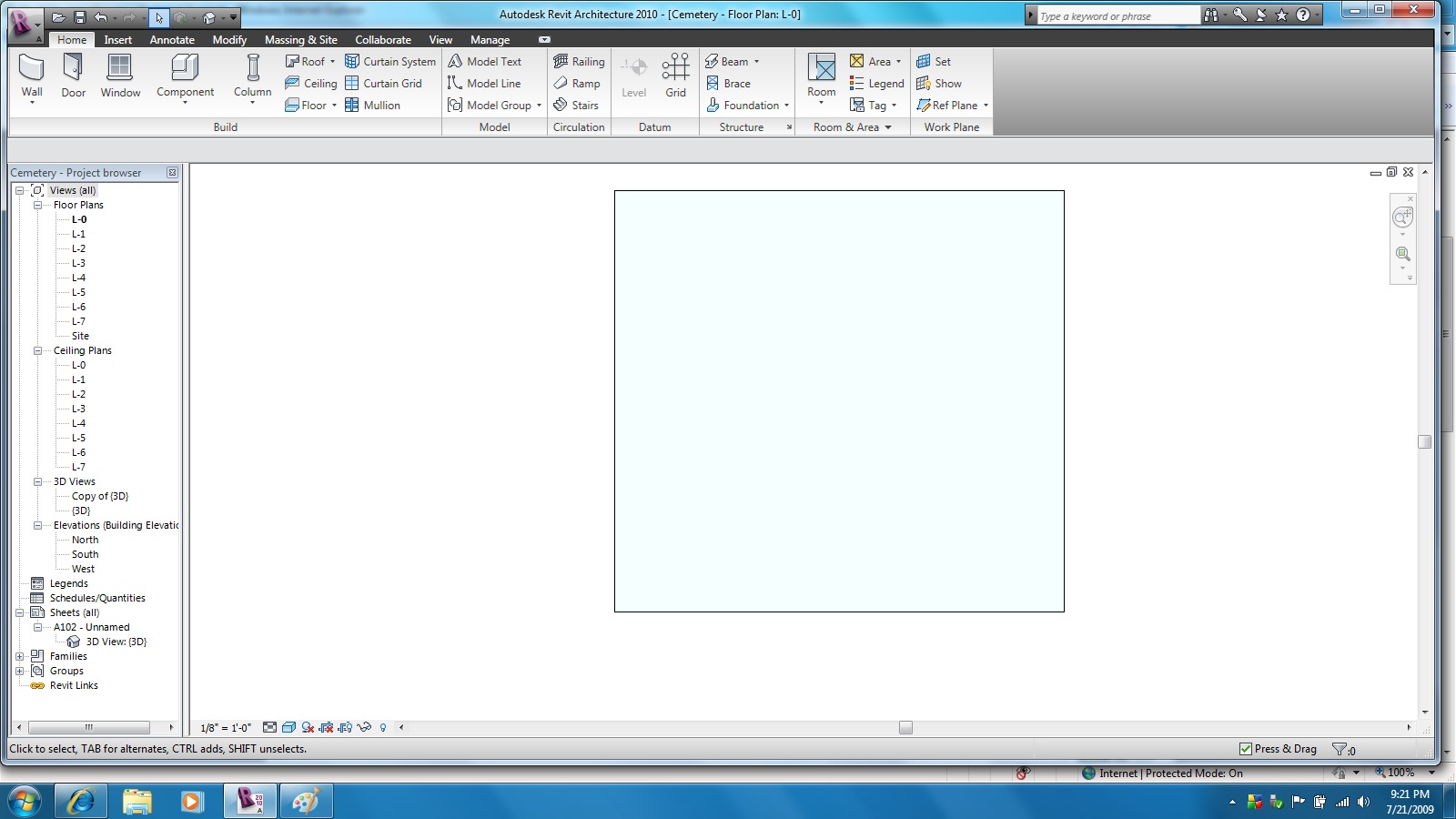
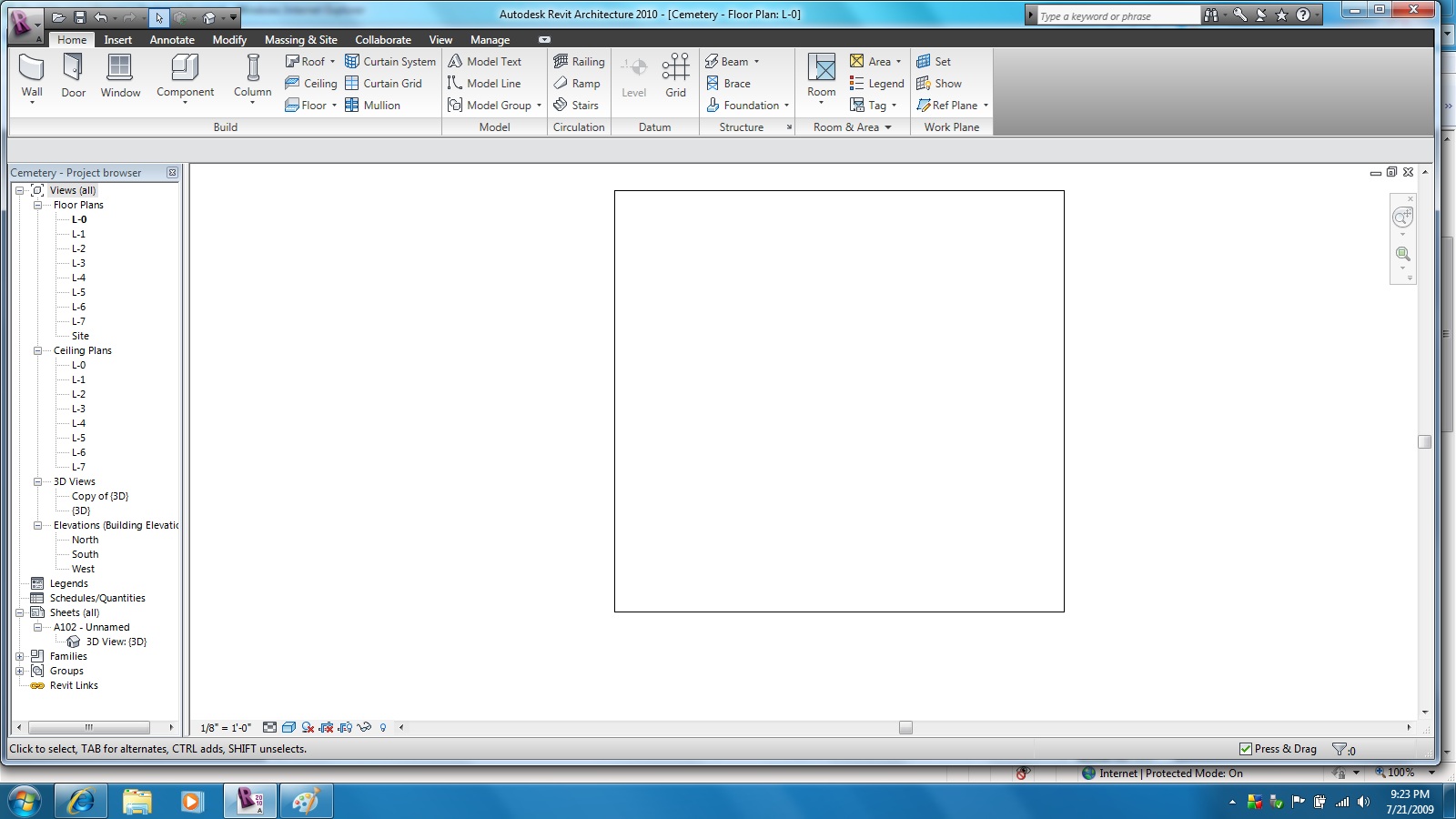
I am using the 64 bit version of 2010 revit, but the 32 bit version displayed the same problem. I have created an element which is a floor. Under element properties > edit type > structure:edit > material : edit > shading I have unchecked"Use Render Apperance for Shading", have clicked on the color button and set the RGB settings to 196-251-253, Surface Pattern is set to None and Cut Pattern is set to None. When looking at the floor in 3D Top view or any view I see the floor displayed with a light blue color. However on the same floor when I change the RGB setting to 253-251-196 the color shows correct in the settings box, but in 3D top view or any view the floor shows up without any color! Is there a reason the program is behaving this way, is there a limited set of colors it can display or is this a bug? Any help willl be appreciated. Thanks. Tom
|
This user is offline |
|
 |
|
Similar Threads |
|
Revit Display Color changed |
Revit Building >> Technical Support
|
Thu, Feb 28, 2013 at 9:21:30 AM
|
2
|
|
Display worksets by color |
Workflow & Implementation >> Worksets
|
Tue, Jun 17, 2008 at 11:54:46 PM
|
1
|
|
Turn of Color Fills |
Revit Building >> Technical Support
|
Fri, May 19, 2006 at 2:31:06 AM
|
1
|
|
Custom Window and Door Family display issues [ 1 2 ] |
Community >> Newbies
|
Fri, Aug 9, 2013 at 11:35:41 AM
|
15
|
|
Lighting Color |
Revit Building >> Technical Support
|
Sat, Apr 16, 2011 at 9:43:08 PM
|
7
|
|
|
Site Stats
Members: | 2161655 | Objects: | 23325 | Forum Posts: | 152479 | Job Listings: | 3 |
|
 Search